3.6 Removing the Transport Fasteners
Context
● When moving a cabinet, take measures to prevent it from toppling.
● The two compressor fasteners and one liquid level detector fastener installed
for transport protection must be removed. Otherwise, the equipment may fail
to work properly.
Procedure
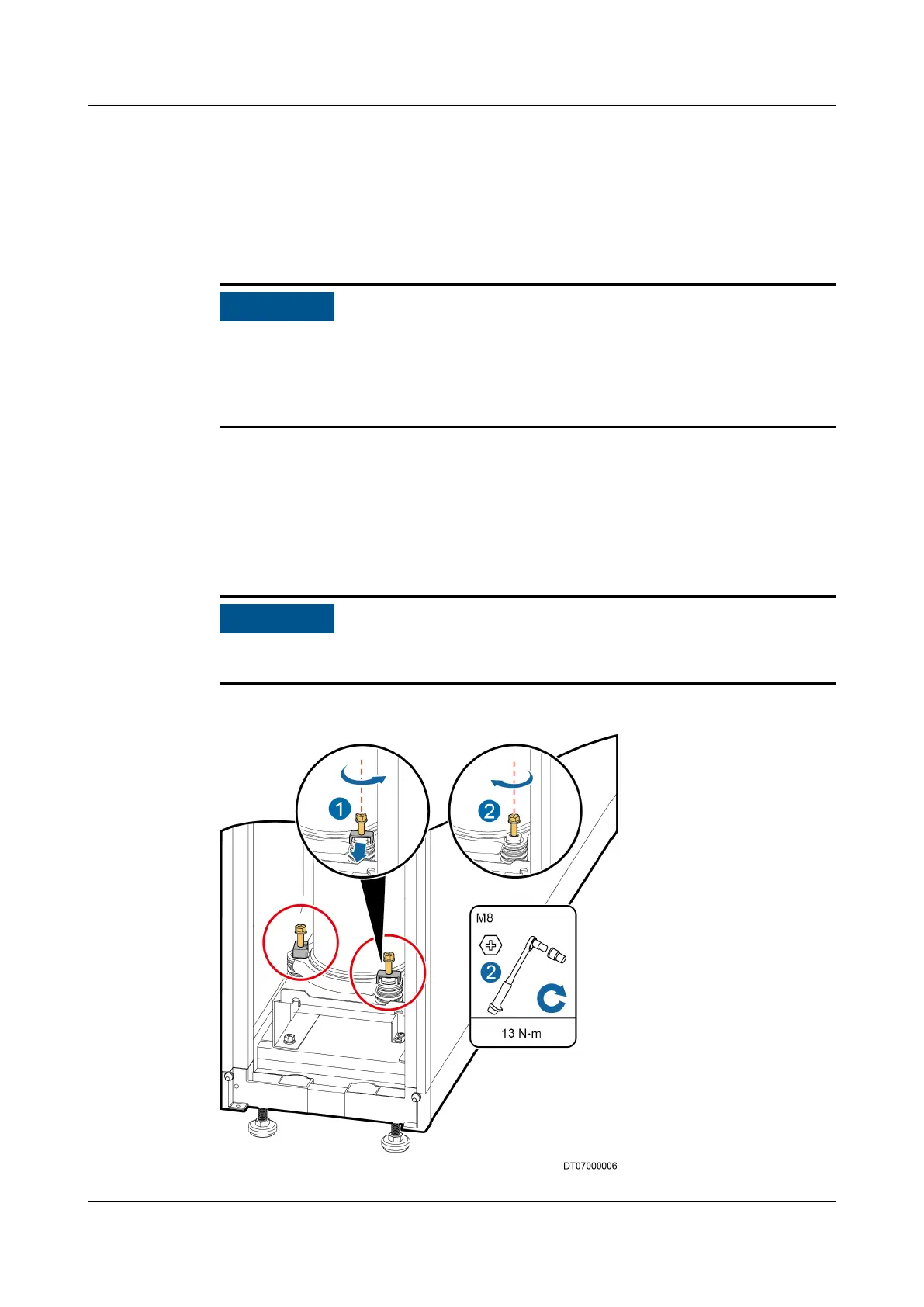
Step 1 Loosen the two bolts at the bottom corners of the compressor using a 13# socket
wrench, take out the transport fasteners under the bolts, and then tighten the
bolts to a recommended torque of 13 N·m using a torque wrench, as shown in
Figure 3-18.
Store the removed transport fasteners. They should be reinstalled if the equipment
needs to be transported in future.
Figure 3-18 Removing the transport fasteners from a compressor
NetCol5000-A025 In-row Air Cooled Smart Cooling
Product
User Manual (300 mm Width) 3 Installation Guide
Issue 15 (2020-12-10) Copyright © Huawei Technologies Co., Ltd. 48







 To Next Page