● If the smart cooling product is congured with no water pump, skip Step 2.
● If the smart cooling product is congured with no water pump, do not connect
the white terminal reserved in the lower left part at the front of the smart
cooling product. If the smart cooling product is congured with a water pump,
the white terminal has been connected before delivery.
Step 2 (Optional) Remove the liquid level detector transport fastener.
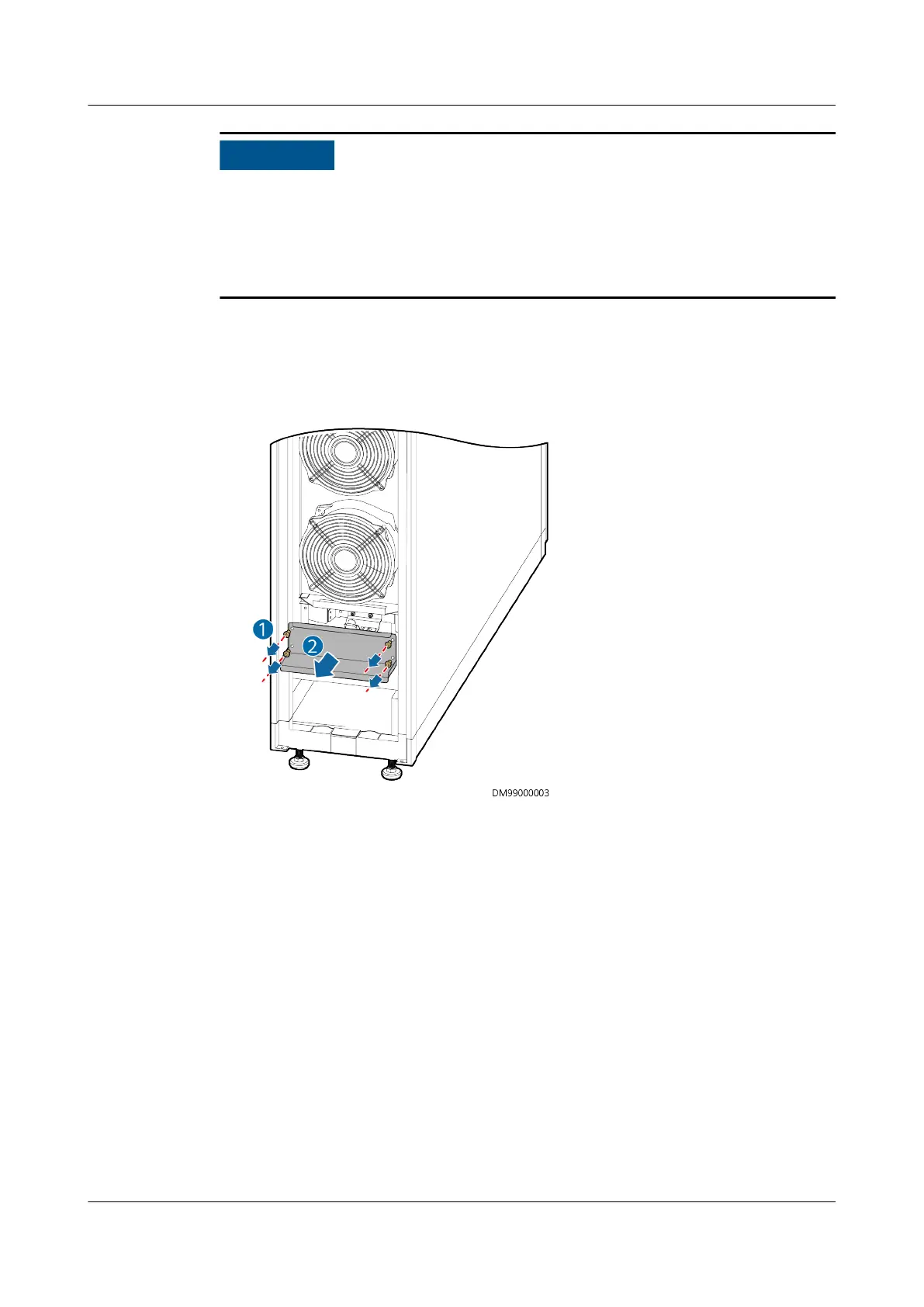
1. Open the front door, use a Phillips screwdriver to remove the four M4x10
screws from the cover, and remove the cover, as shown in Figure 3-19.
Figure 3-19 Removing a water pan cover
2. Remove the two M4x10 screws from the liquid level detector transport
fastener, and remove the transport fastener, as shown in Figure 3-20.
NetCol5000-A025 In-row Air Cooled Smart Cooling
Product
User Manual (300 mm Width) 3 Installation Guide
Issue 15 (2020-12-10) Copyright © Huawei Technologies Co., Ltd. 49







 To Next Page