4.5.3.3.3 Setting Communications Parameters (SNMP Protocol)
Context
● To set communications parameters, log in as the admin user.
● This section is suitable only for SNMP. Skip this section if you use Modbus.
● Record the values entered in this section. They will be used when you access a
smart cooling product to an EMS (element management system).
● One smart cooling product supports concurrent access of up to 6 EMSs
through SNMP.
Procedure
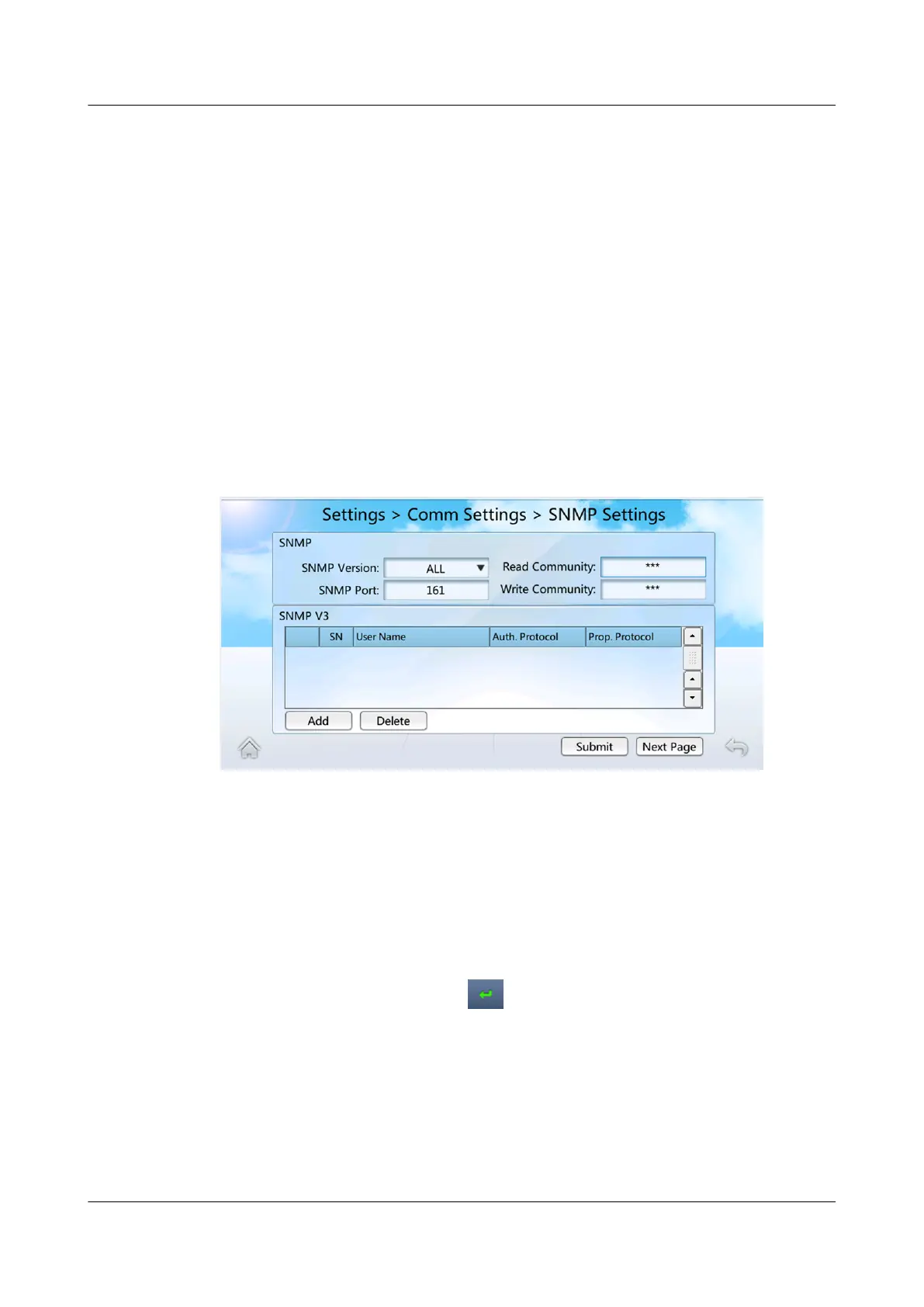
Step 1 On the home screen, choose Settings > Comm Settings > SNMP Settings. Figure
4-20 is displayed.
Figure 4-20 Setting SNMP communications parameters
Step 2 Set SNMP Version based on site requirements, and then tap Submit.
● If you set SNMP Version to ALL or SNMPv1&v2c, you can set Read
Community and Write Community by performing Step 3.
● If you set SNMP Version to ALL or SNMPv3, you can add SNMPv3 users by
performing Step 4.
Step 3 Set Read Community and Write Community.
1. Tap the text box after Read Community, as shown in Figure 4-21. Set Read
Community as planned, tap
, and then tap Submit.
NetCol5000-A025 In-row Air Cooled Smart Cooling
Product
User Manual (300 mm Width) 4 Power-On Commissioning
Issue 15 (2020-12-10) Copyright © Huawei Technologies Co., Ltd. 148







 To Next Page