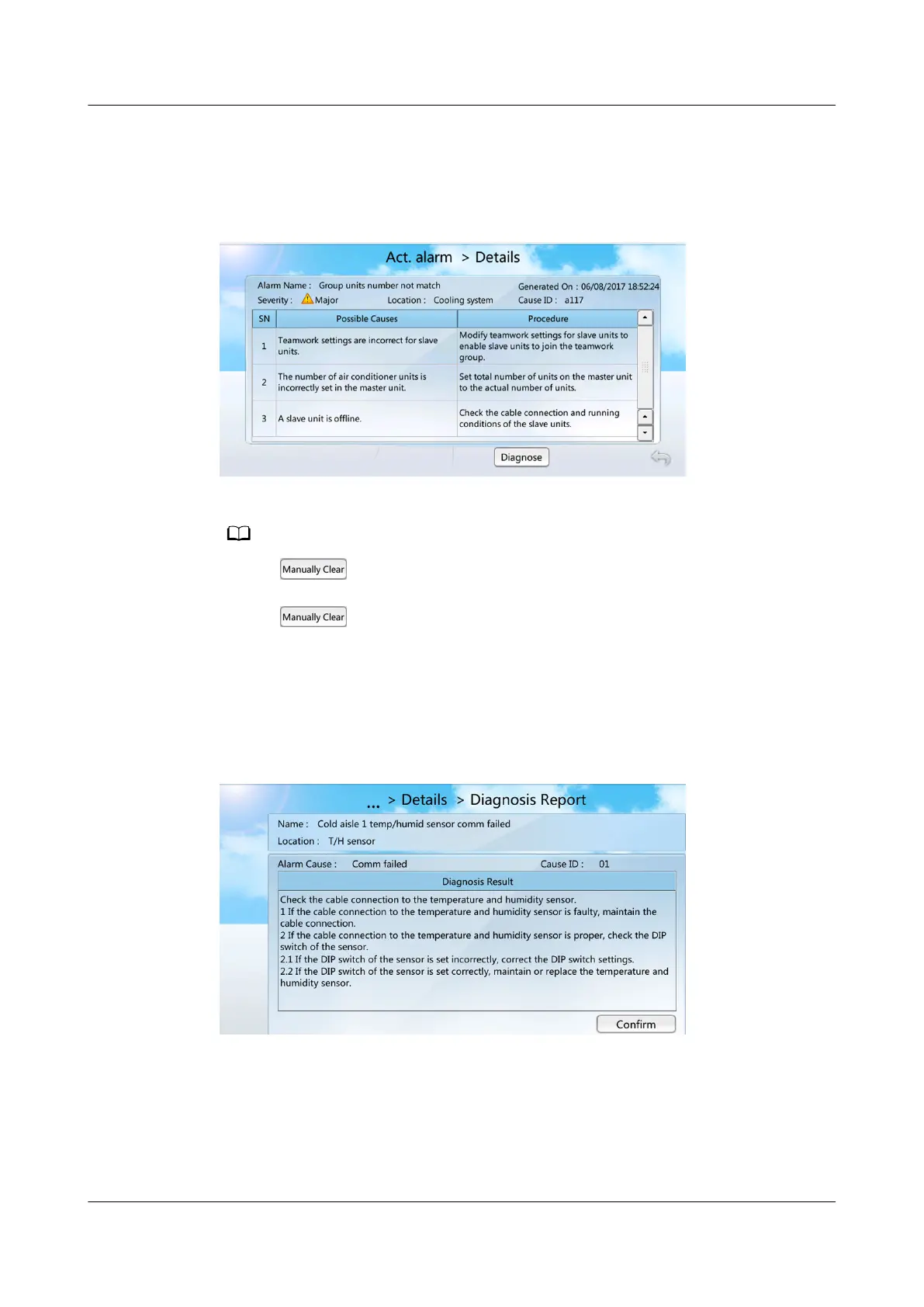
Step 2 Click each alarm to open the Details page, which contains Name, Generated,
Severity, Location, Cause ID, Code, Possible Causes and Procedure for the
alarm.
Figure 7-9 Details
● If the icon is not displayed on the Details screen, the alarm can be automatically
cleared after the fault is rectied.
● If the icon is displayed on the Details screen, it indicates that the alarm can be
cleared manually. You need to tap Clear to clear the alarm after the fault is rectied. The
alarm clearance type (automatic or manual) varies with smart cooling products. Some of the
alarms can either be cleared automatically or manually. Perform operations as required.
Step 3 Tap Diagnostic Mode to view the diagnosis report. Rectify the faults following
instructions in the diagnosis report.
Figure 7-10 Diagnosis report
----End
NetCol5000-A025 In-row Air Cooled Smart Cooling
Product
User Manual (300 mm Width) 7 FAQ
Issue 15 (2020-12-10) Copyright © Huawei Technologies Co., Ltd. 272







 To Next Page