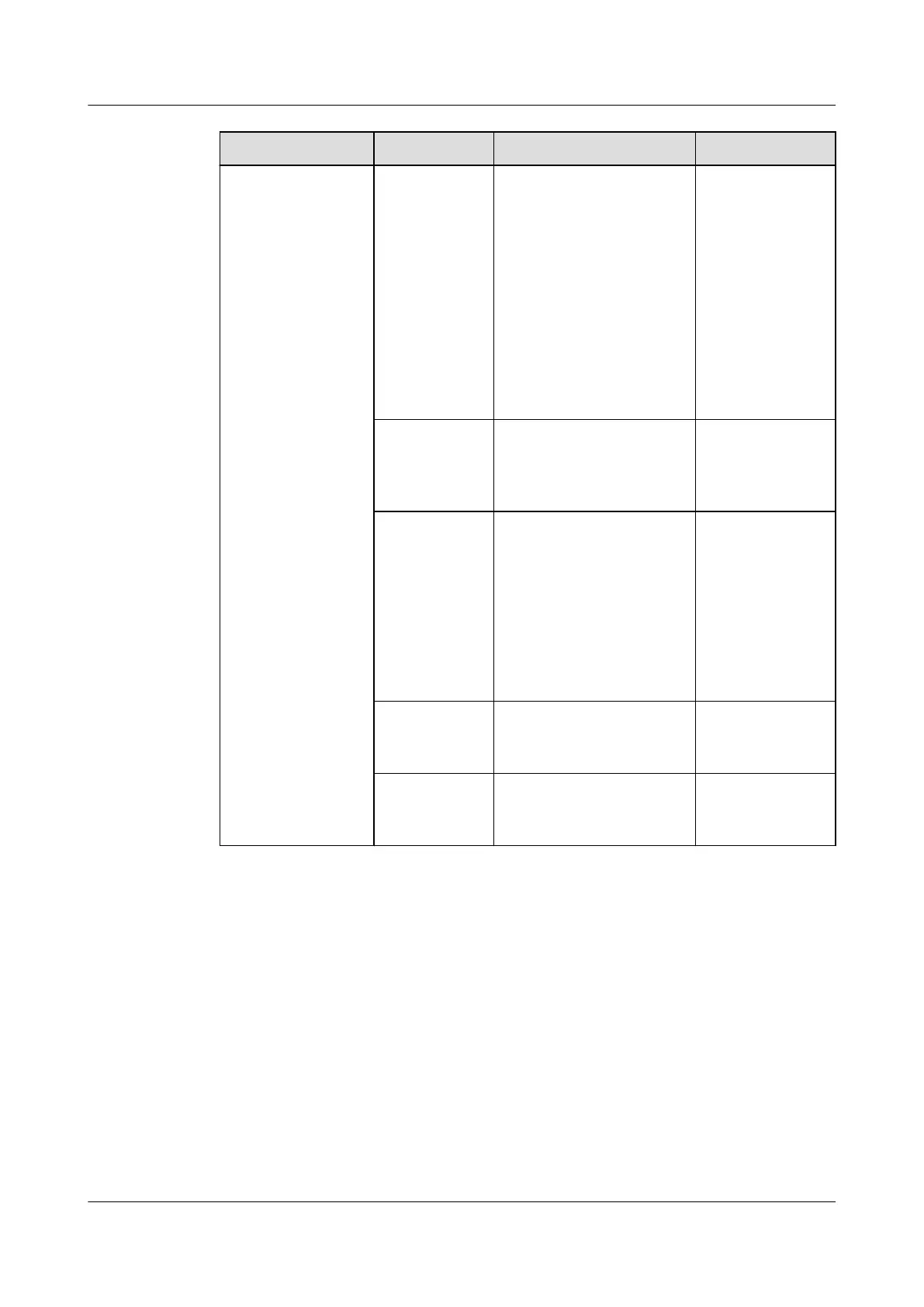
Menu Parameter Description Default Value
Outdoor fan
control mode
● When the indoor and
outdoor units are
connected using the
RS485 cable, retain
Communicate.
(Smart module
scenario)
● When the indoor and
outdoor units are
connected using the
dry contact cable, set
it to Dry contact.
Communicate
Cooling The cooling function can
be set to Enable or
Enabled when active
power.
Enable
Temperature
and humidity
control type
Cold aisle, Hot aisle,
Return air, or Supply
air can be set as
required. The
temperature and
humidity set points
correspond to the
selected control type
can be set.
Return air
Cold aisle
sensor 1–5
The sensors in cold
aisles can be set to
Enable or Disable.
Disable
Hot aisle
sensor 1–5
The sensors in hot aisles
can be set to Enable or
Disable.
Disable
----End
Follow-up Procedure
After powering on, the compressor starts preheating, and the system generates an
alarm indicating that the compressor is preheating (for 12 hours). Do not start the
smart cooling product before the preheating ends. Figure 4-14 is shown if you tap
Start.
NetCol5000-A025 In-row Air Cooled Smart Cooling
Product
User Manual (300 mm Width) 4 Power-On Commissioning
Issue 15 (2020-12-10) Copyright © Huawei Technologies Co., Ltd. 132







 To Next Page