If the software version is V200R001C00 or earlier, SNMP and Modbus-TCP are not
supported.
Procedure
Step 1 Change the login password.
1. Log in to the WebUI as an administrator.
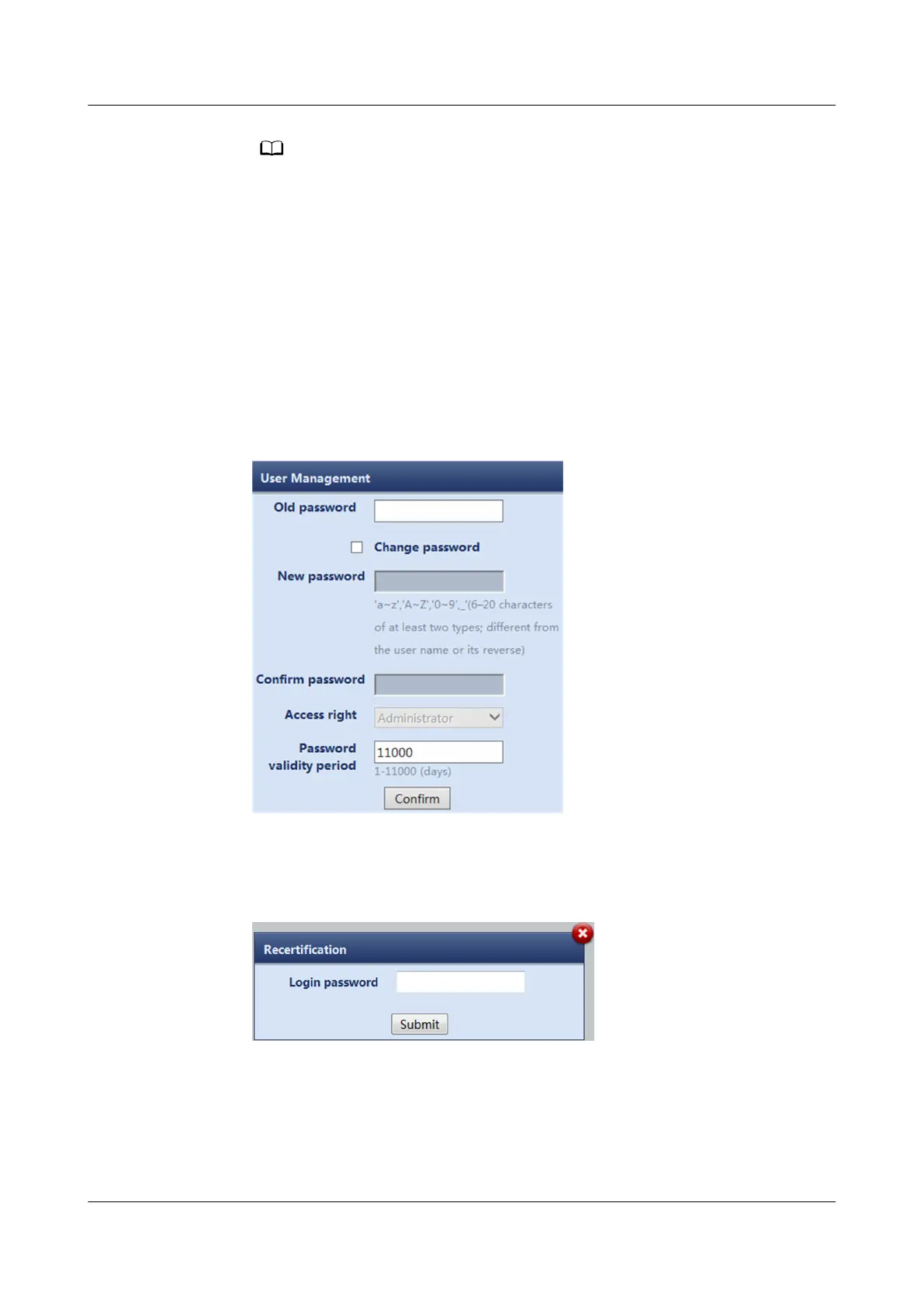
2. Choose Maintenance > User Management. The user management page is
displayed.
3. Choose the admin user and click Modify. Reset the login password on the
displayed page and tap
Conrm.
Figure 7-28 Changing the login password
4. Input the Login password, and click Submit.
Figure 7-29 Recertication
Step 2 Add a WebUI user.
1. Choose Maintenance > User Management. The user management page is
displayed.
2. Click Add.
NetCol5000-A025 In-row Air Cooled Smart Cooling
Product
User Manual (300 mm Width) 7 FAQ
Issue 15 (2020-12-10) Copyright © Huawei Technologies Co., Ltd. 288







 To Next Page