127
ifm Vision Assistant O3M
UK
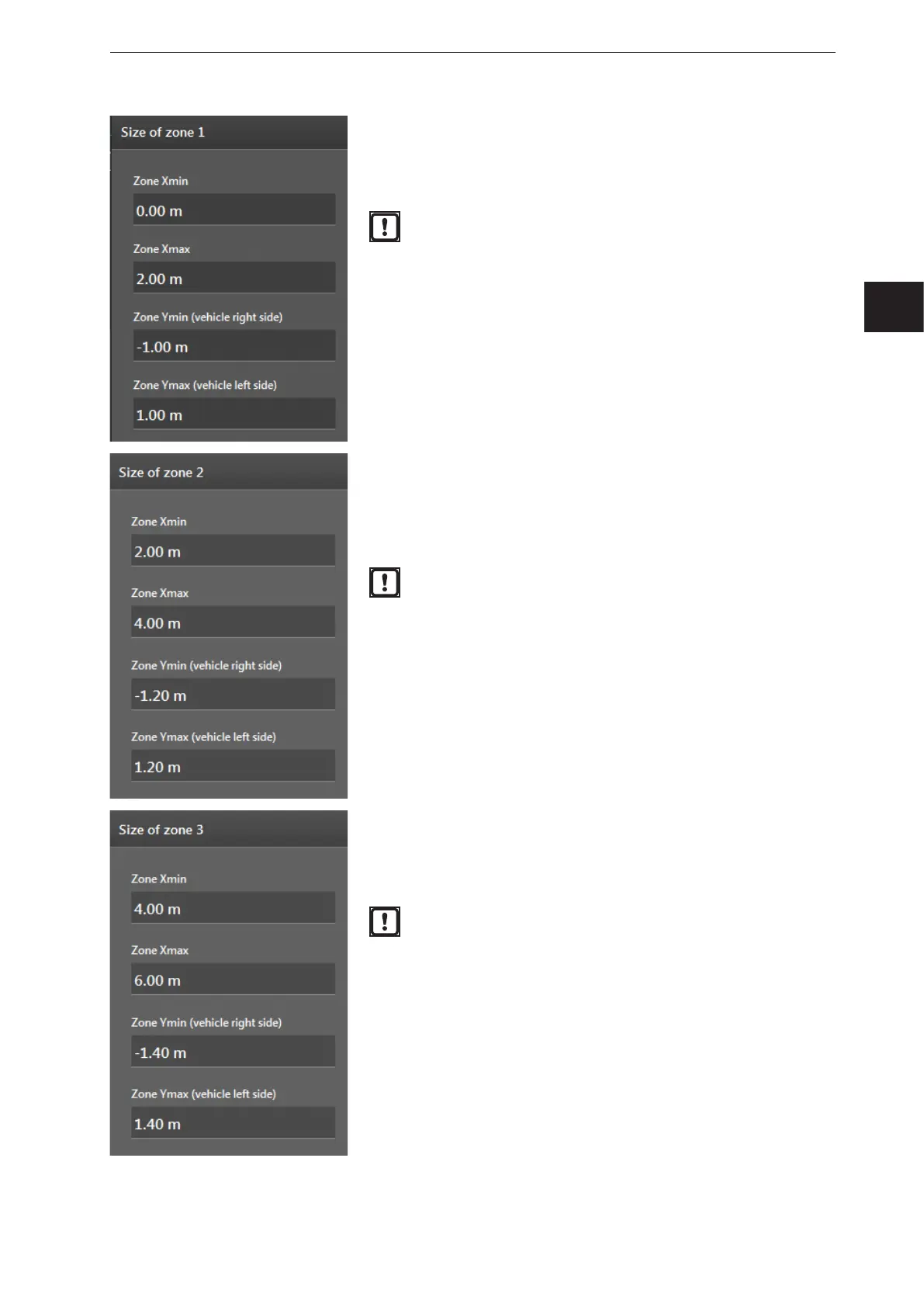
With "Size of zone 1", the size and position of the first zone can be
set.
The first zone has highest priority (red colour in the screenshot).
Object in the second zone treated as critical.
The settings are relative to the reference point. The
reference point is in the middle of the device.
With "Size of zone 2", the size and position of the second zone can
be set.
The second zone has medium priority (orange colour in the
screenshot). Objects in the second zone are treated as less
critical.
The settings are relative to the reference point. The
reference point is in the middle of the device.
With "Size of zone 3", the size and position of the third zone can
be set.
The third zone has a low priority (yellow colour in the screenshot).
Objects in the third zone are treated with a lower priority.
The settings are relative to the reference point. The
reference point is in the middle of the device.


 To Next Page