ifm Vision Assistant O3M
30
Button Name Description
Surface model Shows the ascending slopes as colour gradients.
2D preview Shows the 2D data as an overlay within the 3D view.
Default view 1 Turns the 3D view to the xy level.
Default view 2 Turns the 3D view to the xz level.
Default view 3 Turns the 3D level to the yz level.
The settings of the view (e.g. [Logarithmic] or [Linear]) only change the calculation and type of
visualisation. The application itself is not affected by it.
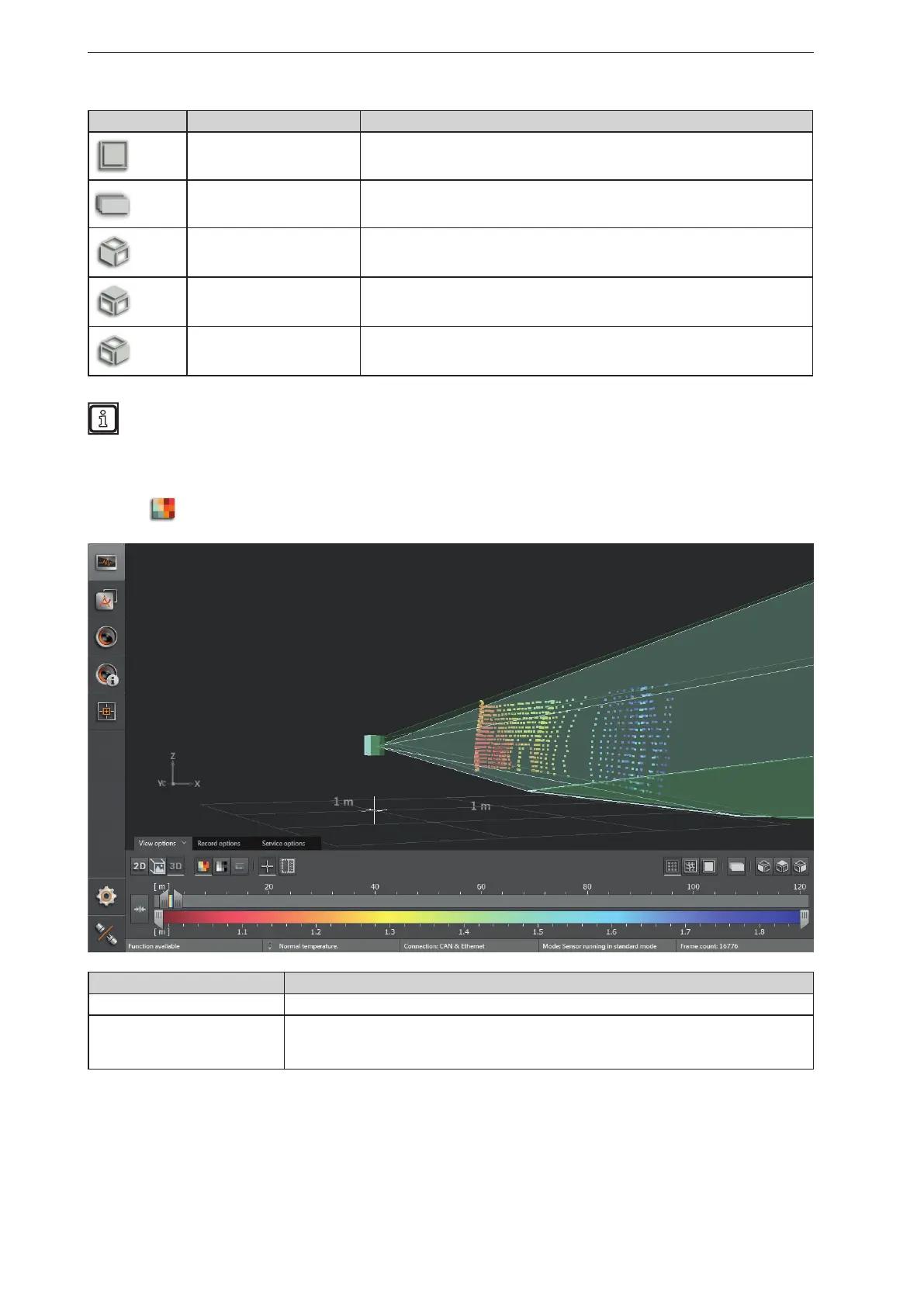
Distance image
► Click
to display the distance image.
Visualisation in the 3D image Description
Pixel position Space coordinate of the point (x, y, z coordinates).
Pixel colour
Distance (x-coordinate).
The colour shade depends on the measured distance of the point and the setting of the colour
scale (→ „6.1.4 Slider bar“).


 To Next Page