Invacare®LiNX
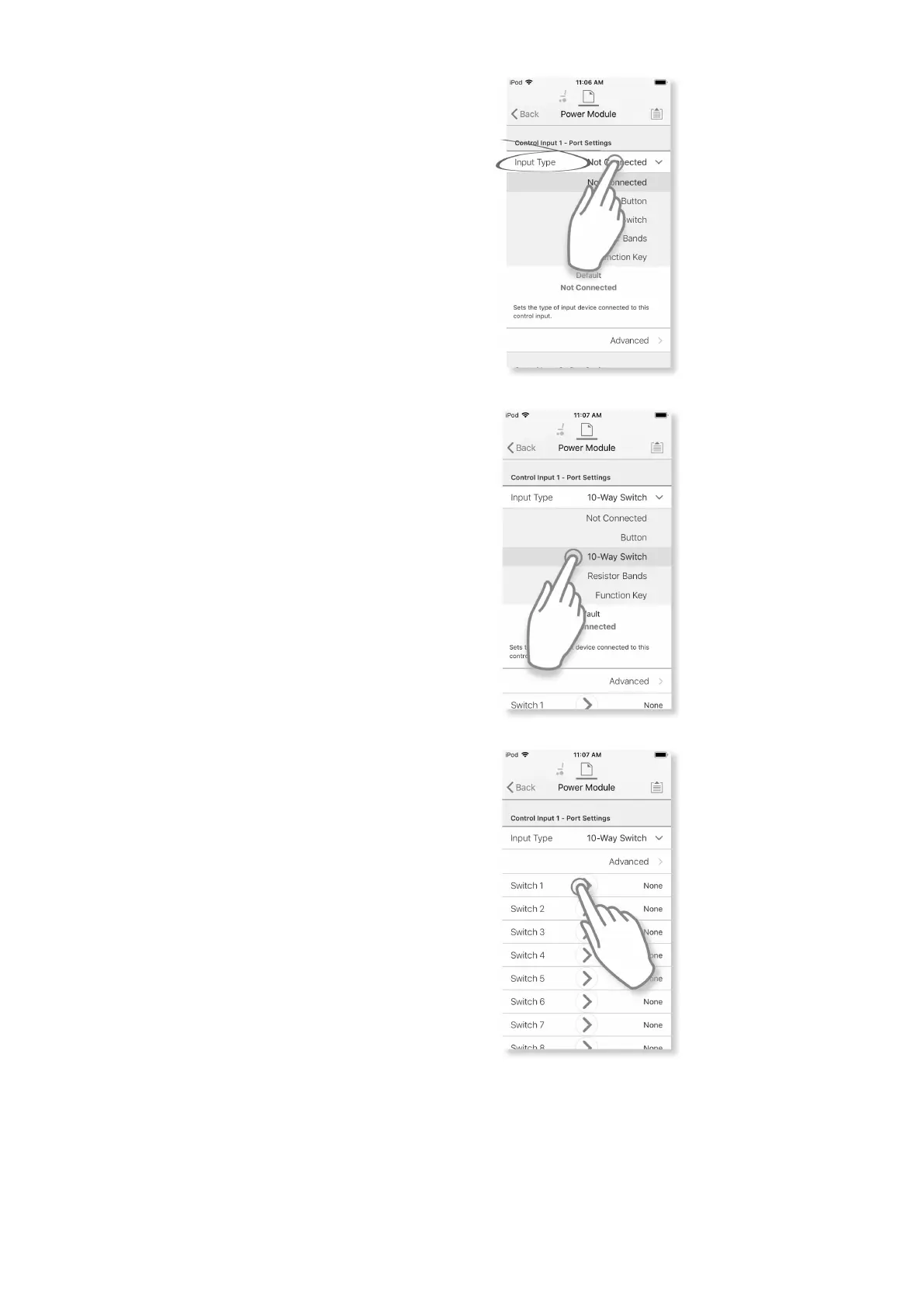
4.UnderPortSettingstaponInput
Typetorevealwhichinputtypes
areavailable.
Inputtypesdifferdependingon
moduleandyourLiNXAccessKey
level.Inputtypesavailableare
oneormoreoffollowing:
•NotConnected
•10–WaySwitch
•ResistorBands
•Button
•PowerButton
•FunctionKey
Fig.8-36
5.Tapononeofdisplayedinput
typestorevealitscontrolIOslot.
•If10–WaySwitchisselected,
tenslotsnamedSwitch1to
Switch10aredisplayed.
•IfResistorBandsisselected,
tenslotsnamedBand1to
Band10aredisplayed.
•IfButtonisselected,four
slots(buttontypes)are
displayed:Momentary,Short
Press,LongPressandOn
Press.
•IfPowerButtonorFunction
Keyisselected,noslotsare
displayedandnofurther
actionisrequired.
Fig.8-37
6.Selectandtapondesiredslotto
beginassigningsystemcontrol
outputandactiontoselected
controlinput.
Formoreinformationaboutslot
icons,referto5.2.3Overview
ControlInput/Output(Control
IO),page64.
Fig.8-38
AssignSystemControlOutputandAction
1001605129-G












 To Next Page