Invacare®LiNX
CongureAdvancedSettings
Fig.8-44
Fig.8-45
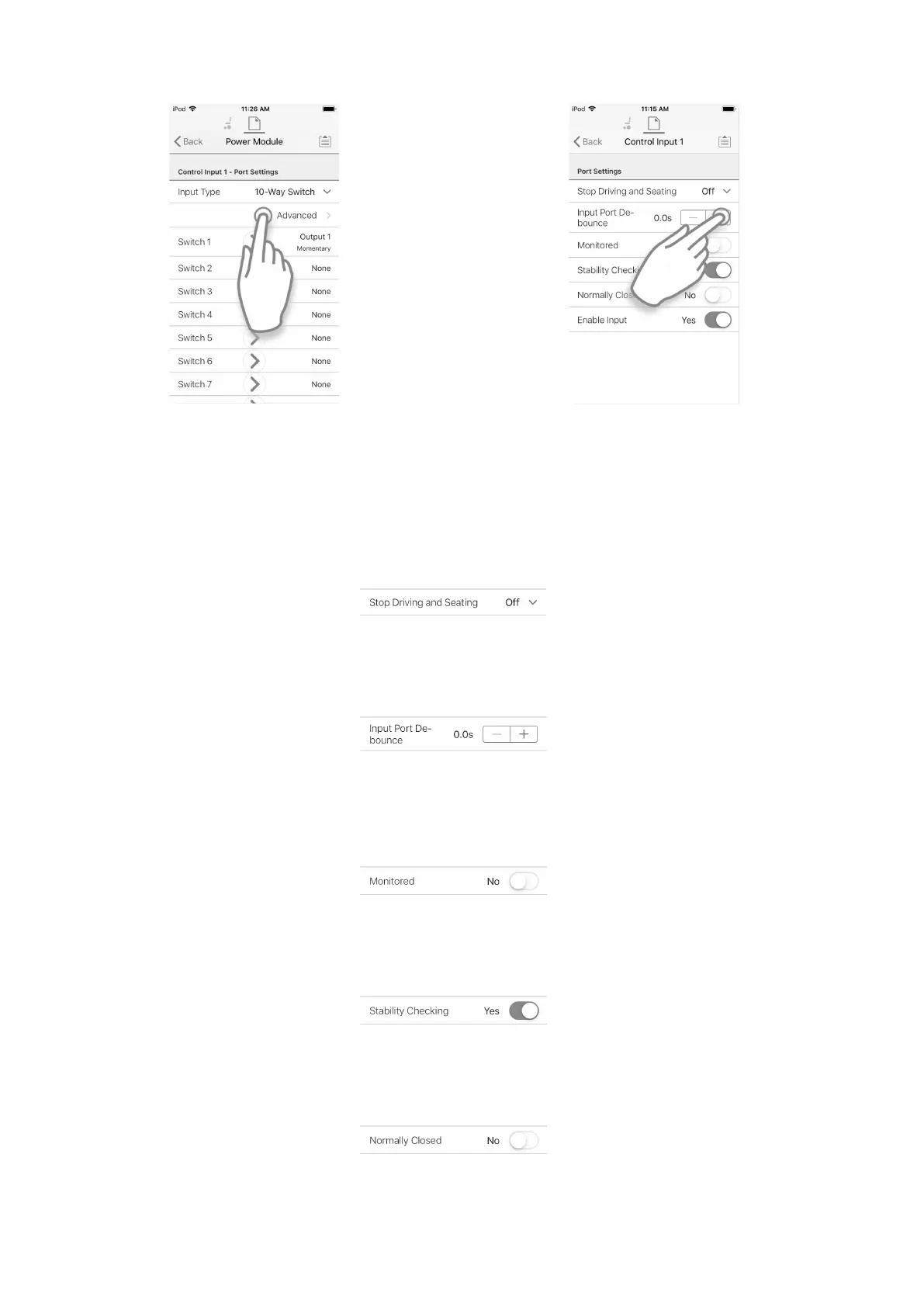
Theadvancedsettingsallowyoutocongurecontrolinputsfurther.TaponAdvancedbuttontorevealfollowingoptions:
•StopDrivingandSeating
•InputPortDebounce
•Monitored
•StabilityChecking
•NormallyClosed
•EnableInput
StopDrivingandSeating
Fig.8-46
Thisoptionensuresthatactivationofconguredsystemcontrolinputinanywaycausesdrivingandseatingoptionstostop.
1.TaponsliderbuttontoselectYesorNo.
InputPortDebounce
Fig.8-47
Thisoptionsetsthetimethesignalonthecontrolinputhastobestablebeforethesystemrespondstotheinput.
1.SetInputPortDebouncetimebytappingon+and-buttons.
Iftimeissettozeroseconds,nodebounceisapplied.
Monitored
Fig.8-48
Thisoptionsetswhetherthecontrolinputismonitoredforelectricalfaults.
1.TaponsliderbuttontoselectYesorNo.
StabilityChecking
Fig.8-49
Thisoptionsetswhetherthecontrolinputismonitoredforsignalstability.
1.TaponsliderbuttontoselectYesorNo.
NormallyClosed
Fig.8-50
Thisoptionsetswhethertheswitchisnormally-openornormally-closed.
1.TaponsliderbuttontoselectYesorNo.
1021605129-G












 To Next Page