Invacare®LiNX
AssignOutputandAction
Fig.10-38
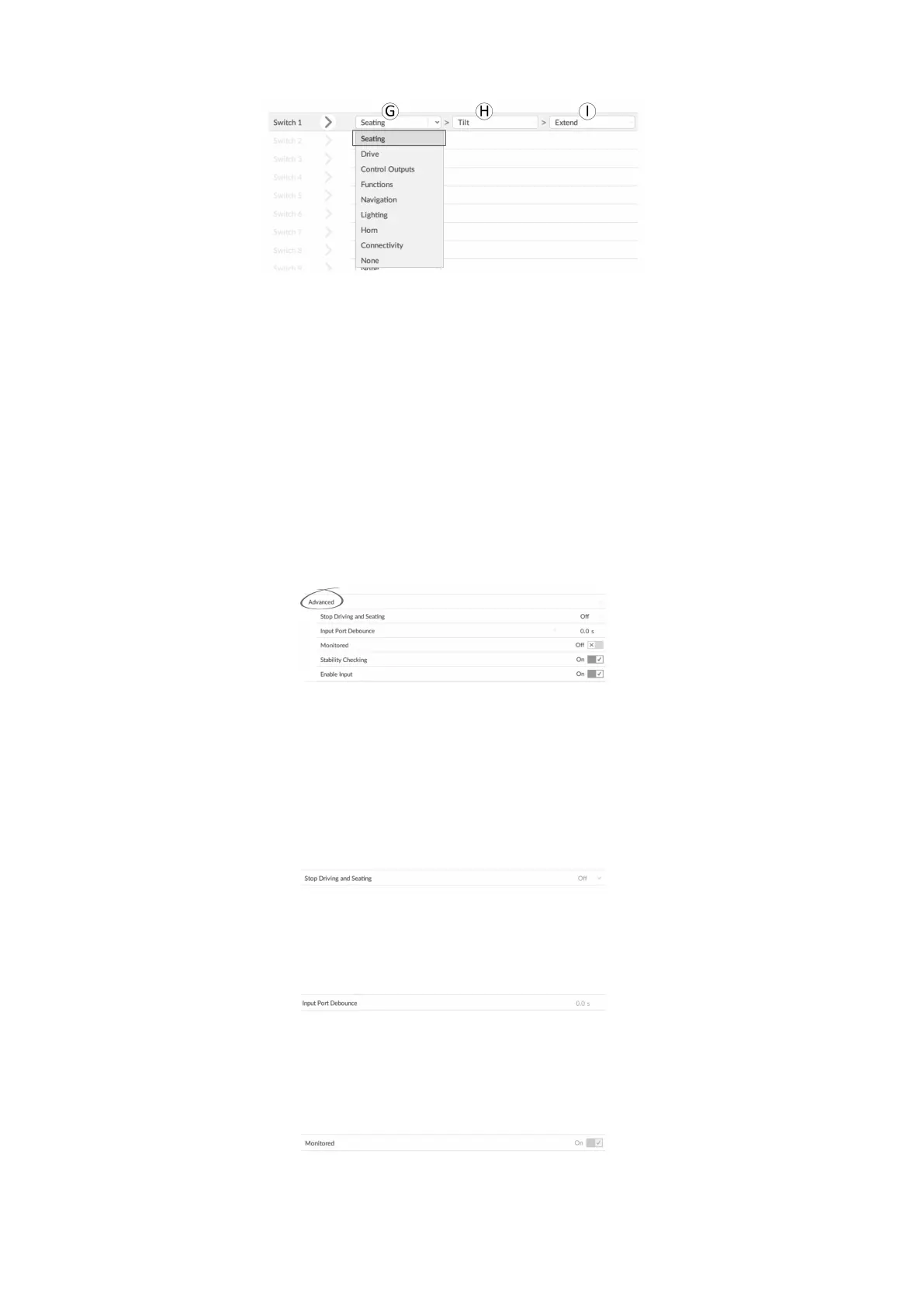
7.Outputandactionareconguredfromoneormoredrop-downmenusdisplayedincontrolIOslot.
Clickonrst(left-most)drop-downmenuGtorevealavailableoutputs.
•Seating
•Drive
•ControlOutputs
•Functions
•Navigation
•Lighting
•Horn
•Connectivity
8.Afterselectingoutput,furtheroneortwodrop-downmenusHandIarerevealed.Movinglefttorightopen
eachmenuandselectappropriateactionforoutput.
Notethatoutputmayhaveoneortwomenustodrilldownthrough.
CongureAdvancedSettings
Fig.10-39
Theadvancedsettingsallowyoutocongurecontrolinputsfurther.ClickonAdvancedbuttontorevealfollowingoptions:
•
StopDrivingandSeating
•InputPortDebounce
•Monitored
•StabilityChecking
•NormallyClosed
•EnableInput
StopDrivingandSeating
Fig.10-40
Thisoptionensuresthatactivationofconguredsystemcontrolinputinanywaycausesdrivingandseatingoptionstostop.
1.SelectOnorOff.
InputPortDebounce
Fig.10-41
Thisoptionsetsthetimethesignalonthecontrolinputhastobestablebeforethesystemrespondstotheinput.
1.SetInputPortDebouncetimebyclickingon+and-buttons.
Iftimeissettozeroseconds,nodebounceisapplied.
Monitored
Fig.10-42
Thisoptionsetswhetherthecontrolinputismonitoredforelectricalfaults.
1.SelectOnorOff.
1341605129-G












 To Next Page