14 Configuration – in setup program only
228
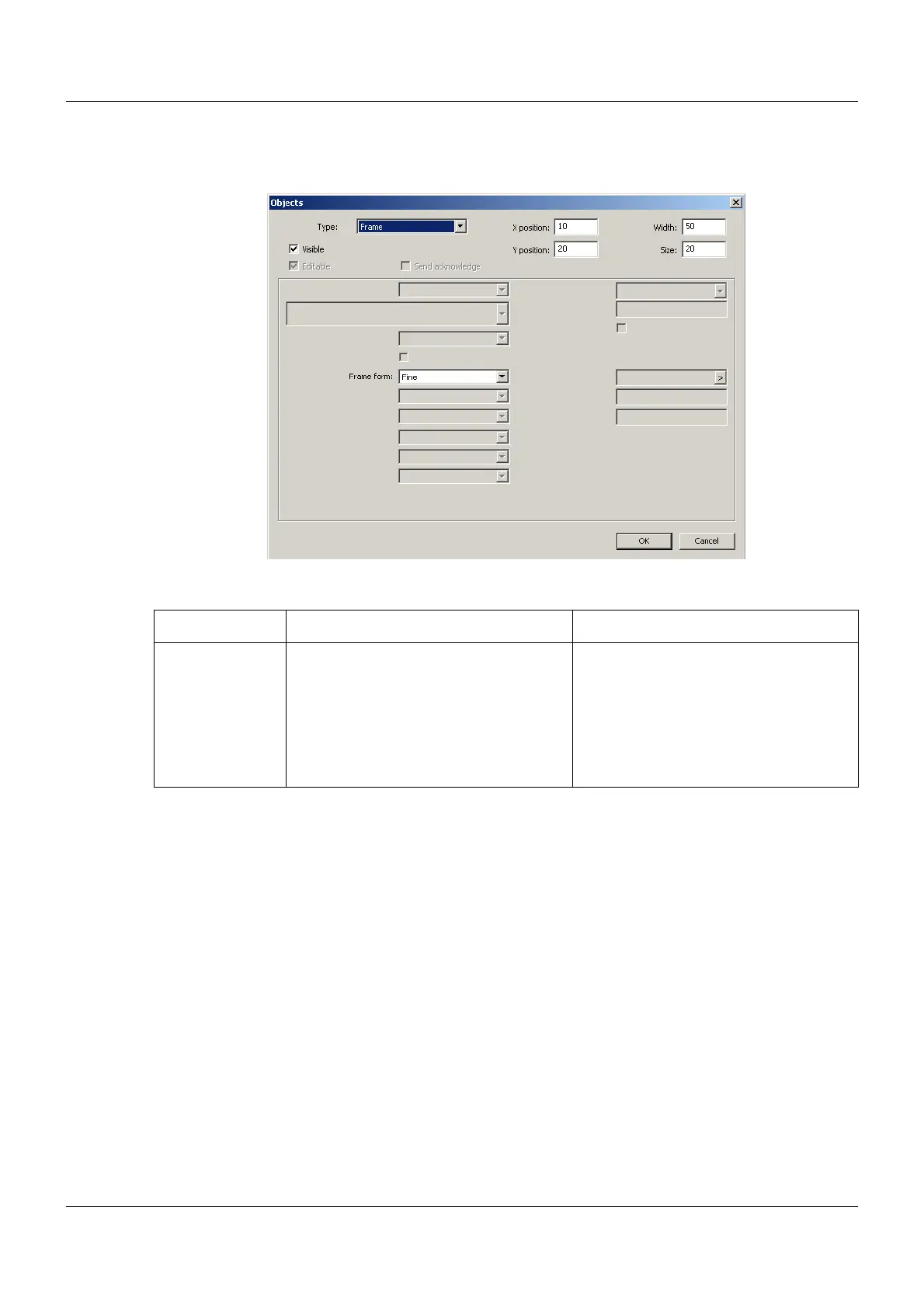
Frame
Setup dialog
Parameter
Parameter Selection/settings Description
Frame form Select form (drop-down menu). Frame (black) for grouping or highlight-
ing objects
The area within the frame is transparent
and is automatically placed in the back-
ground. An object (e.g. text or image)
located within this frame is made visible
as a result.


 To Next Page