14 Configuration – in setup program only
232
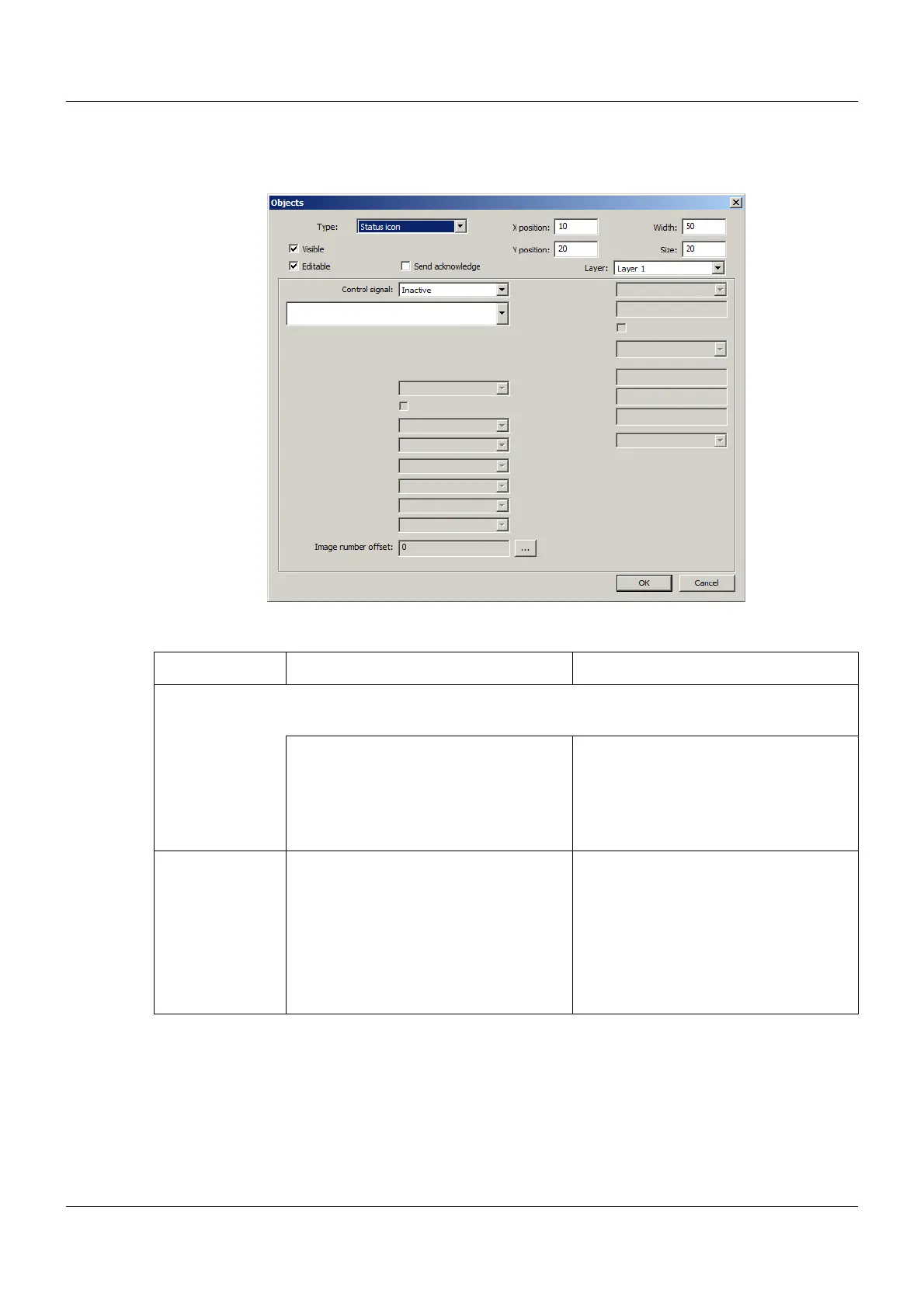
Status icon (as of system version 02)
Setup dialog
Parameter
Parameter Selection/settings Description
Controller signal Analog signal whose integer value selects an icon from the figure list.
Examples: Value = 0, picture = 1; value = 9, picture = 10 (offset is 0 in each case).
Inactive No signal selected.
(Object frame "Status Icon" is dis-
played.)
Select module and corresponding sig-
nal.
The signal must be of the "Integer" data
type.
Image number
offset
0 to 499
To set the first selectable figure, click the
"..." button.
Offset for figure selection:
Value + 1 + offset = number of the pic-
ture
With the offset a certain range may be
used from the figure list. If offset = 0,
figures starting with figure 1 are
selected; if offset = 99, the selection
starts with figure 100.


 To Next Page