235
14 Configuration – in setup program only
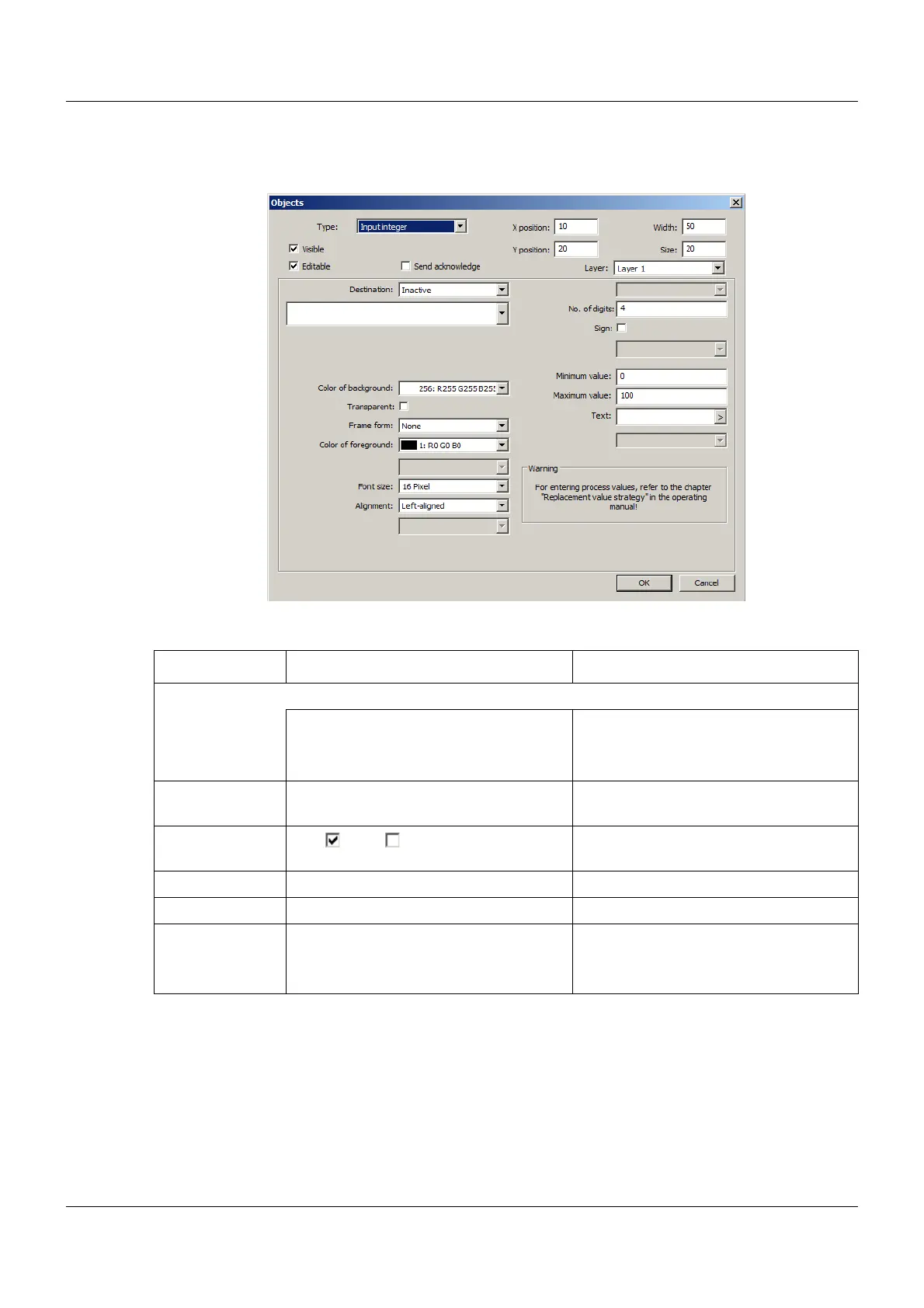
Input integer
Setup dialog
Parameter
Parameter Selection/settings Description
Destination Variable to which the entered value is written.
Inactive No variable selected.
Select module and corresponding vari-
able.
The variable must be of the "Integer"
data type.
No. of digits Enter number of digits (0 to 10). Maximum number of digits in the entry
(without sign)
Sign Yes ( ), No ( ) If "Yes", a positive value will also be dis-
played with a sign.
Minimum value Enter value (-99999 to +99999). Lower limit of the admissible input range
Maximum value Enter value (-99999 to +99999). Upper limit of the admissible input range
Text
(as of system ver-
sion 03)
Enter text. The text appears in the title bar of the
input mask when the input object is
opened.


 To Next Page
 Loading...

