14 Configuration – in setup program only
242
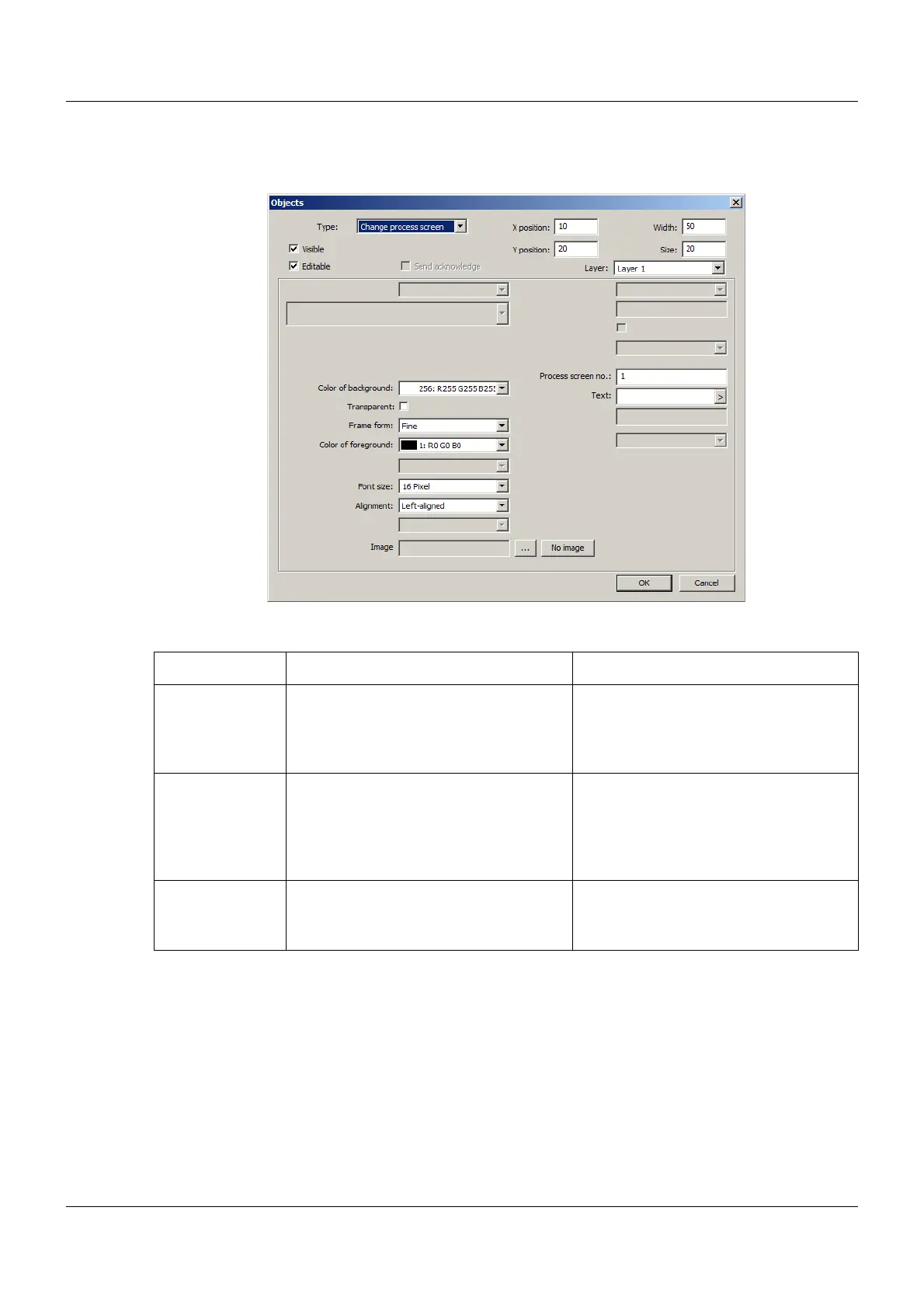
Change process screen
Setup dialog
Parameter
Parameter Selection/settings Description
Process screen
no.
Enter number (1 to 18). Number of the next process screen
If the button is touched in the current
process screen, the change takes place
in the following process screen.
Text Enter text. Designation of the next process screen
(process screen to which the user
switches).
The text is displayed if no image is pres-
ent (see below).
Image
(as of system ver-
sion 02)
Click the "..." button and select the
image from the list (or select "No
image").
Icon to display the button in the process
screen. If no image is selected, the
entered text is displayed.


 To Next Page
 Loading...

