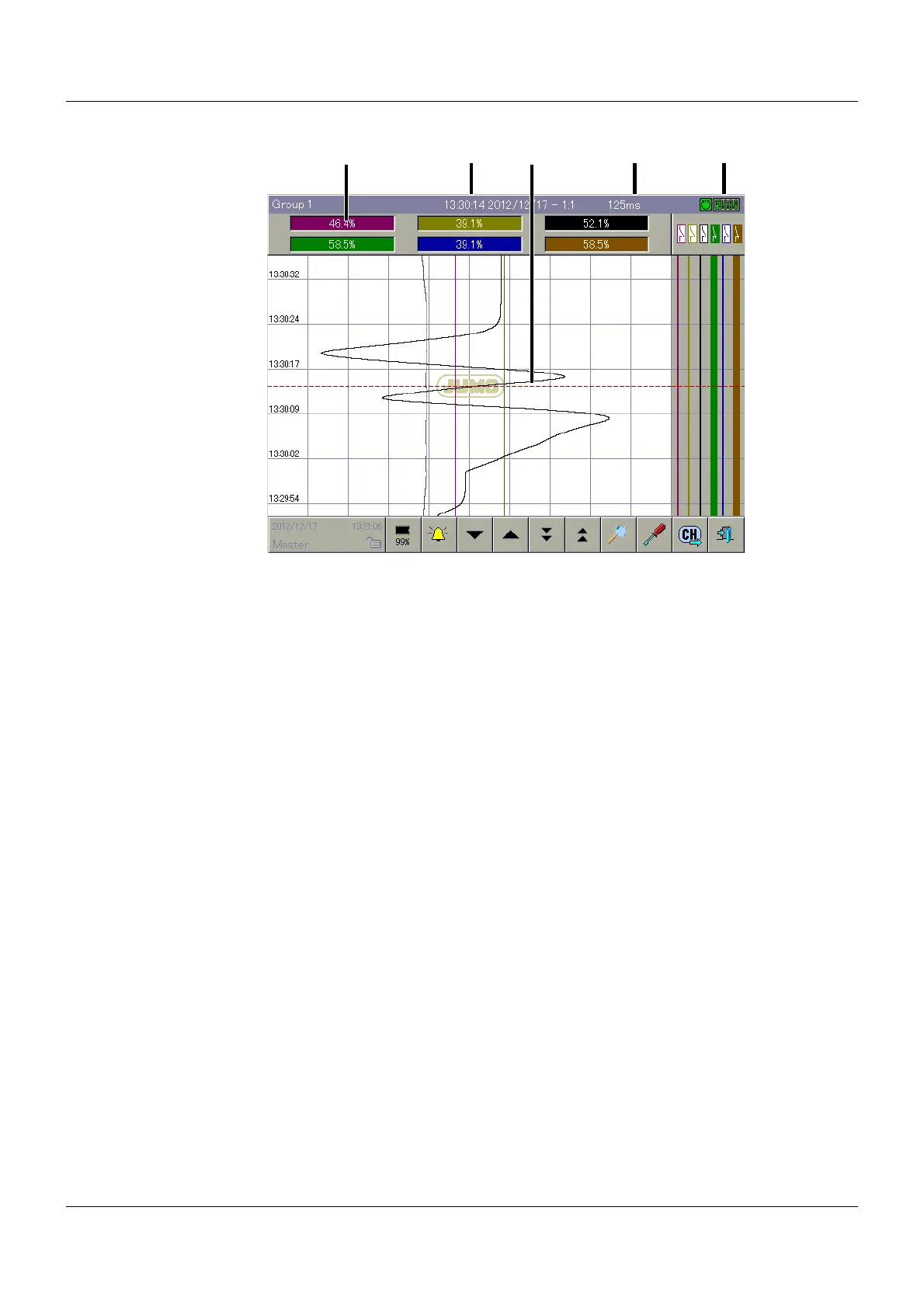
8 Memory display (History)
86
Overview
Diagram header
The diagram header is only displayed if it is also displayed in the visualization from which the
"Memory display" function is called up.
Recording data
In the status and title line, the following data on the current cursor position is displayed:
•Date
• Magnification (Zoom factor)
• Memory rate
Cursor
After the "Memory display" function is called up, a cursor is shown in the centre of the visual-
ization window. The corresponding measured values are shown in the diagram header. In the
status and title line, the corresponding time of the current position, the memory rate that was
applicable at this time, and the magnification are displayed.
The cursor can be controlled by the user by touching the visualization window with a finger and
using the functions (6) to (9).
(1)
(2)
(3)
(8) (9) (10) (11) (12) (13)
(4)(2)
(5) (6) (7)
(1) Diagram header (2) Recording data
(3) Cursor (4) Communication status
(5) Event list (6) Scroll by line (downward)
(7) Scroll by line (upward) (8) Scroll by page (downward)
(9) Scroll by page (upward) (10) Zoom and search
(11) Diagram view (12) Channel rotation
(13) Exit memory display



 To Next Page