Chapter 11: Sensor Verification
ValProbe RT User Manual 115
The stability calculation begins once the temperature reference is within five degrees of the
setpoint. Sensor and IRTD readings are displayed on the Data screen. To achieve stability,
the IRTD must meet the stability criteria defined in the setup.
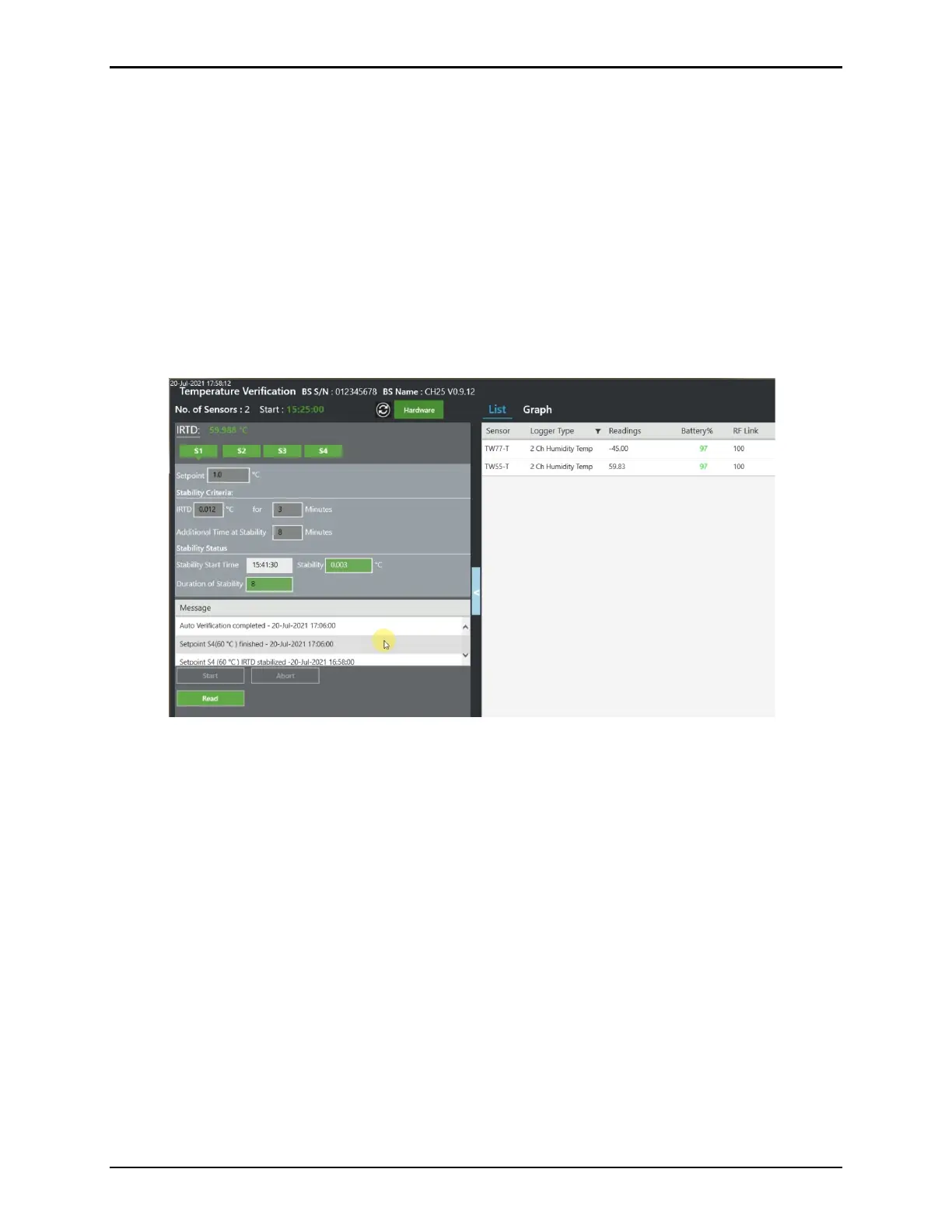
When the IRTD is stable the Stability textbox changes from red to green and a timestamp
appears in the Time of Stability textbox. At the same time, the duration of stability starts to
count the time at stability. If IRTD gets unstable, the process starts restarts. When duration of
additional time at stability meets the criteria the textbox changes to green and the setpoint is
considered fulfilled.
Each setpoint that has met the criteria is displayed in green. Once all setpoints are met, the
Study data from the Loggers is read, select the green Read button to transfer the Logger and
Base Station data to the Validation Console. If Read is not green, setpoints are not completed.
Figure 153: Temperature Verification List View / Green Read Button
The first step in the Humidity Verification process is to verify that the Humidity chamber is
stable. Stability is the maximum allowable change in Humidity for the humidity standard over
the specified time interval. The first set point is created with a default value of 90%RH but may
be set between 5%RH – 95%RH. The maximum allowable change for the first set point is
between 0.5%RH – 5.0%RH and defaults to 0.5%RH, for set points 2-6, the range is the
same, but the default setting is 1.0%RH.
The stability calculation begins once the Humidity Chamber is within the pass criteria of the
setpoint. Sensor readings are displayed on the Data screen. To achieve stability, the Humidity
chamber must meet the stability criteria defined in the setup.
When the Humidity chamber is stable the Stability textbox changes from red to green and a
timestamp appears in the Time of Stability textbox. At the same time, the duration of stability
starts to count the time at stability. If reading becomes unstable, the process starts restarts.
When duration of additional time at stability meets the criteria the textbox changes to green
and the setpoint is considered fulfilled.



 To Next Page