Chapter 7: Defining Assets
ValProbe RT User Manual 66
The Initiate Qualification button is used to initiate the Qualification process. Firstly, select the
desired Setup file and then select the Initiate Qualification button. Selecting this button starts
a qualification process. The Hardware Discovery screen displays, and the setup is transferred
to the selected ValProbe RT.
Qualification
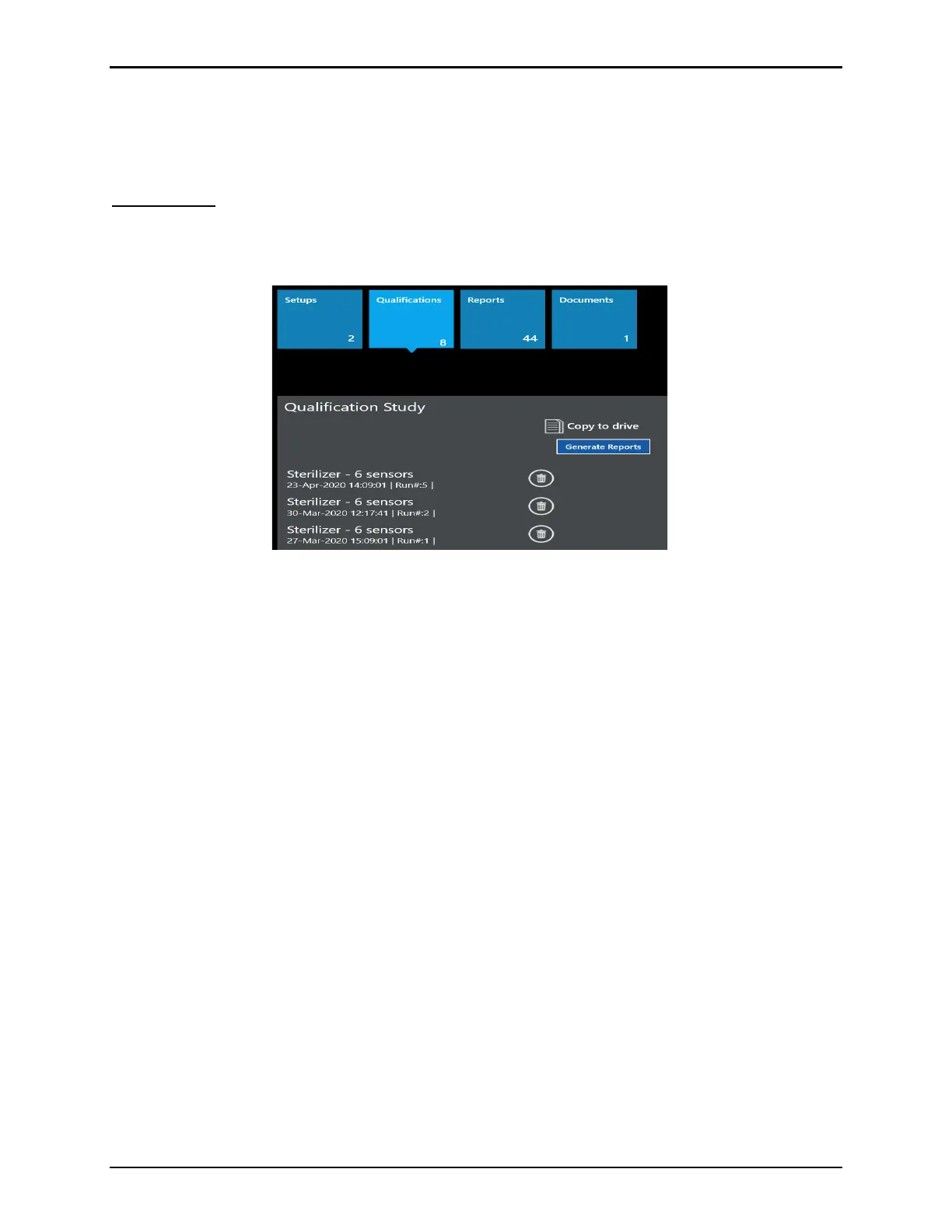
Selecting the Qualification tile displays a listing of all available Qualification files that have
been saved. A scroll bar displays for access to all Qualifications.
Figure 90: Qualification Tile
The Qualification files contain all the collected raw encrypted data gathered during the
Qualification study. The Qualification file names are the names of the Setup used along with
the date they were performed.
If the Logged in User has the proper permission rights a Delete button is available to delete
the Qualification file.
Use Copy to Drive to copy the selected Qualification file to a chosen drive. This is primarily
used for service as requested Qualification files are copied and then sent to Technical Support
for review.
The Generate Reports button is used to initiate the selection and generation of reports for the
Qualification file. Firstly, select the desired Qualification file and then select the Initiate
Qualification button.



 To Next Page