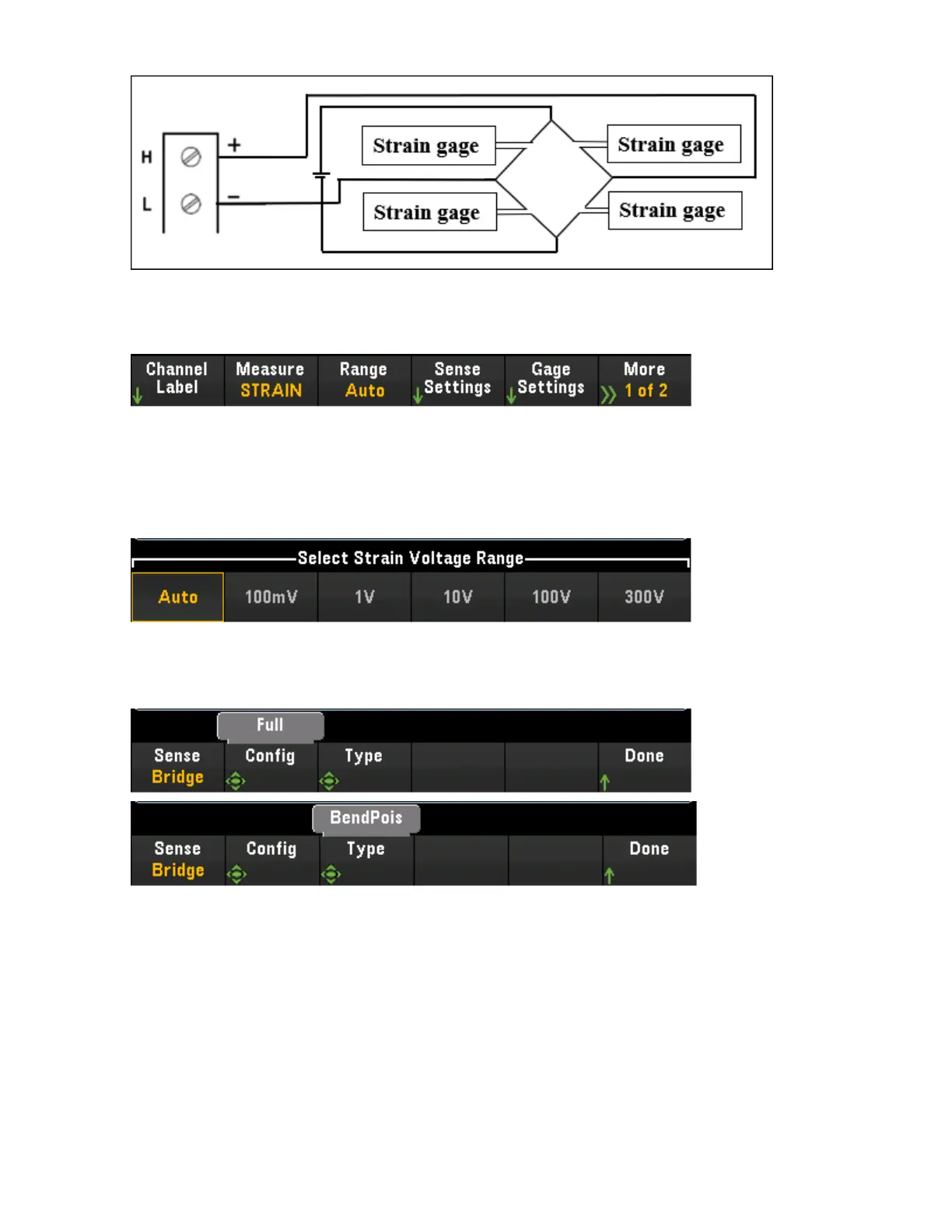
2. Press [Channel] > Measure, and select STRAIN from the selection menu.
3. Press Range and use the knob or the front panel arrow keys to specify the measurement range. Auto
(autorange) automatically selects the range for the measurement based on the input. Autoranging is
convenient, but it results in slower measurements than using a manual range. Autoranging goes up a
range at 120% of the present range, and down a range below 10% of the present range.
4. Press Sense Settings > Sense, specify the strain measurement method as full bridge in bending Pois-
son arrangement.
[Channel] Menu Overview
102 Keysight DAQ970A User's Guide



 To Next Page