CSP−900RMM−2 MD Helicopters, Inc.
Rotorcraft Maintenance Manual
Page 210
Revision 34
12-00-00
1
9G12−017
2
3
4
4 (OPTIONAL LOCATION)
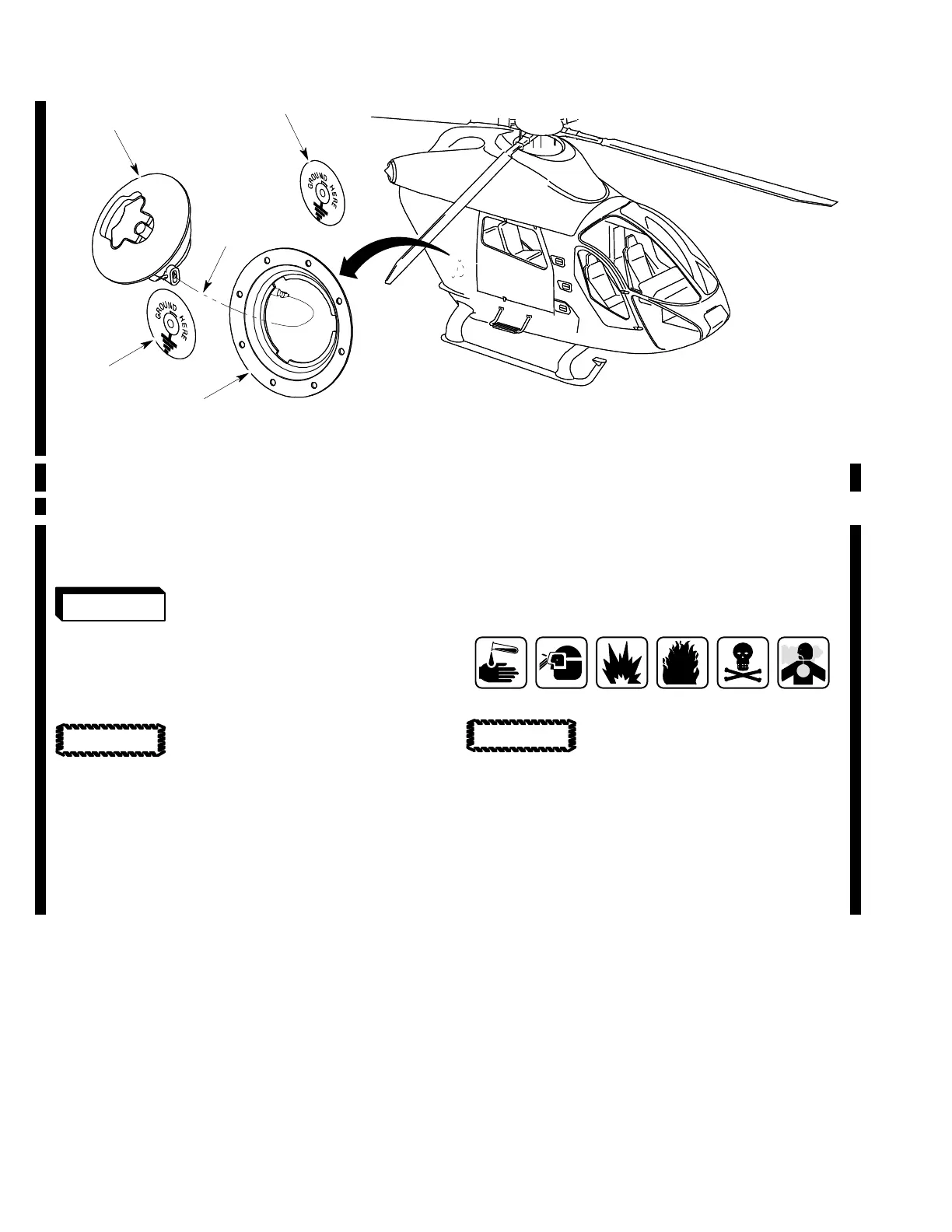
1. GRAVITY FILL PORT (REF. IPL, 28−10−00, FIG. 1)
2. FILLER CAP
3. LANYARD
4. GROUND PORT
Figure 206. Gravity Fill Port for the Supplemental Fuel Tank
C. Servicing of the Supplemental Fuel Tank
(Ref. Figure 206)
Obey all fuel system servic
ing precautions.
NOTE: The supplemental fuel tank is located
below the baggage compartment floor. Its
capacity is 204 lb (92.53 kg) (30 US gal
lons (113.56 liters)).
Fuel helicopter with correct fuel
as soon as possible after landing
to prevent moisture condensation. Con
densation can have an effect on rotorcraft
performance.
(1). Ground the fuel nozzle or fuel vehicle to
ground port (4) or another bare metal
surface.
(2). Remove filler cap (2).
NOTE: There is an optional locking fuel cap
that can be installed on the gravity fill port.
A key is necessary to lock or open the fuel
cap.
Aviation Turbine Fuel
Keep fuel nozzle free of all un
wanted material. Contamina
tion can damage the fuel system and have
an effect on rotorcraft performance.
(3). Slowly fill the supplement fuel tank.
(4). Install filler cap (2).
(5). Remove the fuel nozzle and ground(s)
from the rotorcraft.
WARNING
CAUTION
CAUTION













 To Next Page