84
Measurement
5
5.4. Measurement in sequential mode
(13) [DISCH. MONI. TIMER] settings
6HWWKHWLPHUWRPRQLWRUWKHWLPHEHWZHHQVWDUWRIGLVFKDUJLQJWKHPHDVXUHGREMHFWDQG
FRPSOHWLRQRIGLVFKDUJH$QHUURUZLOORFFXUZLWK>64(55@EHLQJGLVSOD\HGLIWKHGLVFKDUJH
time lasts longer than the settings of the monitoring timer.
POINT
- Discharge time is monitored if [CONTROL MODE] is [DISCHARGE MODE].
- Refer to "5.4.3. Measurement in sequential discharge mode" for more
information about the sequential discharge mode.
- Refer to "11.2.3. Sequence error display" for more information about error display.
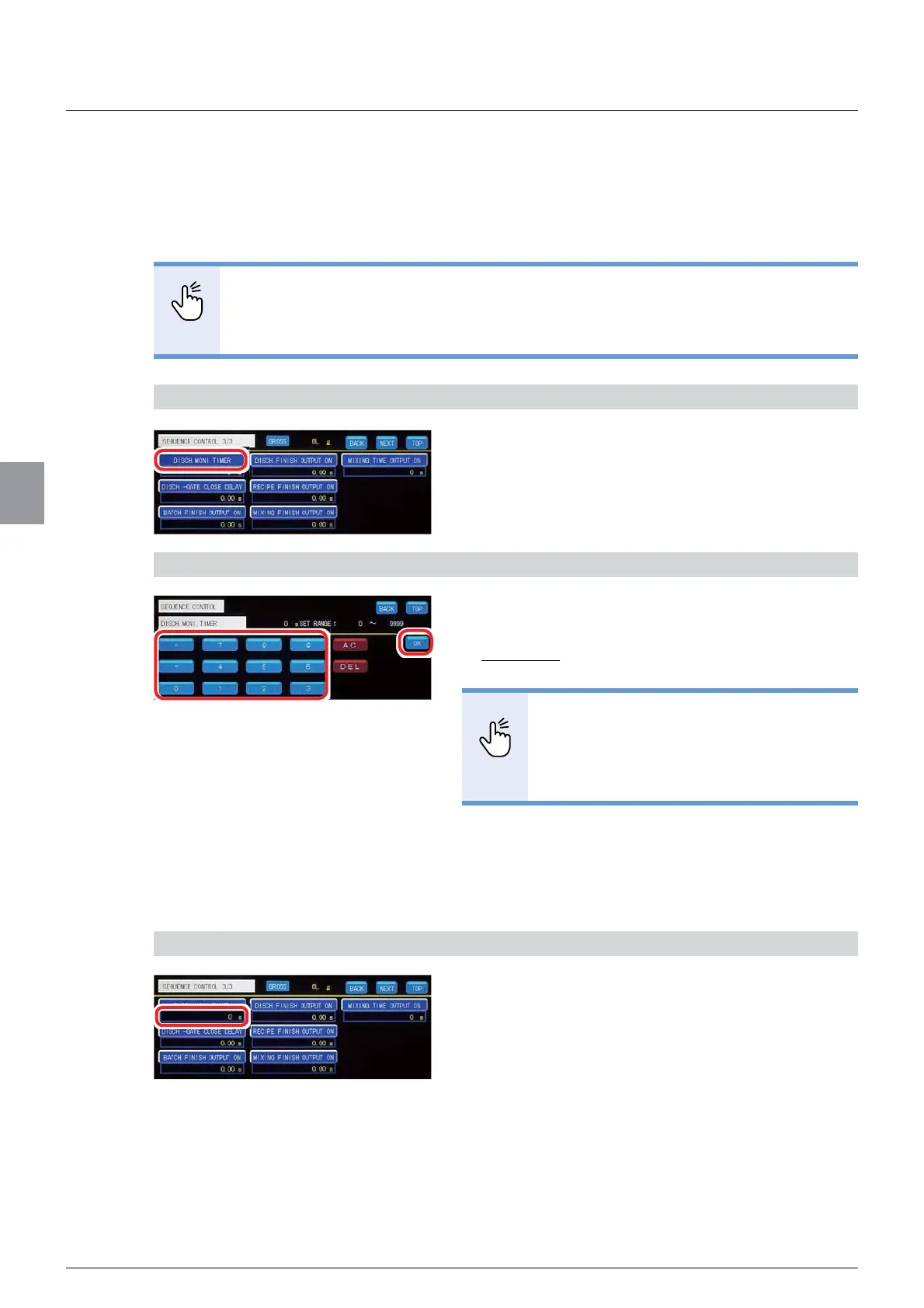
1) Display the screen to set [DISCH. MONI. TIMER]
1. Tap [DISCH. MONI. TIMER] on [SEQUENCE
CONTROL 3/3].
7KHVFUHHQWRVHW>',6&+021,7,0(5@ZLOOEH
displayed.
2) Set the timer to monitor discharge time
1. Enter the time of the monitoring timer.
$OORZDEOHUDQJHWR
Default: 0
POINT
- Setting [0] does not monitor discharge
time.
- Refer to "3.5. Input of numerical values"
IRUPRUHLQIRUPDWLRQDERXWKRZWRHQWHU
numerical values.
2. Tap [OK].
The monitoring timer has been set, and
>6(48(1&(&21752/@ZLOOEHGLVSOD\HG
&RQ¿UPWKHVHWWLQJV
&RQ¿UPWKHYDOXHRIWKHPRQLWRULQJWLPHU
The setting is completed if the value set by the step
2) appears under [DISCH. MONI. TIMER].



 To Next Page