9.5.BCD output
245
External equipment
9
2. Tap [OK].
7KHHUURUÀDJORJLFZLOOEHVHWDQGWKH%&'RXWSXW
setting screen 1/1 will be displayed.
2) Check the setting that you set
&KHFNWKHHUURUÀDJORJLFVHWWLQJ
The setting is completed if the item set by the step
1) above appears under [ERROR FLAG LOGIC].
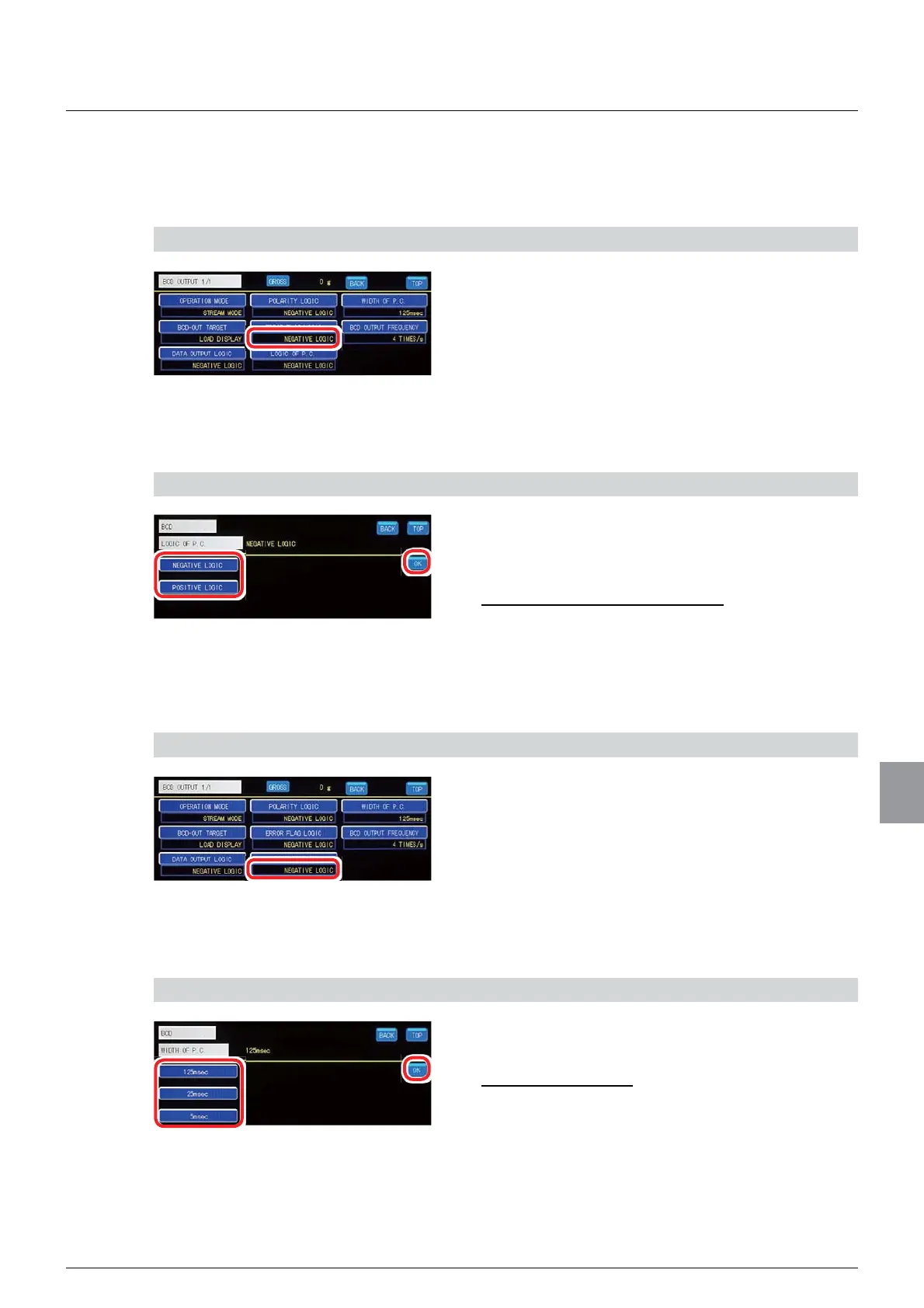
(5) Print command logic setting
A P. C. (print command) output logic is set.
1) Set a PC logic
1. Select a P. C. logic.
6HOHFWLRQV1(*$7,9(/2*,&326,7,9(
LOGIC
,QLWLDOYDOXH1(*$7,9(/2*,&
2. Tap [OK].
The P. C. logic will be set, and the BCD output
setting screen 1/1 will be displayed.
2) Check the setting that you set
1. Check P.C. logic setting.
The setting is completed if the item set by the step
1) above appears under [LOGIC OF P.C. ].
(6) Print command width setting
A P.C. (print command) output data width is set.
1) Set a PC width
1. Select a P.C. width.
6HOHFWLRQVPVPVPV
,QLWLDOYDOXHPV
2. Tap [OK].
The P.C. width will be set, and the BCD output
setting screen 1/1 will be displayed.



 To Next Page