12. Commissioning
MiR250 Hook User Guide (en) 01/2023 - v.1.2 ©Copyright 2021-2023: Mobile Industrial Robots A/S. 160
L-markers are the only markers where the Protective fields are not muted automatically. If you
want the robot to mute the Protective fields while docking to an L-marker, you must use a Mute
Protective fields action—see "Personnel detection" on page123.
Fast docking and Slow docking
Depending on how you create the docking action in a mission, the robot will either dock quickly to
the marker in one motion, or it will drive to the Entry position and dock from there.
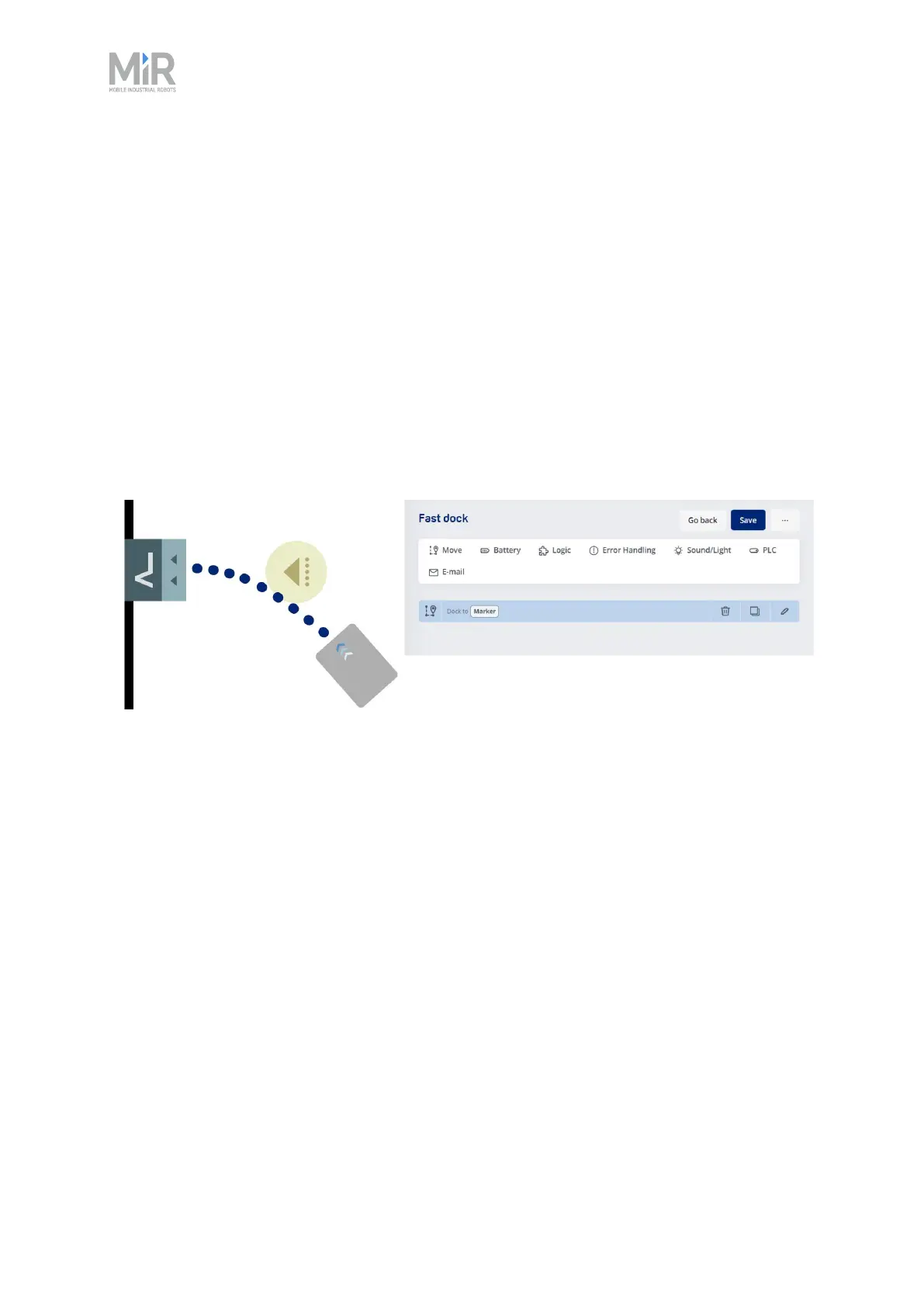
If you only use a Dock to action to move the robot to the marker, it will aim for the Entry position
but will begin docking as soon as it detects the marker. This means the robot might never stop at
the Entry position before beginning to dock and will instead dock to the marker in one smooth
motion.
Figure 12.12 Illustration of how the robot Fast docks when the mission only uses a Dock to action.
If you add a Move action to the same marker before the Dock to action, the robot will first drive to
the Entry position and stop there before beginning the docking sequence. This can take longer
than Fast docking, but does increase how precisely the robot docks to the marker. If the robot
often does not dock precisely to a marker, we recommend modifying mission to make the robot
stop at the Entry position before docking.



 To Next Page