12. Commissioning
MiR250 Hook User Guide (en) 01/2023 - v.1.2 ©Copyright 2021-2023: Mobile Industrial Robots A/S. 177
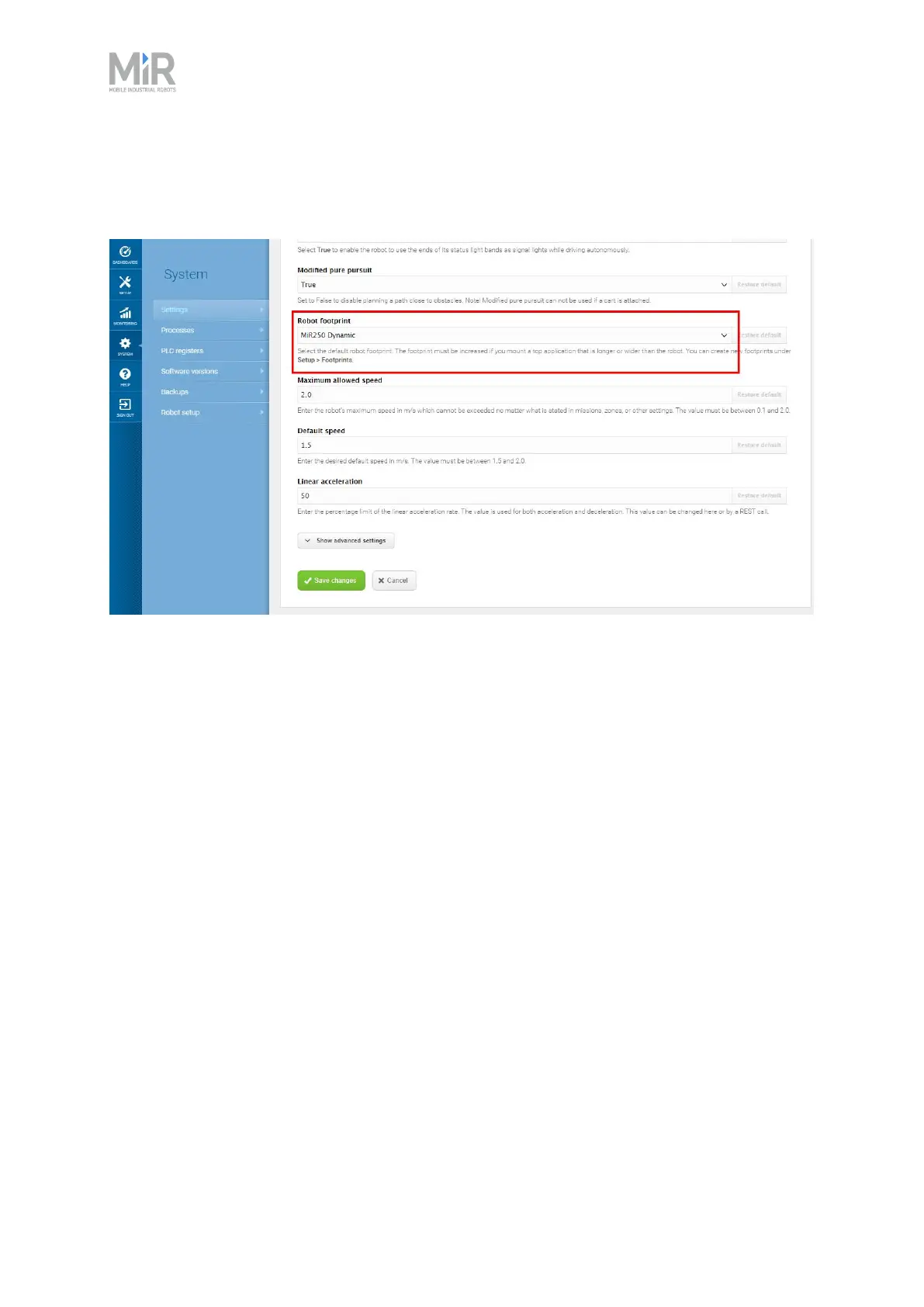
If you want to change what the robot's default footprint is, for example if the mounted top
module is larger than the robot, go to System>Settings >Planner, and select a new footprint
under Robot footprint.
Checklist
• You have created footprints that reflect all of the top module and loads the robot will carry.
• You have considered the naming scheme for the footprint to ensure that you can identify when
to use a footprint based on its name.
• You have checked that the robot can plan and execute suitable paths with each footprint.
• You have checked that the width of the footprint exceeds the largest width of the Protective
fields.
• You have tested that the footprint is not so large that it compromises the robot's man-
euverability when driving slowly, for example, when docking.
12.12 Using operating hazard zones
Operating hazard zones are areas that must be visibly marked to comply with safety standards in
EN 1525 and ISO 3691-4. Personnel must be instructed to stay clear of operating hazard zones
when a robot is approaching.



 To Next Page