5. Accessing the internal parts
MiR250 Hook User Guide (en) 01/2023 - v.1.2 ©Copyright 2021-2023: Mobile Industrial Robots A/S. 53
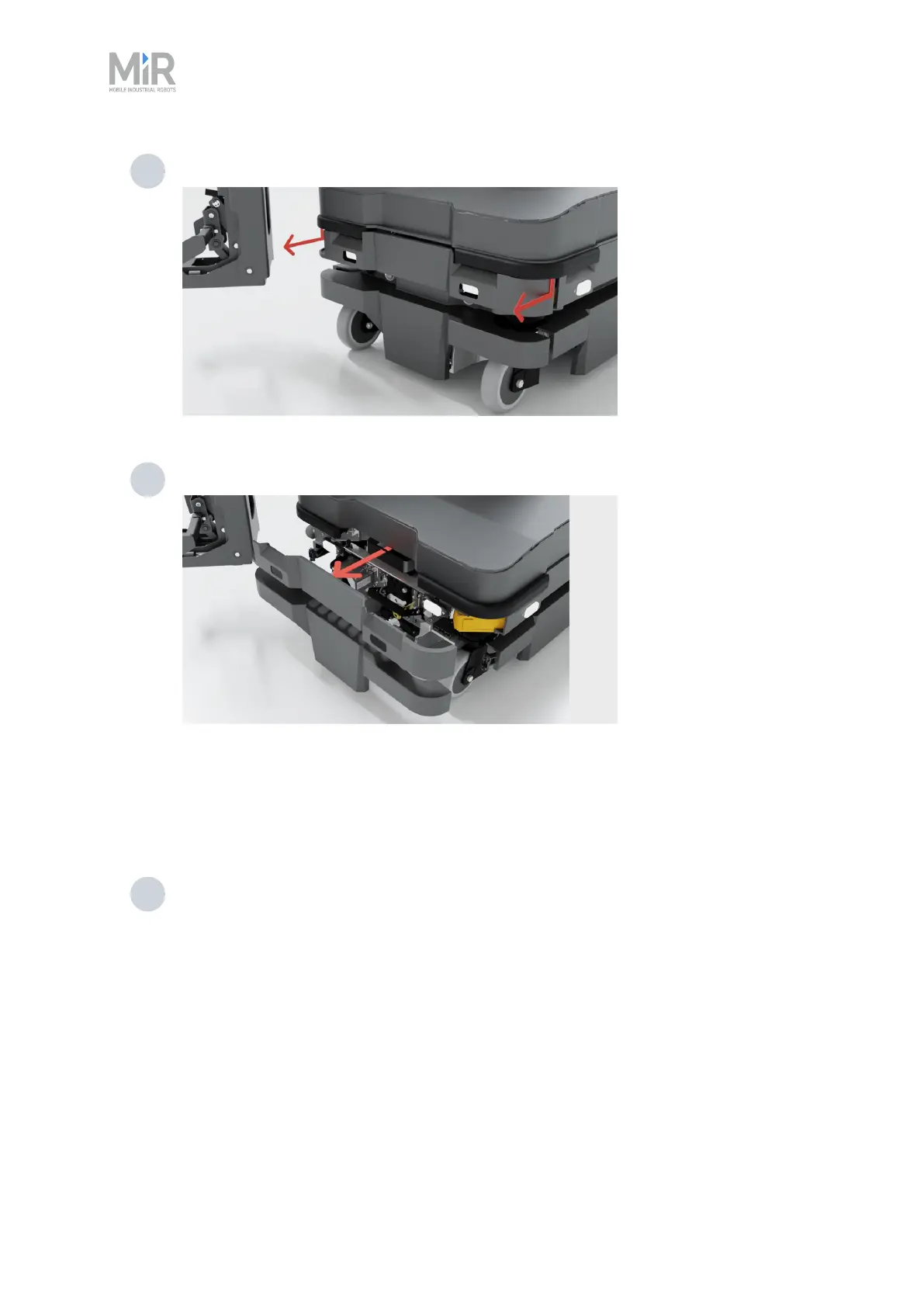
3 Loosen the top corners one at the time by pulling each corner down, and then out.
4 Pull off the cover.
5.3 Side compartments
To open a side compartment, follow these steps:
1 Remove the front cover and rear cover—see " Accessing the internal parts" on page50
and "Rear compartment" on the previous page.



 To Next Page