8. Battery and charging
MiR250 Hook User Guide (en) 01/2023 - v.1.2 ©Copyright 2021-2023: Mobile Industrial Robots A/S. 97
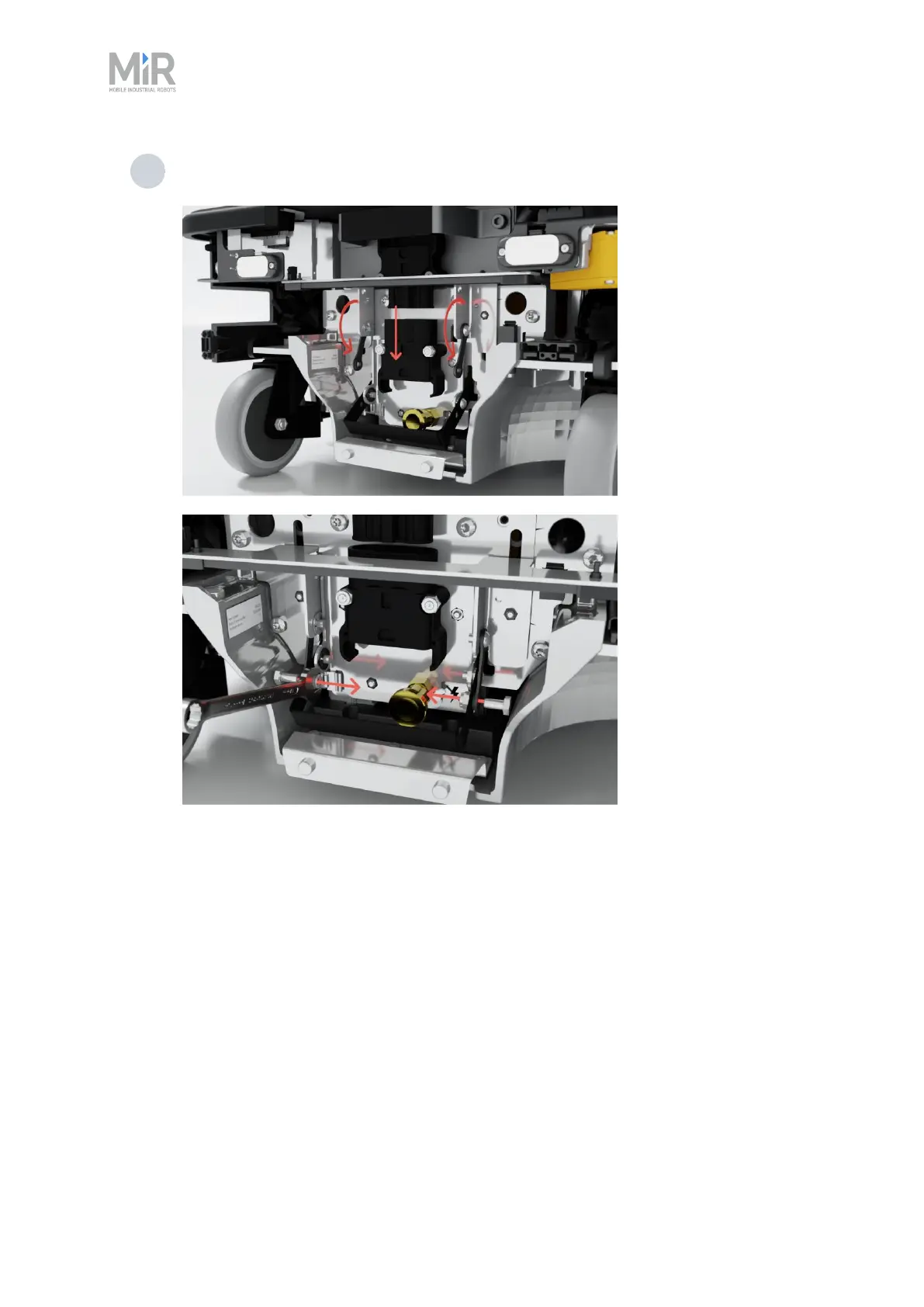
4 Pull the status light bracket down and fasten the two levers to the battery lever using
the same two bolts, washers, and nuts.
8.4 Swapping out the lithium-ion battery
MiR250 Hook is supplied with a removable lithium-ion battery. The battery can be charged inside
the robot with a MiR cable charger.
The robot is delivered with one lithium-ion battery. Contact your distributor if you need more
batteries.
To be able to remove the battery, you must first enable the fast swap-option in your robot—see
"Enabling fast swap " on page93.



 To Next Page