8. Battery and charging
MiR250 Hook User Guide (en) 01/2023 - v.1.2 ©Copyright 2021-2023: Mobile Industrial Robots A/S. 96
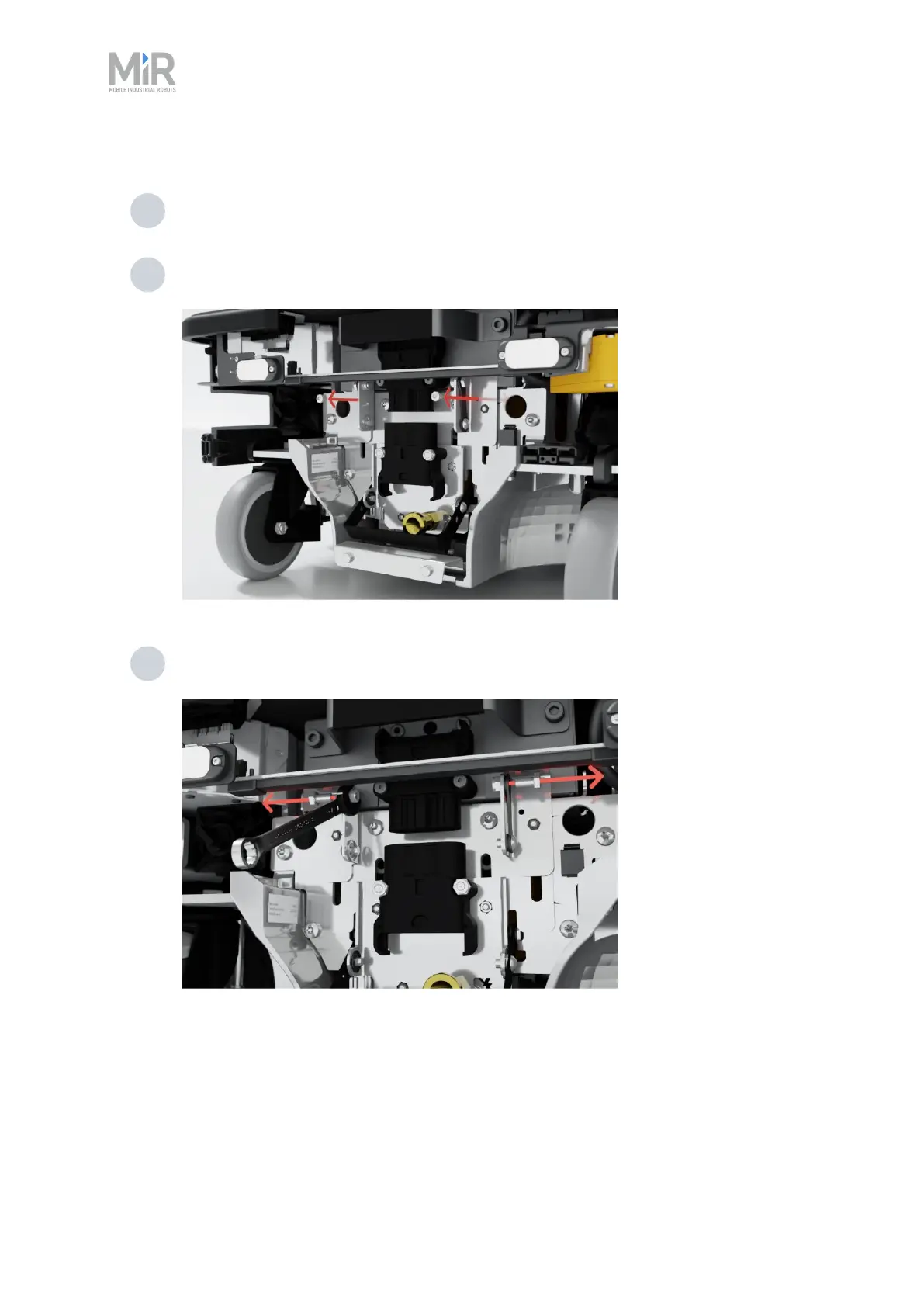
To enable the fast swap-option on the robot, follow these steps:
1 Disconnect the battery—see "Disconnecting the battery" on page92.
2 Unscrew the two small screws mounting the status light bracket to the battery plate.
Use a T20 screwdriver.
3 Unscrew the two bolts and washers keeping the fast-swap levers raised. Use a 10 mm
hex screwdriver for the bolts and a 10 mm hex wrench to keep the nuts in place.



 To Next Page