10. Navigation and guidance system
MiR250 Hook User Guide (en) 01/2023 - v.1.2 ©Copyright 2021-2023: Mobile Industrial Robots A/S. 105
10.4 Local planner
The local planner is used continuously while the robot is driving to guide it around obstacles while
still following the global path.
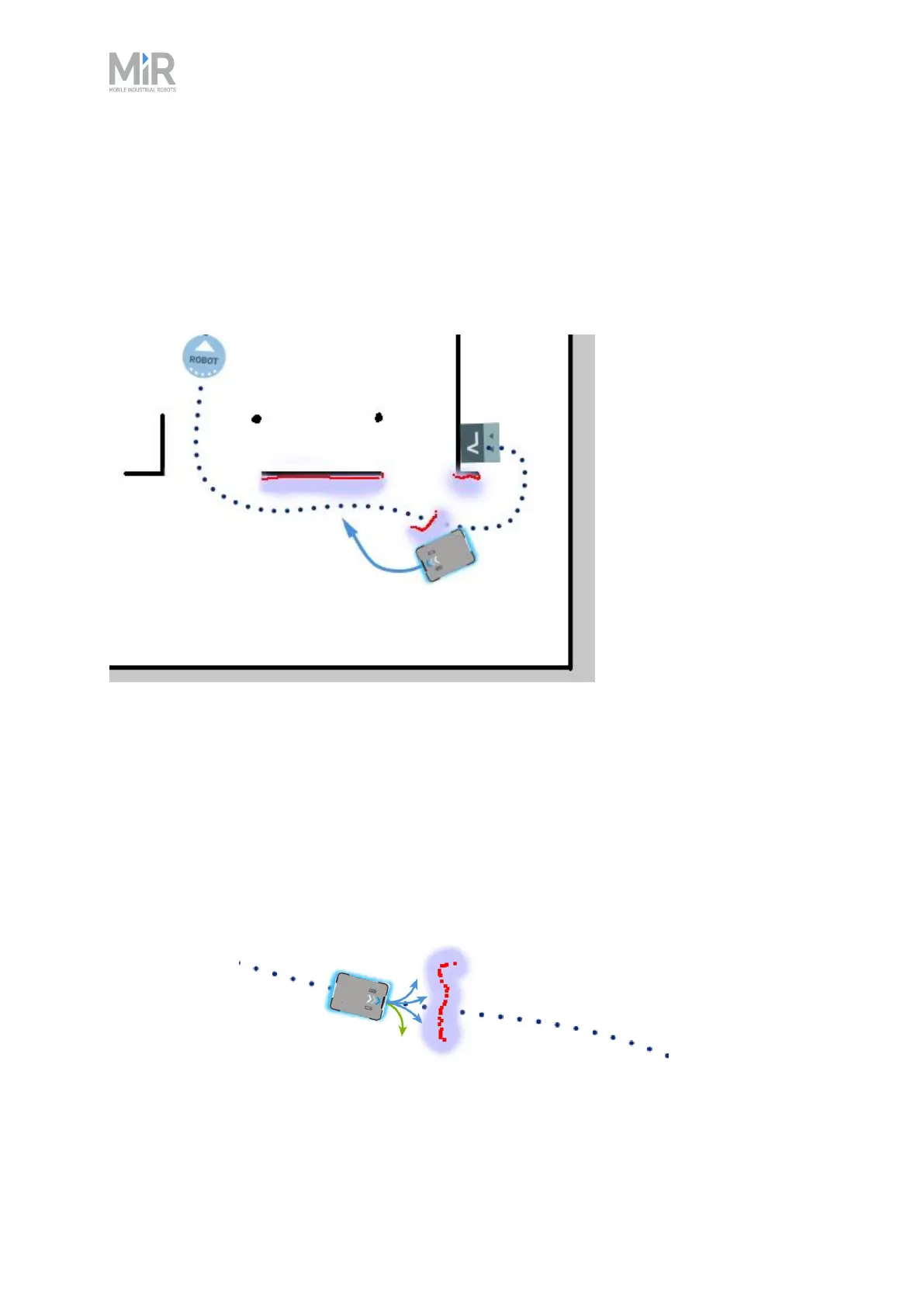
Figure 10.5 The global path is indicated with the dotted blue line and is visible on the map. The local path is
indicated with the blue arrow, showing the robot driving around a dynamic obstacle.
Whereas the global planner creates a single path from start to finish, the local planner continues
to create new paths that adapt to the current position of the robot and the obstacles around it.
The local planner only processes the area that is immediately surrounding the robot, using input
from the robot sensors to avoid obstacles.
The local path is not displayed in the robot interface.
Figure 10.6 The local planner usually follows the global planner, but as soon as an obstacle gets in the way,
the local planner determines which immediate path will get the robot around the obstacle. In this case, it will
likely choose the path indicated with a green arrow.



 To Next Page