8. Battery and charging
MiR250 Hook User Guide (en) 01/2023 - v.1.2 ©Copyright 2021-2023: Mobile Industrial Robots A/S. 92
If the robot has been inactive for more than a week or if its battery percentage has
been below 5% for more than four hours, the battery goes into Power save mode,
which disables the power to the robot. To disable Power save mode see "Storage" on
page88.
For information about the charging time, see specifications on the MiR website.
8.2 Disconnecting the battery
The battery can be disconnected for complete separation of all power to the robot. Disconnect
the battery whenever the robot is to be transported, undergo maintenance, or stored for over 24
hours. This prevents unnecessary discharge, risk of electrocution, and risk of short circuiting.
The rear compartment holds the robot’s battery. To access the rear compartment, see " Accessing
the internal parts" on page50.
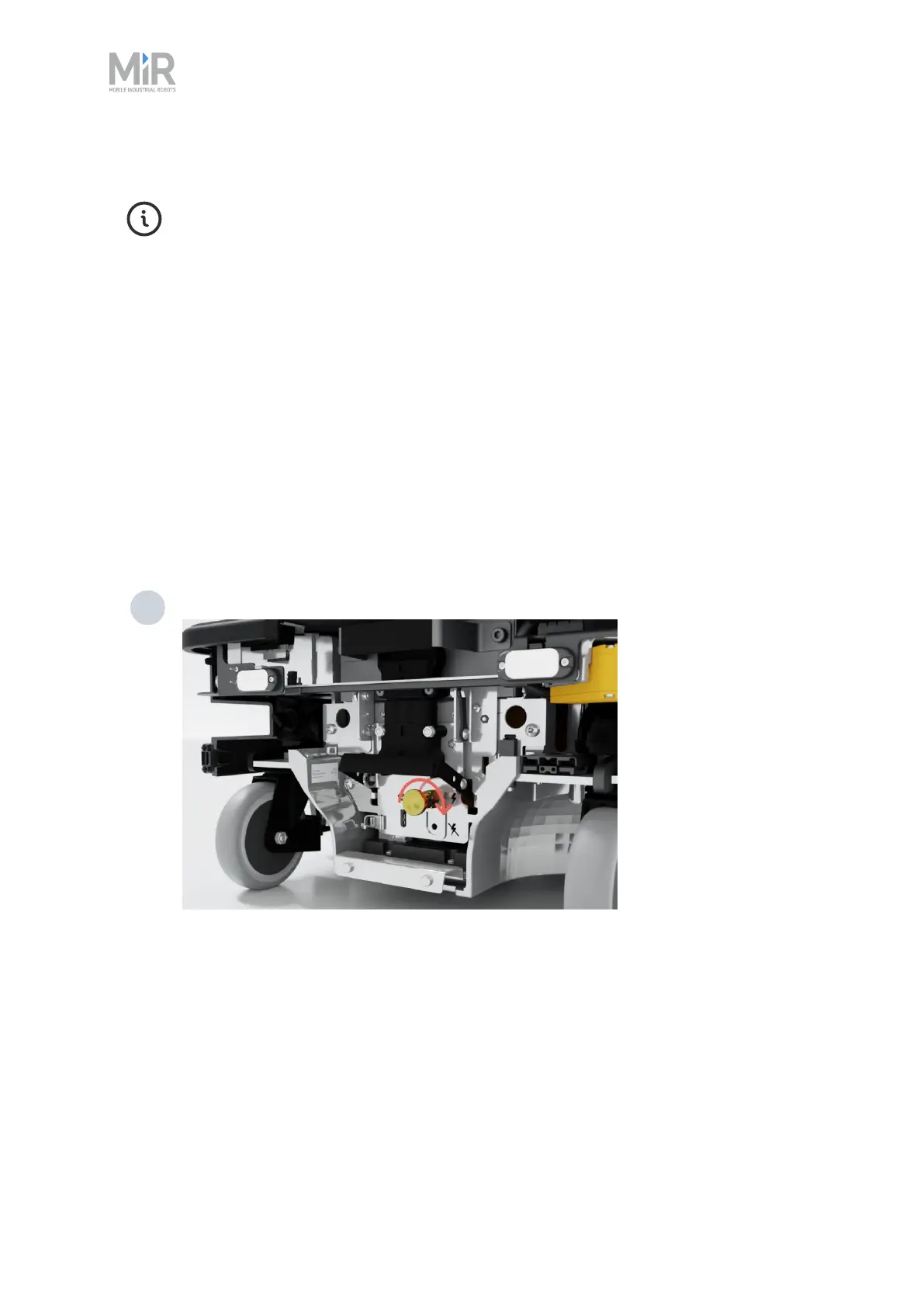
To disconnect the battery, follow these steps:
1 Turn the battery lever lock clockwise to release the battery connector.



 To Next Page