8. Battery and charging
MiR250 Hook User Guide (en) 01/2023 - v.1.2 ©Copyright 2021-2023: Mobile Industrial Robots A/S. 91
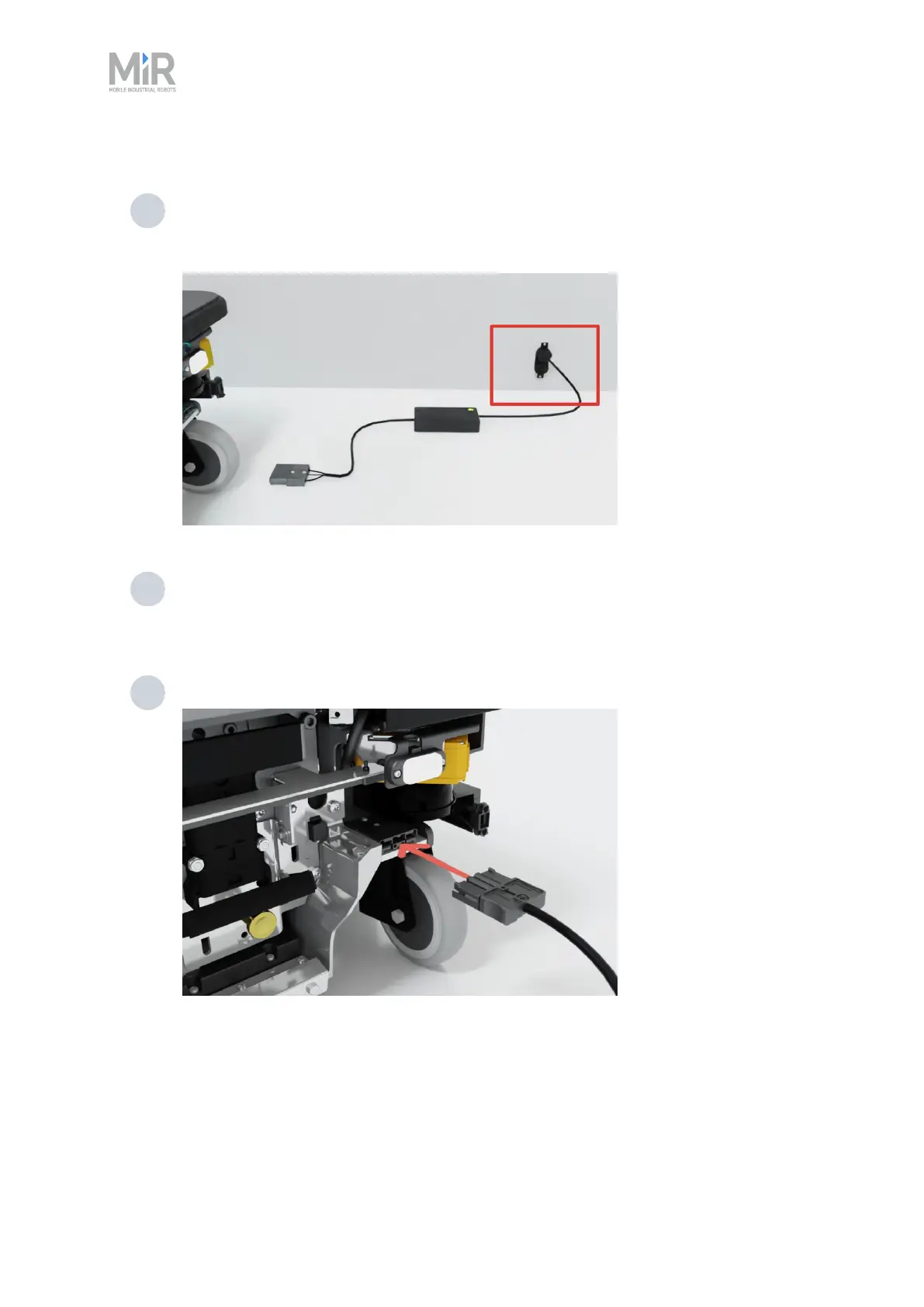
To charge MiR250 Hook using the cable charger, follow these steps:
1 Plug the cable charger into an AC power supply. Always make sure to connect the cable
charger to a power supply before connecting it to the battery. Overtime, the battery will
take damage if you connect the charger to the battery before the power supply.
2 If you are charging the battery outside the robot, connect a battery adapter to the other
end of the cable charger. If you are charging the robot directly, make sure the adapter
cable is disconnected from the charger.
3 Connect the charger to the charging interface.
The charging interface is located on the robot in the bottom-right corner—see "Internal parts" on
page23.



 To Next Page