2. Product presentation
MiR250 Hook User Guide (en) 01/2023 - v.1.2 ©Copyright 2021-2023: Mobile Industrial Robots A/S. 32
Picking up carts
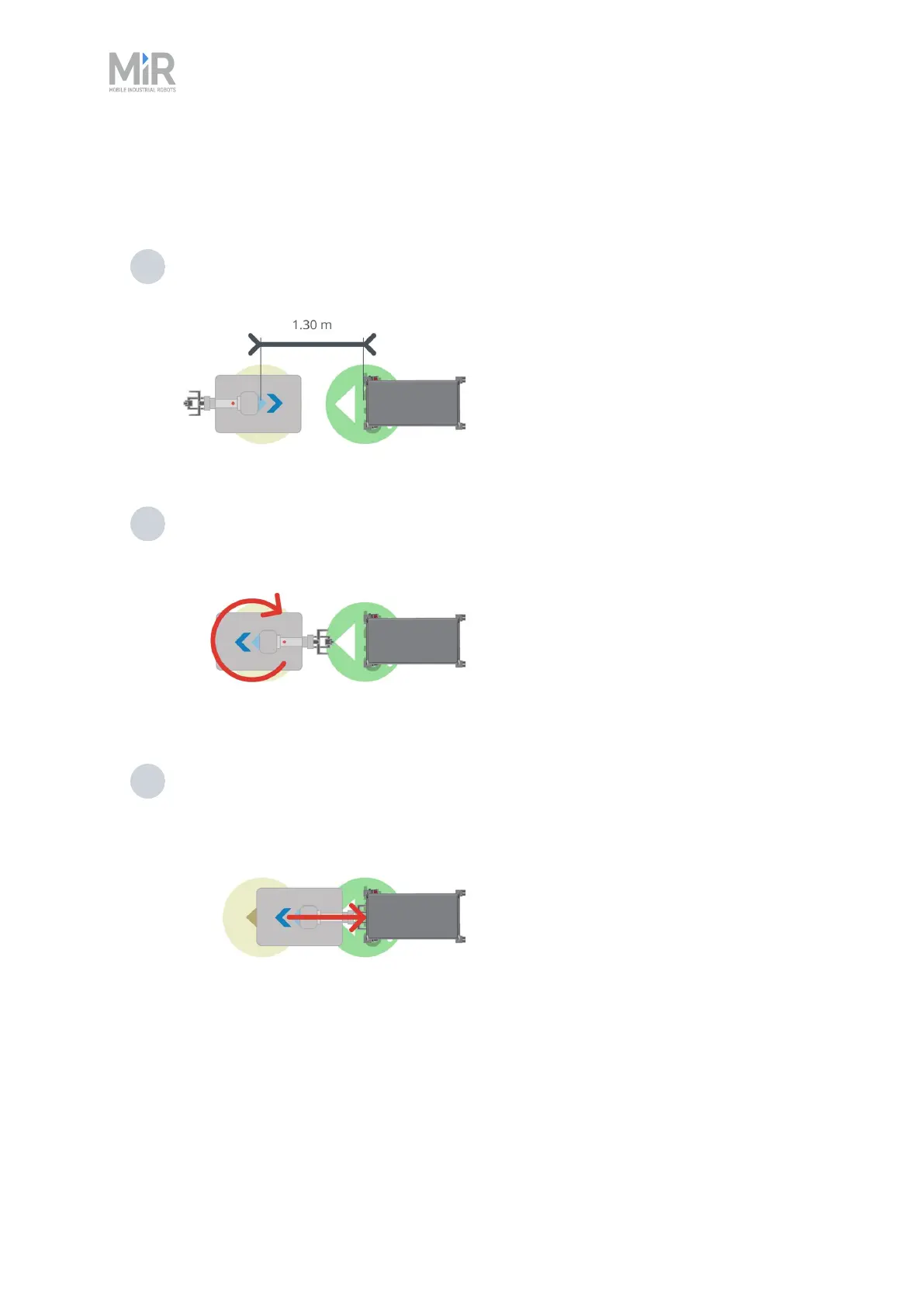
The following steps describe how the robot picks up a cart at a Cart position:
1 The robot moves to the Pick up Entry position in front of the Cart position. The center
of the Entry position is 1.30 m from the center of the Cart position.
2 The robot turns around and orients itself so the hook camera is able to read the ID tag
on the cart.
3 The robot reads the IDtag, reverses toward the cart, and locks onto the gripper bar. If
misaligned more than 5 degrees, the robot may fail to pick up the cart and will abort
the action.



 To Next Page