5. Accessing the internal parts
MiR250 Hook User Guide (en) 01/2023 - v.1.2 ©Copyright 2021-2023: Mobile Industrial Robots A/S. 56
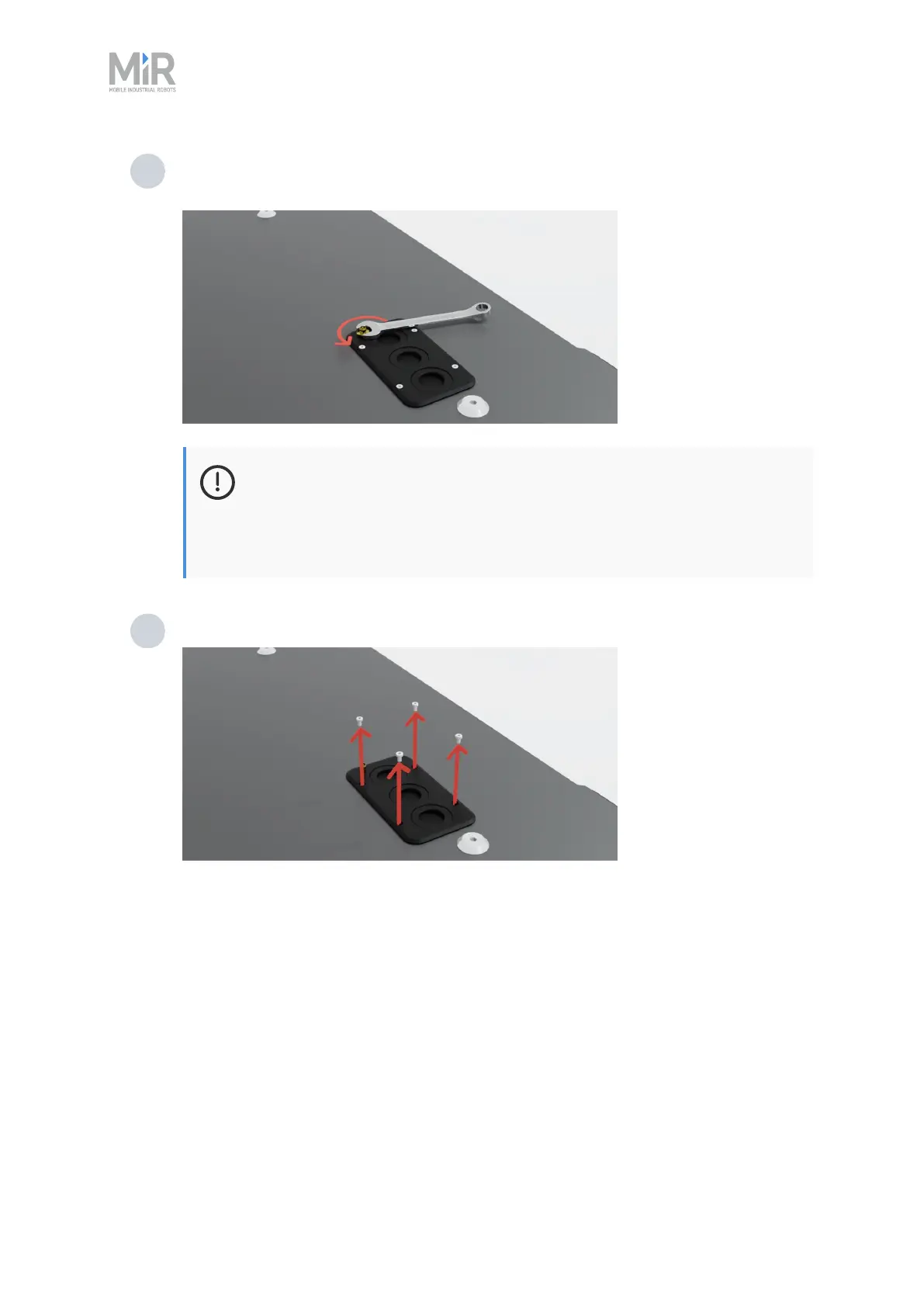
2 Unscrew the nut from the antenna connector with a 10mm wrench, and push the
antenna cable free of the cover.
NOTICE
With the antenna cables mounted, the plastic top covers can be lifted
50mm. If you do not need to remove the cover completely, you do not
have to remove the antennas.
3 Unscrew the four screws with a T8 screwdriver.



 To Next Page