7 Operation
Maschinenfabrik Reinhausen GmbH 2019186 5163667/06 ENETOS
®
IM
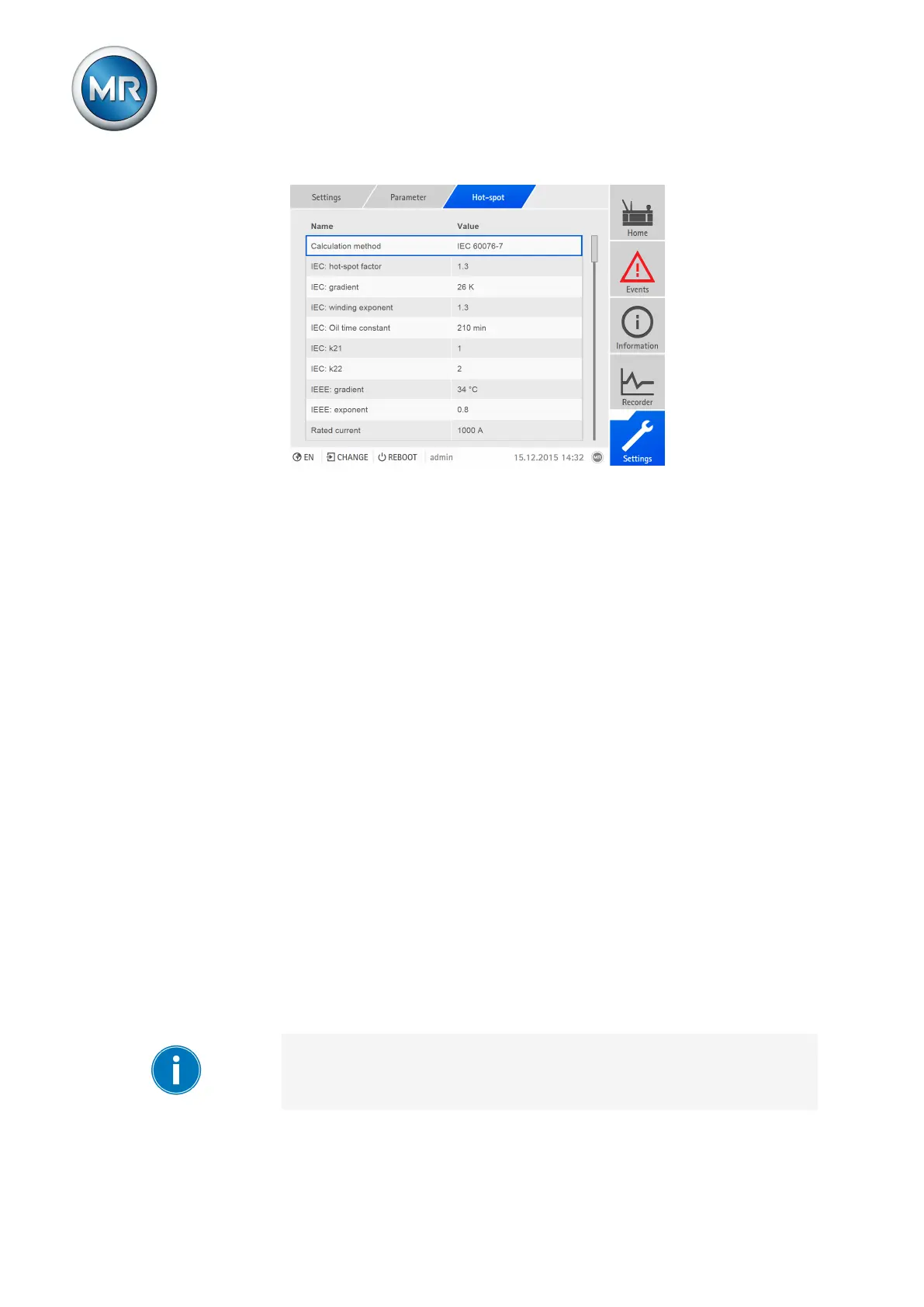
Figure138: Hot-spot calculation
Hot-spot measurement
Hot-spot measurement requires that you connect a sensor for recording the
winding temperature to the device via MR sensor bus and link the transmit-
ted data points to the function of the analog input (winding temperature
1...24).
If you would like to use hot-spot measurement, proceed as follows:
ü Winding temperature sensor is connected over MR sensor bus and con-
figured [►Section 7.16, Page 219].
ü The winding temperature 1...24 functions are linked to sensor data points
[►Section 7.17, Page 230].
1. Go to Settings > Parameter > Hot-spot.
2. Select the Hot-spot determination parameter.
3. Select the Measurement option.
4. Press the Accept button to save the modified parameter.
Hot-Spot calculation
If you would like to use hot-spot calculation, proceed as follows:
1. Go to Settings > Parameter > Hot-spot.
2. Select the Hot-spot determination parameter.
3. Select the Calculation option.
4. Press the Accept button to save the modified parameter.
You must also set the following parameters:
If you are using a cooling system, you also need to enter the following pa-
rameters for each cooling stage.



 To Next Page