7 Operation
Maschinenfabrik Reinhausen GmbH 2019 2555163667/06 EN ETOS
®
IM
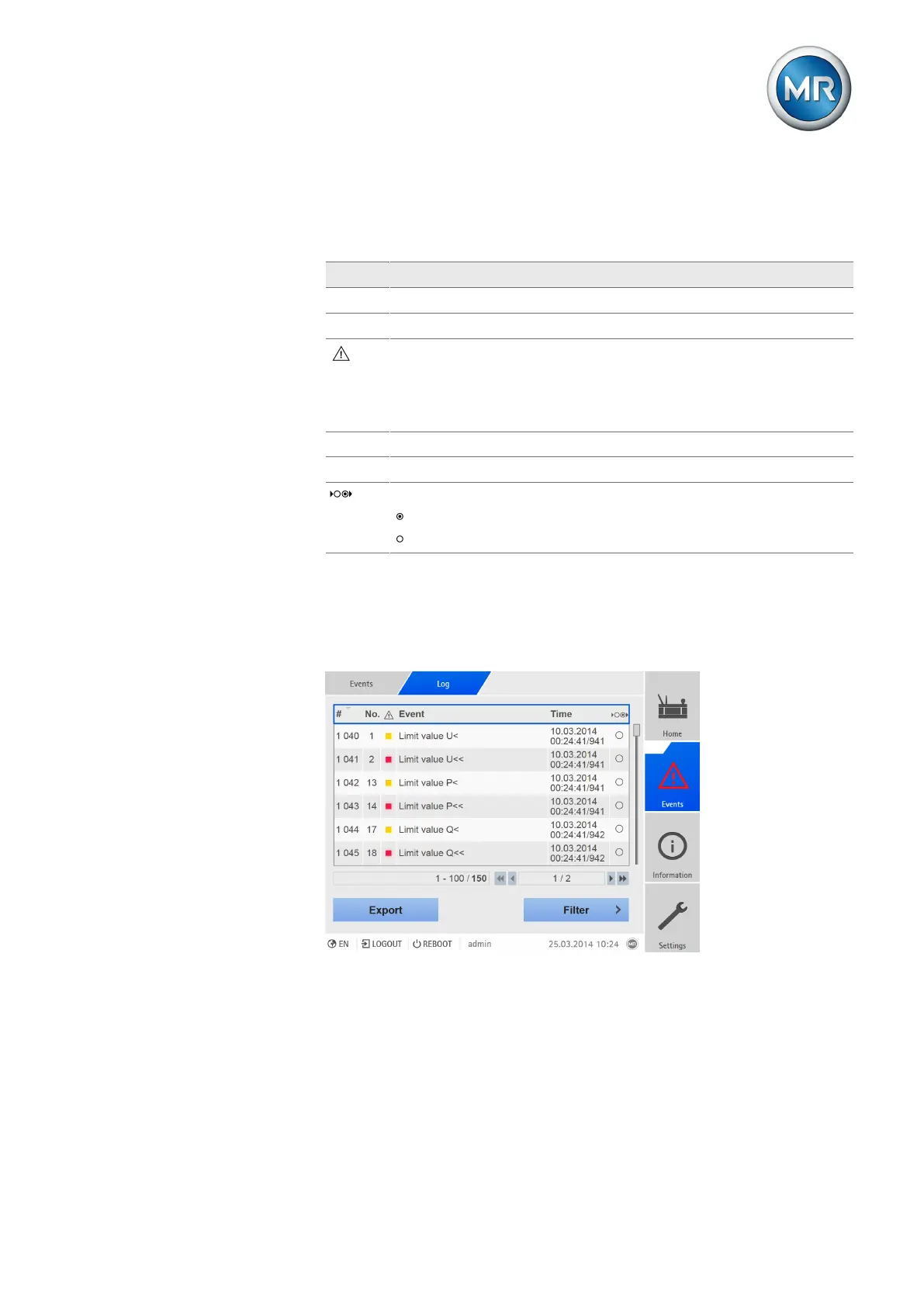
7.22.3 Displaying event memory
Past events are stored in the event memory. The following information is dis-
played:
Column Description
# Consecutive number of events
No. Event number for clear identification
Event category:
▪ Error (red)
▪ Warning (yellow)
▪ Info (gray)
Event Event text
Time Date and time of event (DD.MM.YYYY, HH:MM:SS/ms)
Event coming/going:
Event coming
Event going
Table68: Event memory
To call up the event memory, proceed as follows:
1. Go to Events.
2. Press the Log button.
Figure195: Event memory
Filtering events
To adjust the display, you can define a filter. To do so, proceed as follows:
1. Press the Filter button.
2. Enter the desired time period.



 To Next Page