7 Operation
Maschinenfabrik Reinhausen GmbH 2019 2735163667/06 EN ETOS
®
IM
7.23.6 Configuring DNP3 (optional)
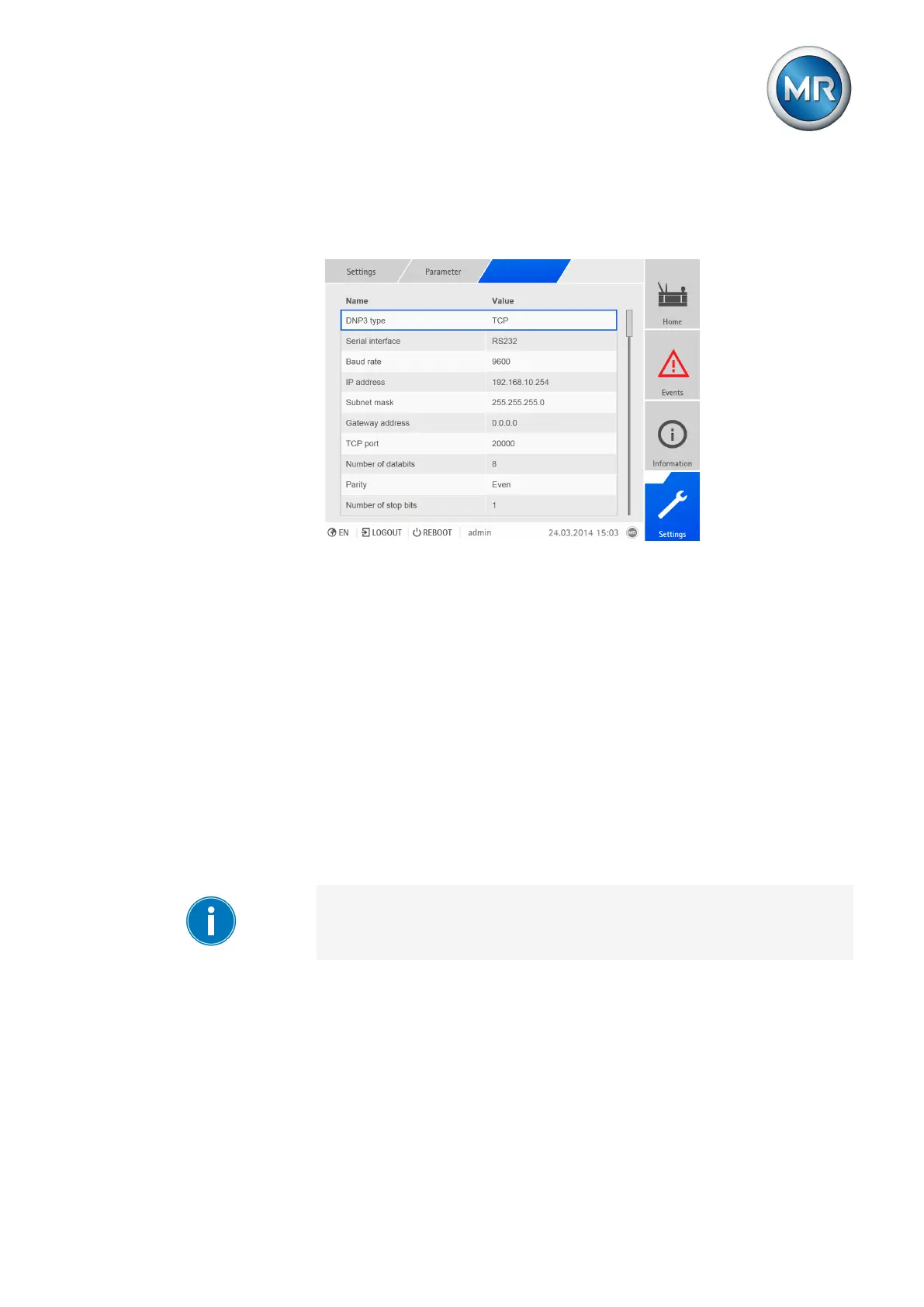
If you would like to use the DNP3 control system protocol, you must set the
parameters listed below.
Figure201: Setting parameters for DNP3
DNP3 transmission type
You can use this parameter to set the transmission type. You can select the
following options:
▪ TCP
▪ Serial
To set the transmission type, proceed as follows:
1. Go to Settings > Parameters > DNP3 > DNP3 transmission type.
2. Select DNP3 transmission type.
3. Press the Accept button to save the modified parameter.
IP address (only with TCP transmission type)
You can use this parameter to assign an IP address to the device.
Assign IP addresses to both web-based visualization and SCADA (optional)
in different subnets. Otherwise you will not be able to establish a connec-
tion.
1. Go to Settings > Parameters > DNP3 > IP address.
2. Enter the IP address.
3. Press the Accept button to save the modified parameter
Subnet mask (only with TCP transmission type)
You can use this parameter to set the subnet mask.



 To Next Page