7 Operation
Maschinenfabrik Reinhausen GmbH 2019 2235163667/06 EN ETOS
®
IM
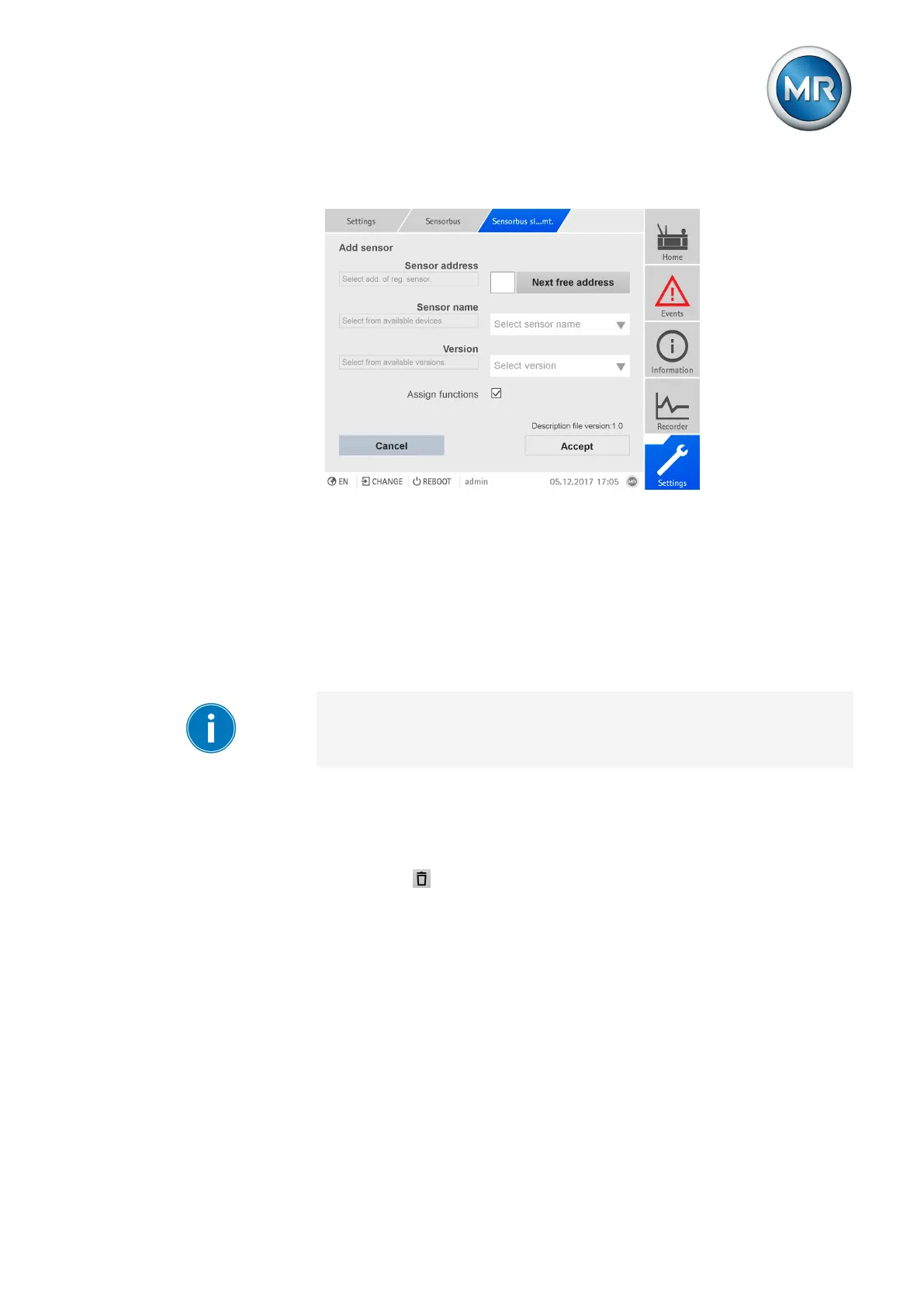
2. Press the New sensor button.
Figure167: Add sensor
3. Enter the Modbus address or press the Next free address button.
4. Select the Sensor name.
5. Select the Version.
6. If necessary, enable the Assign functions option.
7. Press the Accept button.
8. After adding a sensor or several sensors, restart the device to apply the
changes.
Before restarting the device, you can add even more sensors or change ad-
ditional settings such as the function assignment or configuration of analog
or digital inputs.
Removing a sensor
Proceed as follows to delete a sensor:
1. Go to Settings > Manage sensor.
2. Press the button to delete the sensor.
7.16.3 Function assignment
You can link the transmitted signals from the sensor to functions on the de-
vice. This requires configuring the desired device functions of the digital and
analog inputs for Modbus. Observe the following sections for more informa-
tion:
▪ Linking digital inputs and outputs [►Section 7.18, Page 232]
▪ Linking analog inputs and outputs [►Section 7.17, Page 230]



 To Next Page