7 Operation
Maschinenfabrik Reinhausen GmbH 2019 2535163667/06 EN ETOS
®
IM
7.22.1 Displaying and acknowledging events
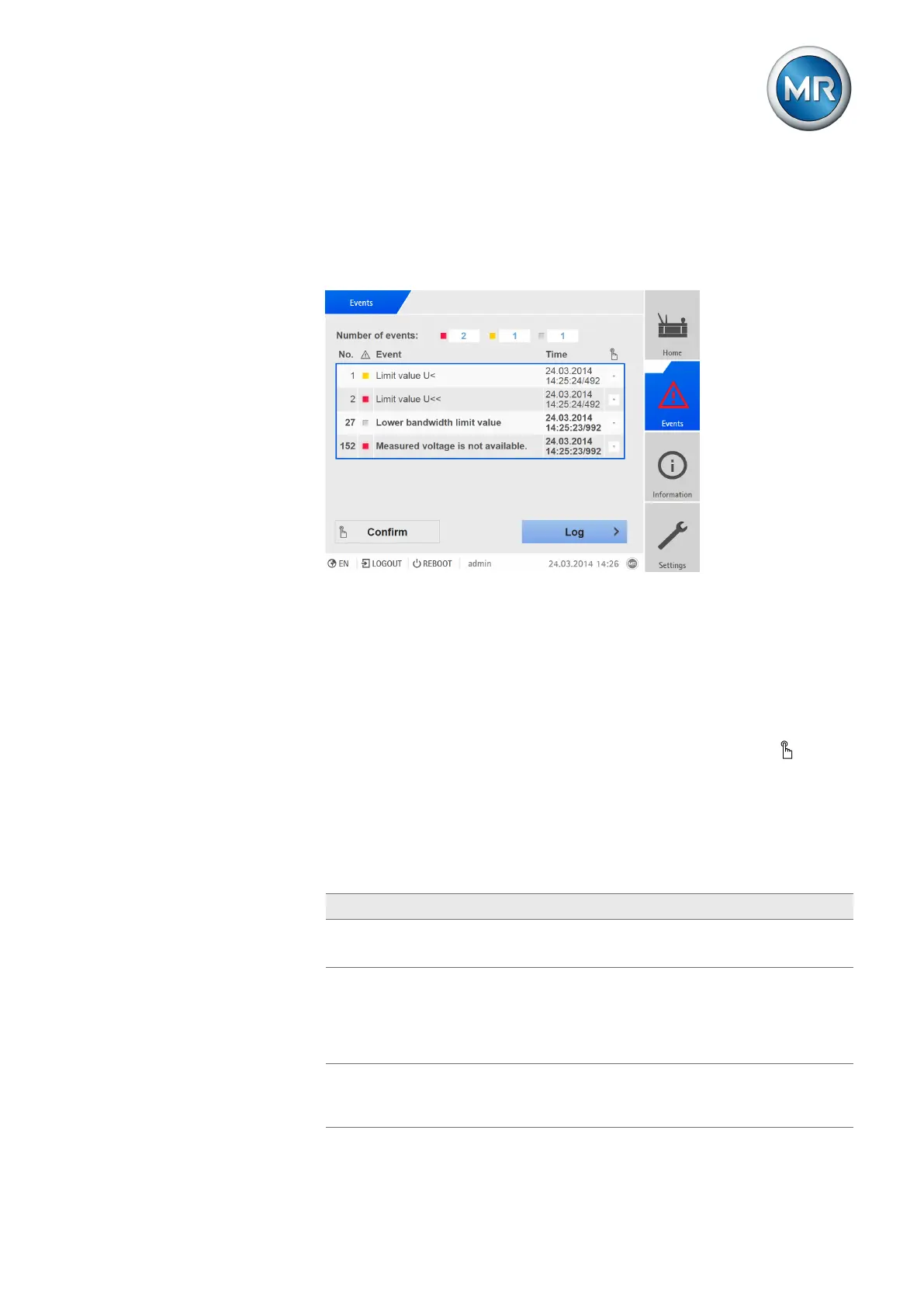
To display the events currently active, proceed as follows:
► Go to Events.
ð A list of events currently active appears.
Figure193: Overview of events currently active
Acknowledging events
Acknowledgeable events must be acknowledged in the event overview so
that they are no longer displayed. All other events are automatically removed
once the cause is remedied (e.g. limit value no longer infringed).
To acknowledge the events, proceed as follows:
► To acknowledge the events, highlight the desired events in the column
then press the Acknowledge button.
ð The events are acknowledged.
7.22.2 Configuring events
The events have the following properties:
Property Description
Event status Active: Event active.
Inactive: Event not active.
High active
(not configurable)
High active: The device issues a signal if the event is ac-
tive.
Low active: The device issues a signal for as long as the
event is not active. If the event is active, the signal is re-
set.
Can be set multiple
times
(not configurable)
The event can be triggered several times without having
been deactivated in the meantime.



 To Next Page