7 Operation
Maschinenfabrik Reinhausen GmbH 2019 3155163667/06 EN ETOS
®
IM
In order to establish the link, you have to enter the corresponding event
number in the desired parameter.
If you enter event number 500, the link is disabled.
To link the digital output, proceed as follows:
ü The desired event number is known [►Section 7.22, Page 252].
1. Go to Settings > Parameters > Link outputs.
2. Select the desired parameter.
3. Enter the desired event number.
4. Press the Accept button to save the modified parameter.
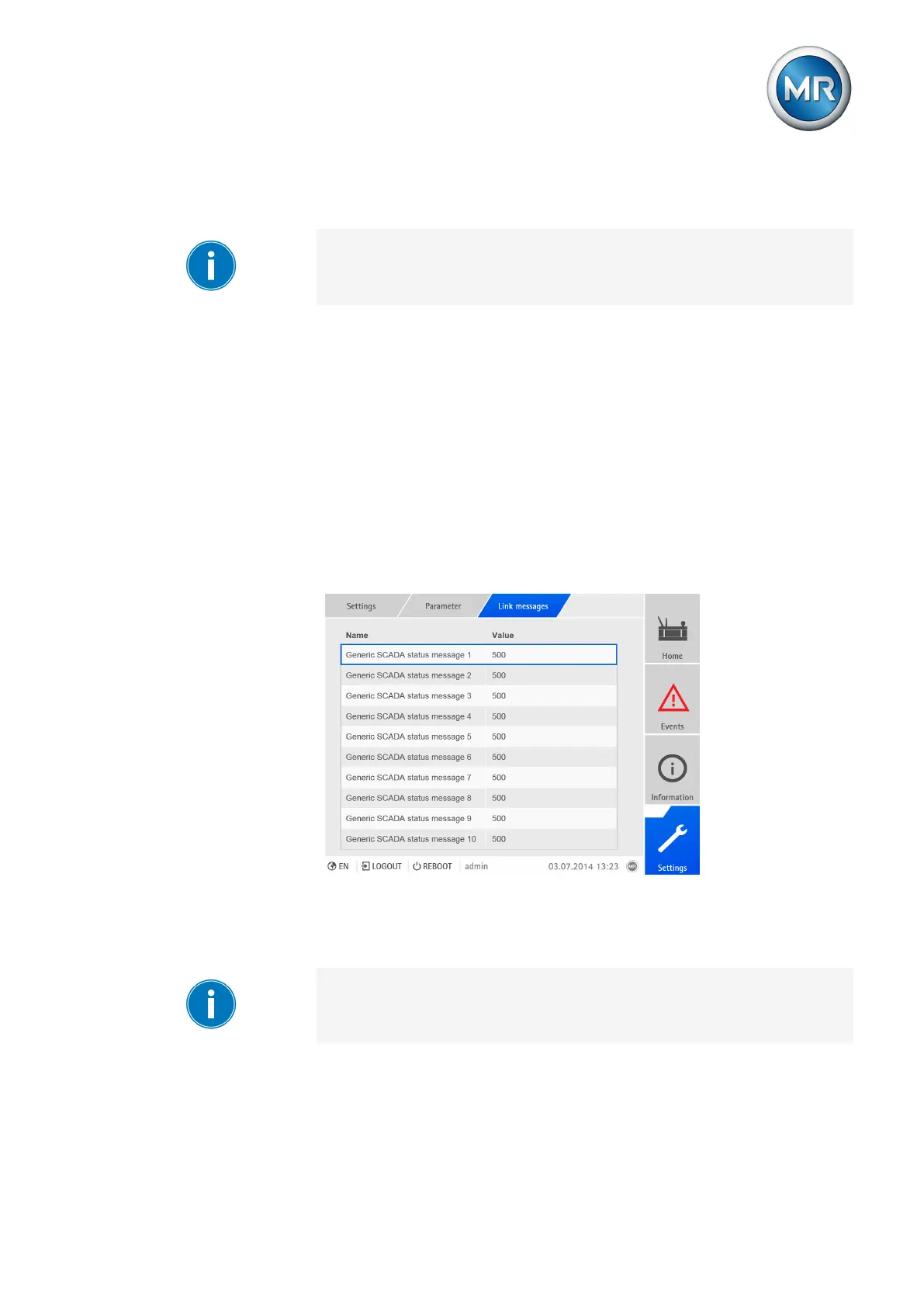
Linking SCADA messages
When you link a SCADA message to an event, the device sets the data point
to "On" when the event occurs. When the event stops, the device sets the
data point to "Off". A parameter is available for each available SCADA mes-
sage.
Figure226: Linking SCADA messages
In order to establish the link, you have to enter the corresponding event
number in the desired parameter.
If you enter event number 500, the link is disabled.
To link the SCADA message, proceed as follows:
ü The desired event number is known [►Section 7.22, Page 252].
1. Go to Settings > Parameters > Link messages.



 To Next Page