PTS 400.3 PLUS Operation Manual_R02 Page 148/306
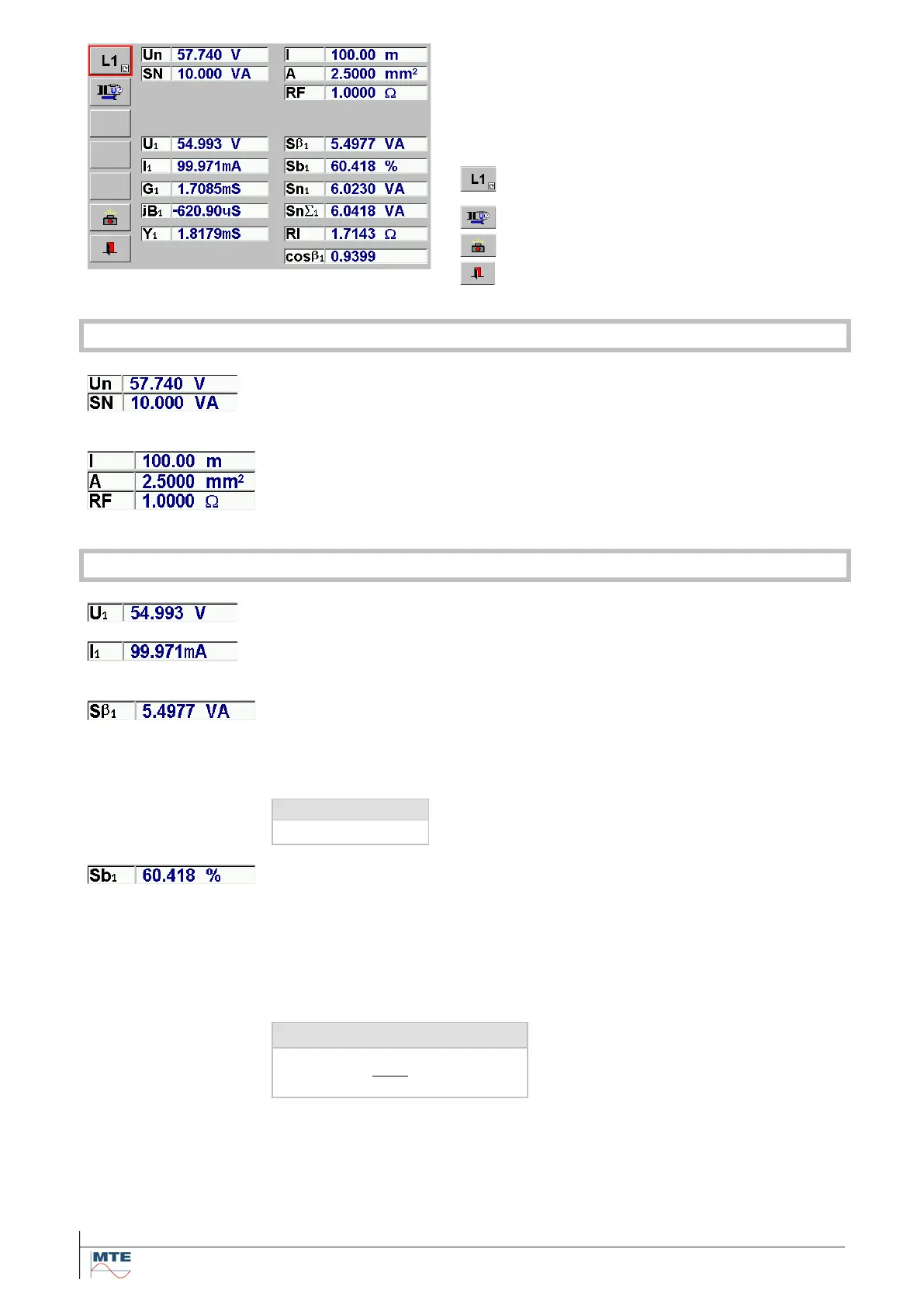
PT burden measurement menu
The measurement starts immediately and is con-
tinuously running with the actual parameter set-
tings shown in the upper part of the display.
The measured and calculated results are updated
in the interval of the time base.
Assign results to phase L1, L2 or L3
(Test phase by phase with U1, I1)
Settings for PT burden measurement
Call storage of test results menu [10].
Exit, back to calling menu
Voltage transformer parameters
Rated secondary voltage (UN) and rated burden (SN) of voltage trans-
former
Influence parameters (optional)
Parameters to regard the influence of the length (l) and cross section (A) of
the wire and of junctions and fuses (RF) between test point and trans-
former secondary side on the total burden.
Secondary voltage: The actual measured secondary voltage of the volt-
age transformer
Burden current: The actual measured current into the burden of the volt-
age transformer
Measured burden
The real burden with actual load condition. This value cannot be directly
compared to the rated nominal burden (SN). Therefore, this value has not
high importance.
Operating burden ratio
The ratio between calculated total rated operating burden to the entered
rated burden is indicated in %.
The value should be in the range: 25 % SN Sb 100 % SN
If the value is not in the admissible range measures can be taken on site to
adjust the burden and the effect can immediately be checked.
Operating burden ratio in %



 To Next Page