radEAGLE User Manual radEAGLE Web Interface
7.8 Software Update
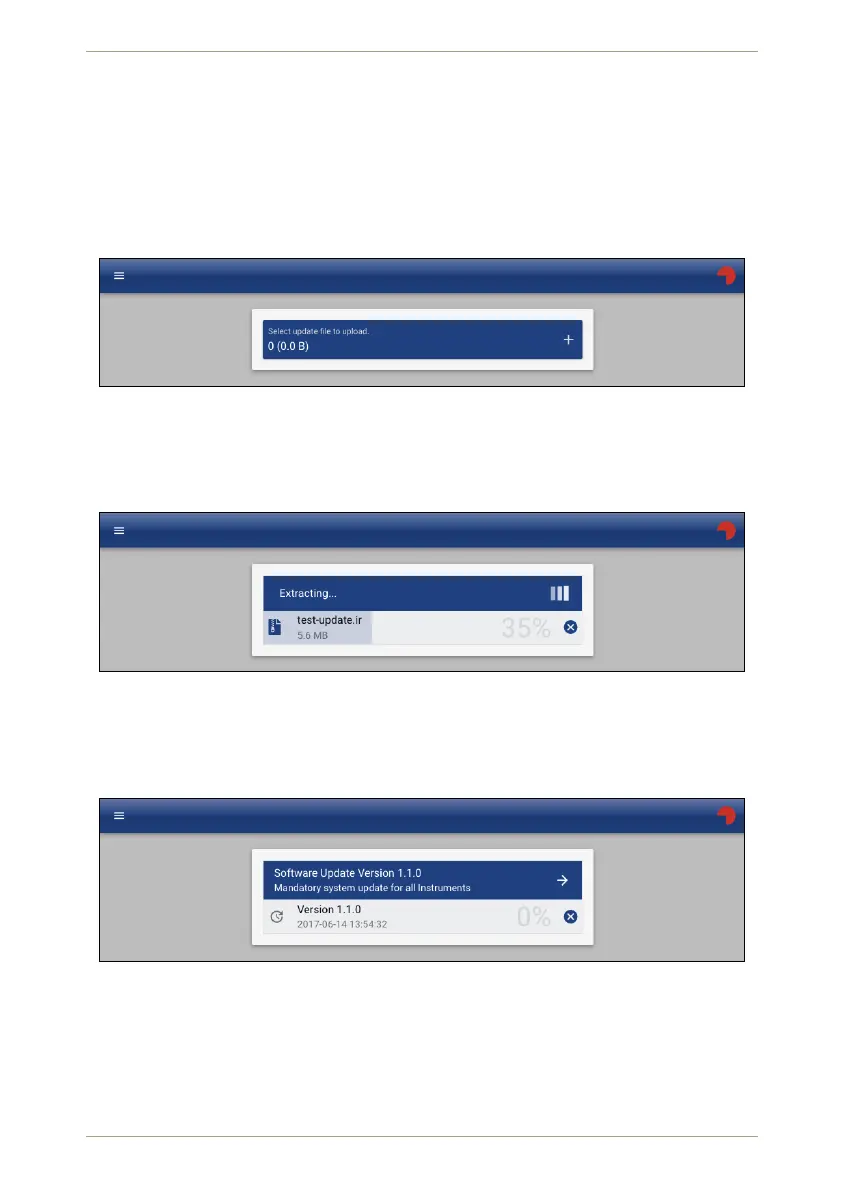
You can upload updates or additional software to your radEAGLE in this section of the Web
interface (Fig. 119, p. 103).
You can either drop an appropriate file on the page or click the button to choose a file with
the standard file selection method of your device.
RADEAGLE
18181
Figure 119: Update software on the radEAGLE in the Web interface
The file will be transferred to the radEAGLE, checked and prepared for installation (Fig. 120,
p. 103).
RADEAGLE
18181
Figure 120: Transfer software to the radEAGLE in the Web interface
After the file is checked and identified, you have to launch the installation by clicking
(Fig. 121, p. 103).
RADEAGLE
18181
Figure 121: Ready to install the transferred software
You will be informed about the result (Fig. 122, p. 104) and the the instrument will be
restarted if necessary.
© innoRIID GmbH • 2019-04-11 Software 3.2.12 • Document 3.3.0o 103/147



 To Next Page