5.16 System Information radEAGLE User Manual
5.16 System Information
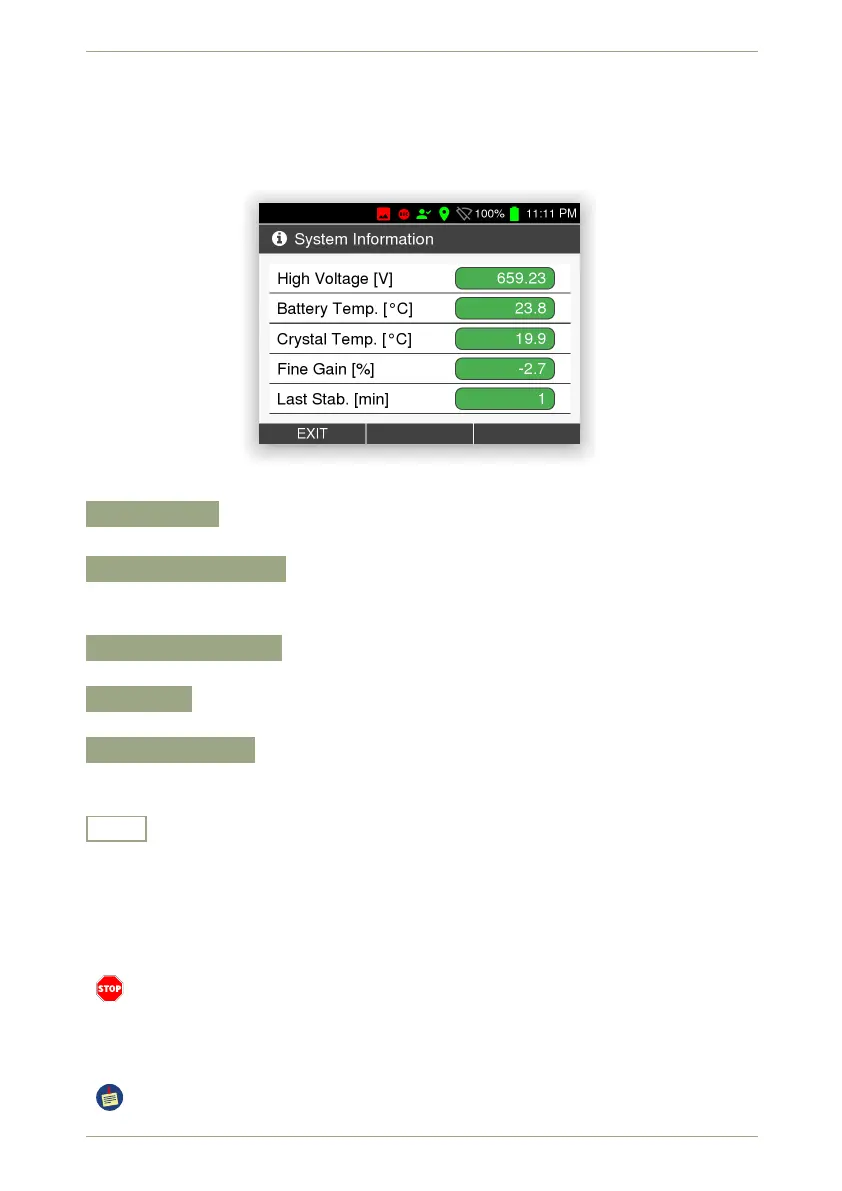
This screen (Fig. 71, p. 66) shows information about your radEAGLE’s hardware status.
Please have these data at hand when contacting our support.
Figure 71: The hardware status
High Voltage
Typical values are between 500 V and 800 V.
Battery Temperature
The value should be between 0 °C and 50 °C. (Available only only for the black power-
CELL, see 8.1.1, p. 107).
Crystal Temperature
The value should be between -20 °C and 55 °C.
Fine Gain
The value should be ±10 %.
Last Stabilization
Time elapsed since the last successfull stabilization of the instrument (see C.1,
p. 127).
Exit
Return to the superior screen.
5.17 Alarm Settings
This screen (Fig. 72, p. 67) groups the settings for warnings and alarms.
These settings are designed for your personal safety. The alarm is intended to let you
know you are exposed to dangerous radiation and may be accumulating a significant
radiation dose.If you set the alarm levels or warning thresholds too high, this may
pose a serious health risk to you.
You can set the unit used for these thresholds under 5.4, p. 49.
66/147 Software 3.2.12 • Document 3.3.0o © innoRIID GmbH • 2019-04-11



 To Next Page