radEAGLE User Manual radEAGLE Advanced Menu
5.4 Display
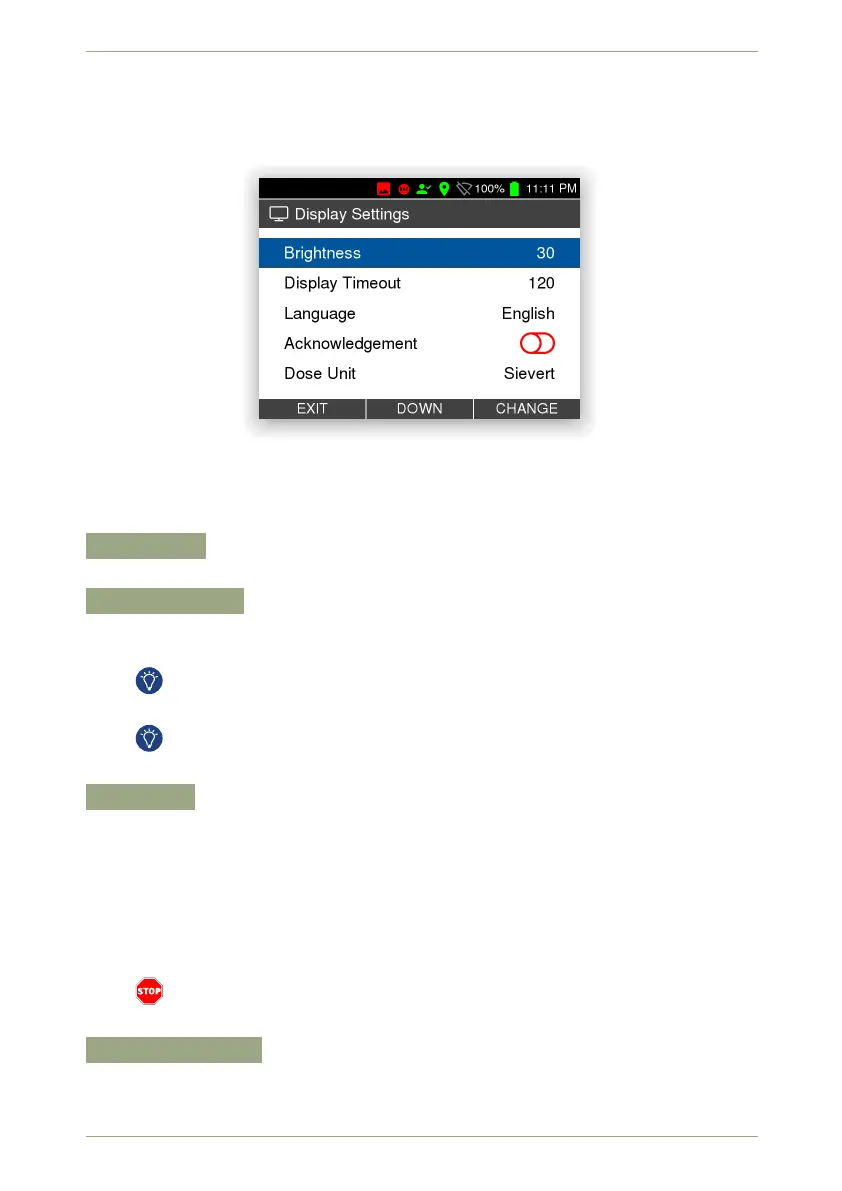
This screen (Fig. 44, p. 49) groups several options for the display of your radEAGLE.
Figure 44: The display settings
Settings and Commands
Brightness
Specify the brightness of the display’s backlight.
Display Timeout
Specify the duration of user inactivity after which the display backlight is dimmed to
save energy.
The backlight draws a significant amount of power, you should let it time out while
running on batteries.
After the backlight times out, you can reactivate it by briefly pressing any key.
The usual functions of short key presses are ignored in this case.
Language
Choose a language to be used for the display.
English
English with American spelling
Deutsch
German
other
more languages which might be installed on your instrument
Ensure you understand enough of the language you are changing to. It may be
difficult to change back if you do not understand the menu language.
Acknowledgement
Specify whether you want to explicitely confirm warning and alarm messages or have
the messages dissappear after the warning or alarm conditions are gone.
© innoRIID GmbH • 2019-04-11 Software 3.2.12 • Document 3.3.0o 49/147



 To Next Page