7.3 Remote Screen radEAGLE User Manual
7.3 Remote Screen
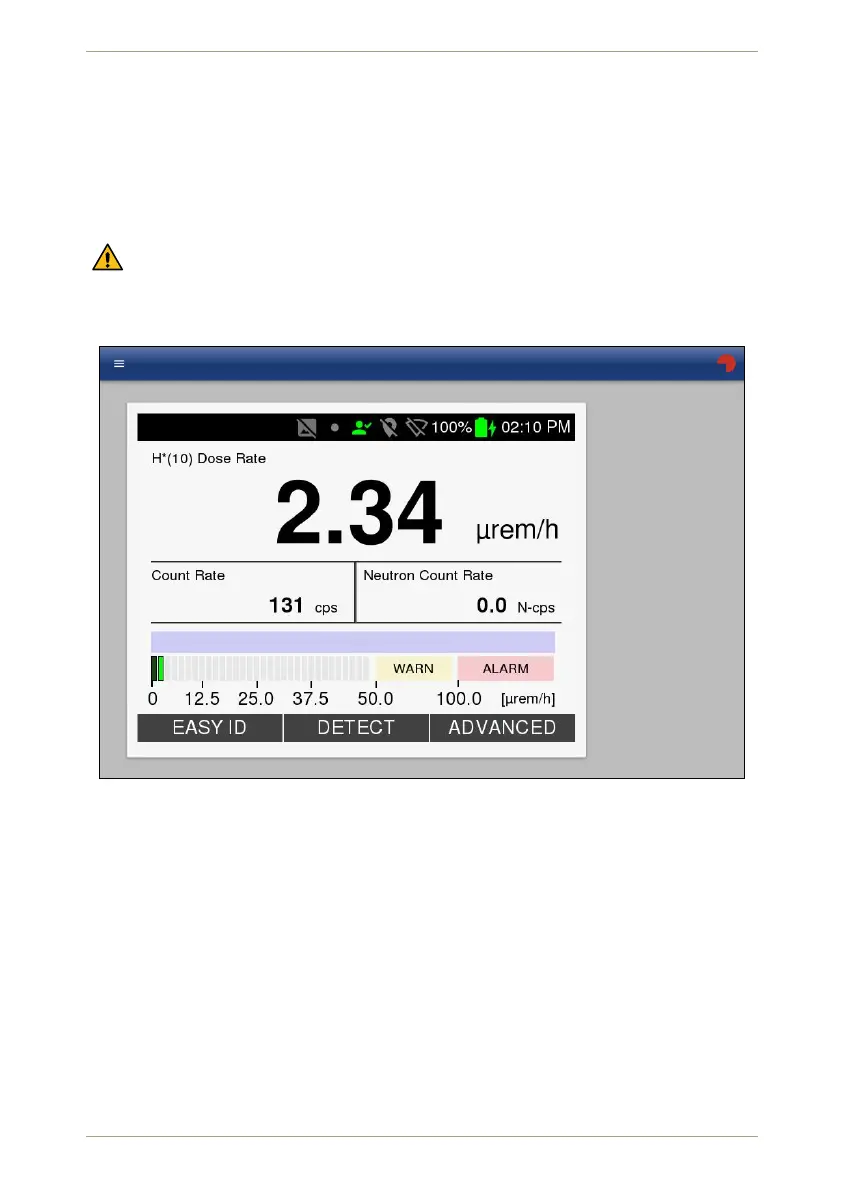
This section (Fig. 102, p. 88) shows the current contents of your radEAGLE’s screen. The
image changes when you operate the instrument.
You can control the instrument remotely by clicking the key descriptions in the Web inter-
face.
If the radEAGLE’s screen is dimmed after a while of inactivity, your first click only
restores the screen backlight. So if the instrument does not react after a moment,
click again.
RADEAGLE
18181
Figure 102: The remote radEAGLE’s screen in the Web interface
7.4 Spectrum Browser
This section (Fig. 103, p. 89) provides access to the spectra stored on the radEAGLE. You
can inspect, download or delete them.
The spectra are listed with several info columns:
• Record number
• File name derived from the recording date in ISO 8601 format
• Recording date and time in plain language
Initially all records are listed by ascending record numbers.
88/147 Software 3.2.12 • Document 3.3.0o © innoRIID GmbH • 2019-04-11



 To Next Page