radEAGLE User Manual radEAGLE Advanced Menu
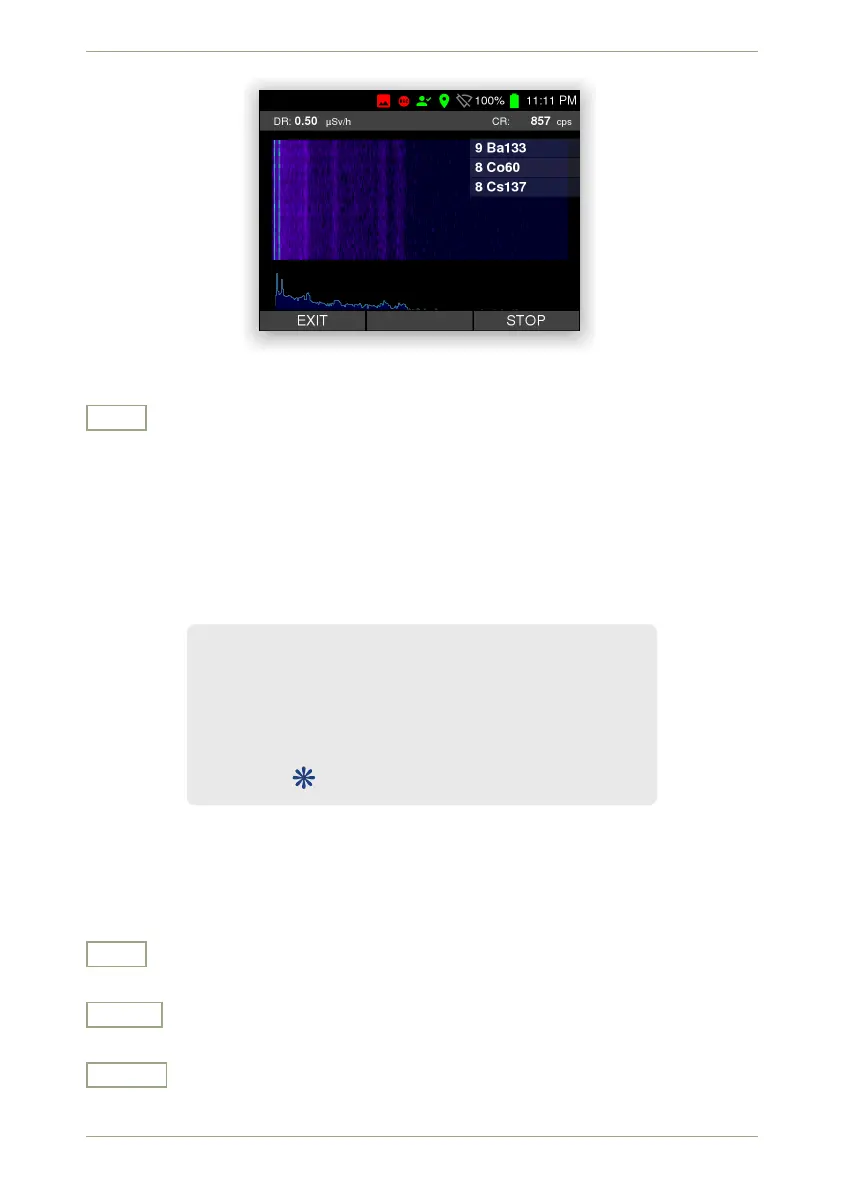
Figure 41: The Auto ID Waterfall display
Exit
Return to the superior screen.
5.2 Basic Settings
You can access the basic settings of the radEAGLE via this menu (Fig. 42, p. 47). You can
change these settings without entering a password.
Time and Date . . . . . . . . . . . . . . . . . . . . see 5.3, p. 48
Display . . . . . . . . . . . . . . . . . . . . . . . . . . . see 5.4, p. 49
Feedback . . . . . . . . . . . . . . . . . . . . . . . . . see 5.5, p. 50
Reachback . . . . . . . . . . . . . . . . . . . . . . . see 5.6, p. 51
Connectivity . . . . . . . . . . . . . . . . . . . . . . see 5.7, p. 52
GPS . . . . . . . . . . . . . . . . . . . . . . . . . . see 5.13, p. 62
Figure 42: The basic settings menu
Settings and Commands
Exit
Return to the superior screen.
Down
Highlight the next item. Cycles to the top item after you reached the last item.
Select
Select the highlighted item.
© innoRIID GmbH • 2019-04-11 Software 3.2.12 • Document 3.3.0o 47/147



 To Next Page