8.1 radEAGLE Battery Packs radEAGLE User Manual
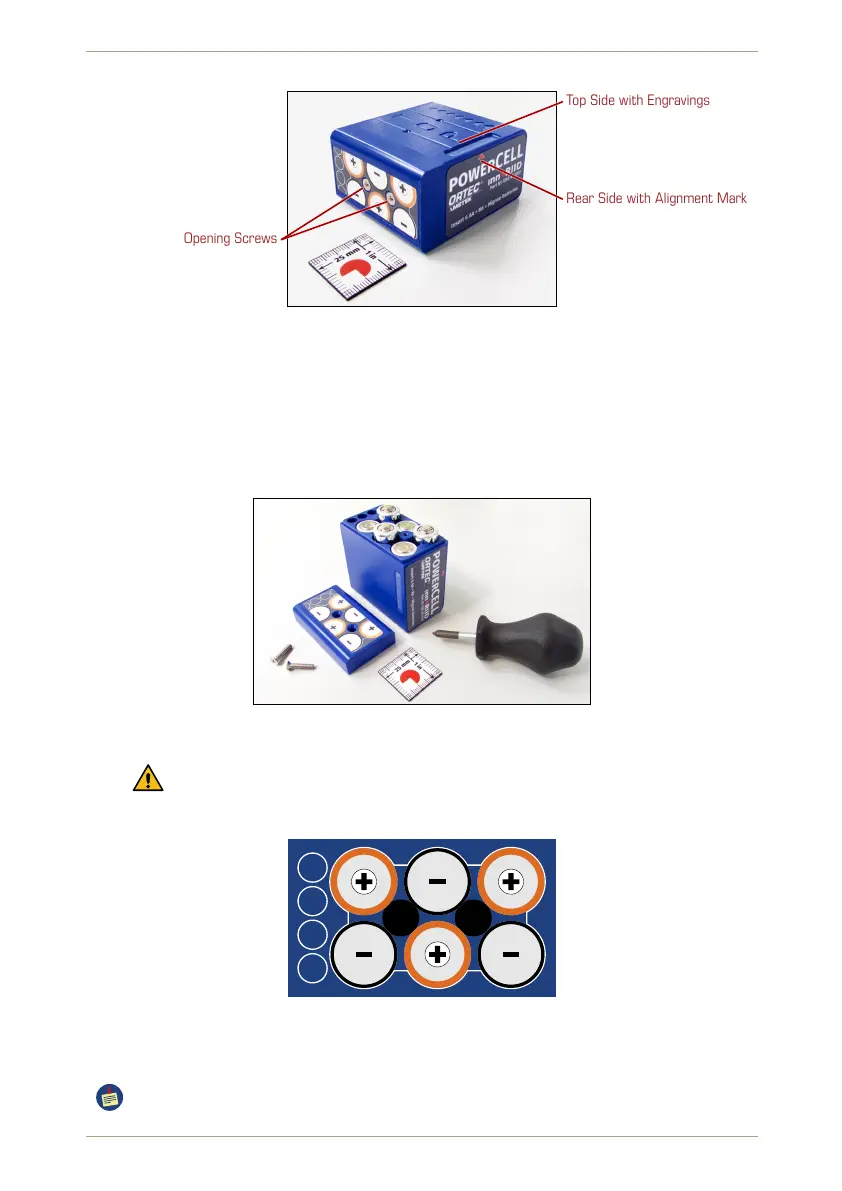
Top Side with Engravings
Rear Side with Alignment Mark
Opening Screws
Figure 126: The blue powerCELL for common batteries.
Ü To install batteries in the blue powerCELL…
1. Open the pack by removing the two screws on the left side with a Phillips PH 1 screw
driver (included with the radEAGLE.)
2. Insert six batteries.
Figure 127: The blue powerCELL filled with batteries.
Observe the polarity (Fig. 128, p. 108). The correct orientation is sketched on
the pack’s cover.
Figure 128: Orientation of AA bateries in the blue powerCELL (shown without cover).
3. Put the cover in place and fasten it with both screws.
Remove the AA cells if you don’t want to use the instrument for a longer while.
108/147 Software 3.2.12 • Document 3.3.0o © innoRIID GmbH • 2019-04-11



 To Next Page