5.22 Storage Management radEAGLE User Manual
Cycle
Cycle through the options for the highlighted setting. (Only available when a nuclide is
selected for editing, Fig. 78, p. 71.)
t
Highlight the next property of the nuclide. (Only available when a nuclide is selected
for editing, Fig. 78, p. 71.)
Accept
Make your changes to the highlighted nuclide permanent. (Only available when the
On/Off property of a nuclide is highlighted for editing, Fig. 79, p. 72.)
Cancel
Discard your changes, if any, to the highlighted nuclide. (Only available when a nuclide
is selected for editing, Fig. 79, p. 72.)
Exit
Return to the superior screen. (Only available while
241
Am is highlighted.)
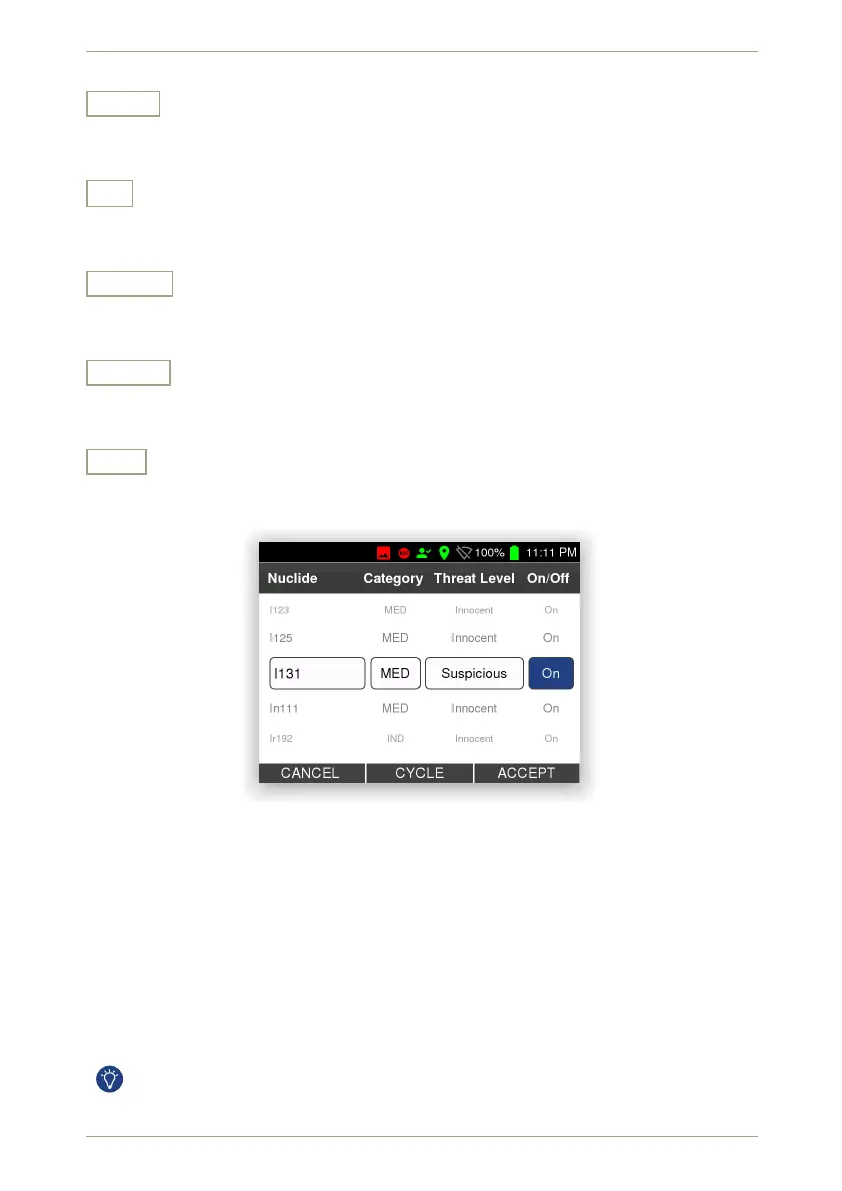
Figure 79: The nuclide library with
131
I selected for editing its On/Off property
5.22 Storage Management
This screen (Fig. 80, p. 73) provides an overview of all the data you saved in the radEAGLE’s
database during your surveys.
Shown is summary about free space and the number of files in various file groups. You can
delete data individiually or by their age.
A similar feature is available in the Web interface (see 7.10, p. 104).
72/147 Software 3.2.12 • Document 3.3.0o © innoRIID GmbH • 2019-04-11



 To Next Page