5.22 Storage Management radEAGLE User Manual
Type of Data
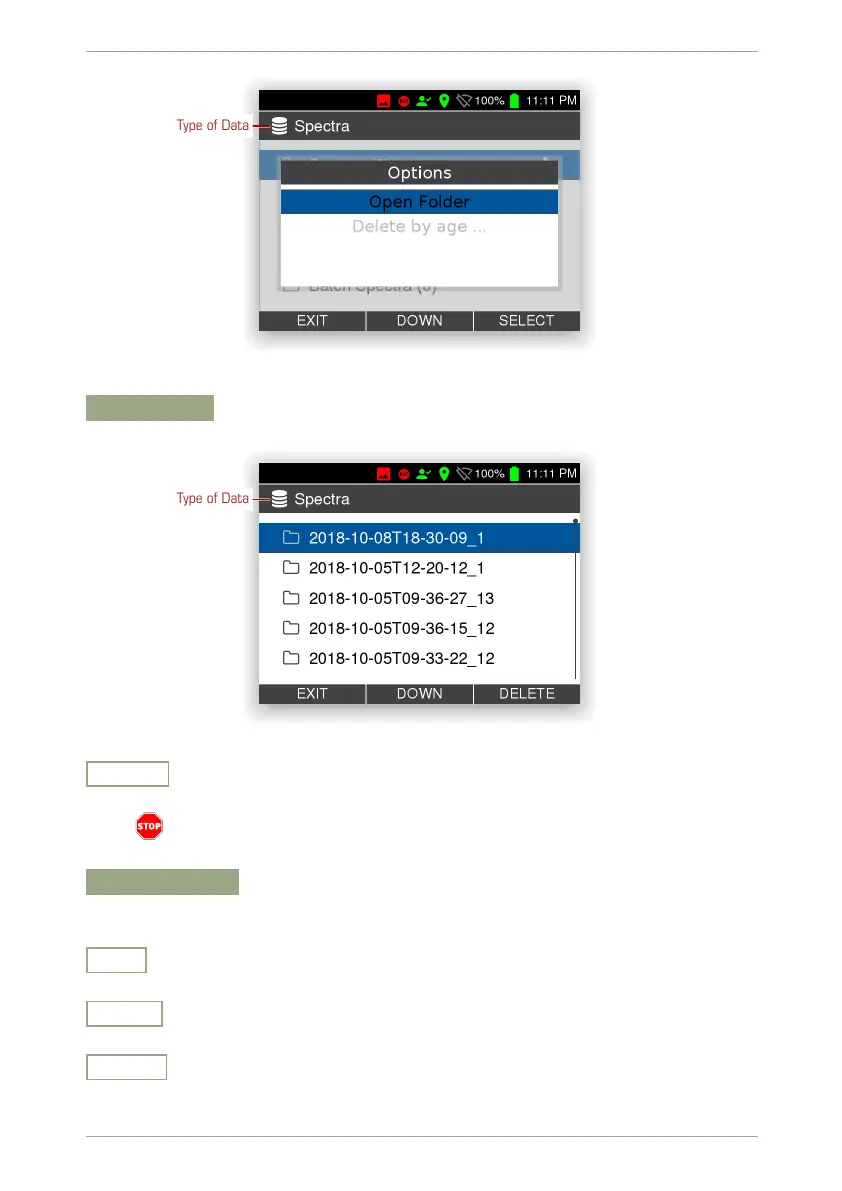
Figure 82: Storage management: Commands for a type of data
Open Folder
Open a list of all files in the group (Fig. 83, p. 74).
Type of Data
Figure 83: Storage management: List of files of a certain type
Delete
Delete the file highlighted in the list (Fig. 83, p. 74).
The file is deleted immediately after you press the key. There is no additional
warning.
Delete by Age…
Open a menu and choose which files to delete. You can specify a minimum age or have
all files deleted (Fig. 84, p. 75).
Exit
Return to the superior screen.
Down
Highlight the next item. Cycles to the top item after you reached the last item.
Select
Select the highlighted item.
74/147 Software 3.2.12 • Document 3.3.0o © innoRIID GmbH • 2019-04-11



 To Next Page