MATE3 Settings
900-0117-01-00 Rev B 113
Data logging will occur at the interval set in the MATE3 Data Logging screen shown in Figure 139 on
page 112. Data logging to the MATE3 internal flash memory is st
ored for up to one year's worth of logs.
Data logs can be downloaded selectively to the SD card (as needed) or automatically to the SD card. The
interval for automatic downloading to the SD Card can also be set at intervals from 1 to 6 seconds.
For instructions on downloading data logs for the charge controller, see Figure 153 on page 128.
For instructions on downloa
ding data logs for the FLEXnet DC Battery Monitor, see Figure 154 on page 129.
Data Log File Format
Information generated by this function will be saved on the SD card in a generic
.csv
file format, which can
be read by most spreadsheet programs. The file name on the
.csv
file will appear as follows:
Example: 11062722.csv (YYMMDDHR.csv)
Where: YY = Last 2 digits of the year, MM = Month (01-12), DD = Day (01-31), HR = Hour (00-23)
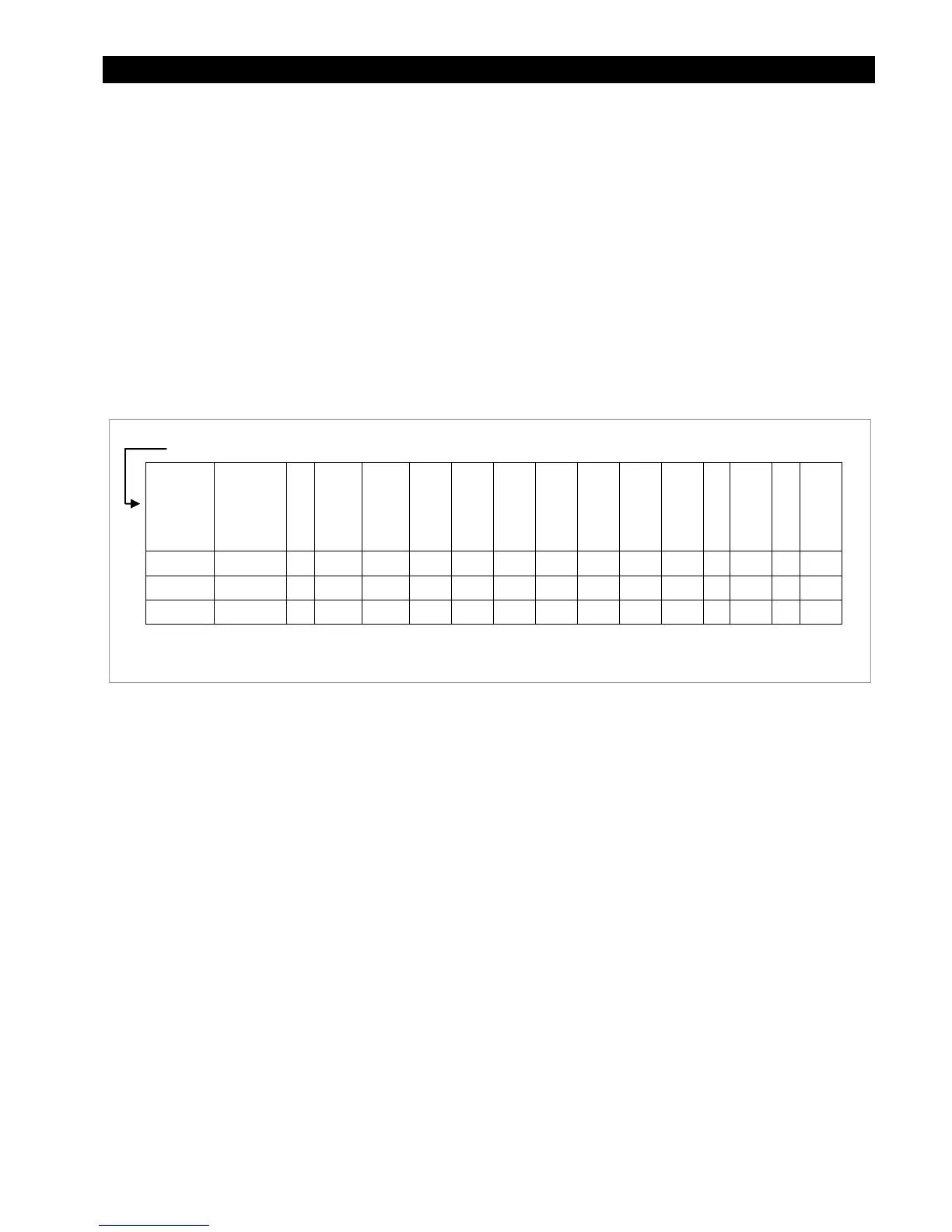
An example of a system data log is as follows:
Figure 141 Data Log Example for the System
For Data Log file examples for the charge controller and the battery monitor, see Device Data Logs on
page 128.
Inverter
Date and
time
Port
Device type
Invrt
current
Chrg
current
Buy current
Ac input
voltage
Ac output
voltage
Sell current
Operating
mode
Error mode
Ac mode
Battery
voltage
Misc
Warning
mode
6/09/11 17:28:20 1 2 2 0 0 0 230 0 2 0 0 500 25 0
6/09/11 17:28:20 2 2 2 0 0 0 230 0 2 0 0 508 25 0
6/09/11 17:28:20 3 2 2 0 0 0 230 0 2 0 0 508 25 0
NOTE: This header line is NOT included in the download.


 To Next Page