Configuration Wizard
900-0117-01-00 Rev B 159
Setup Complete Screen
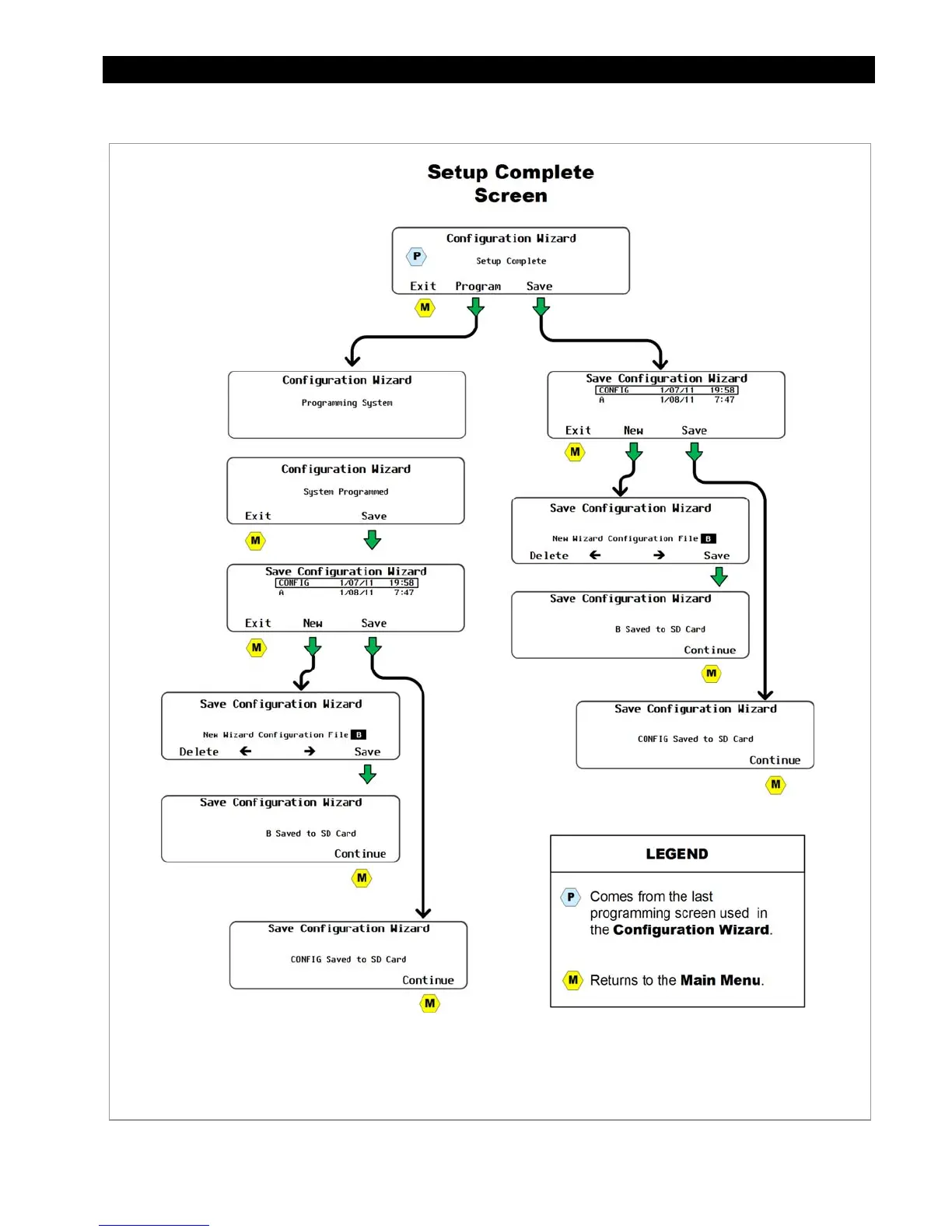
5Figure 176 Programming the System and Saving the Profile to an SD Card
Use the <TOP> navigation key to return to
the top of the Configuration Wizard Menu.
<Save> saves the setting
on the an SD Card.
<Program> saves the settings on
the MATE3 internal memory and
applies them to the system.


 To Next Page