Operation Guide 500ML Lighting Control Console
134 Programming
The XDMX settings then post the data on the Network as follows:
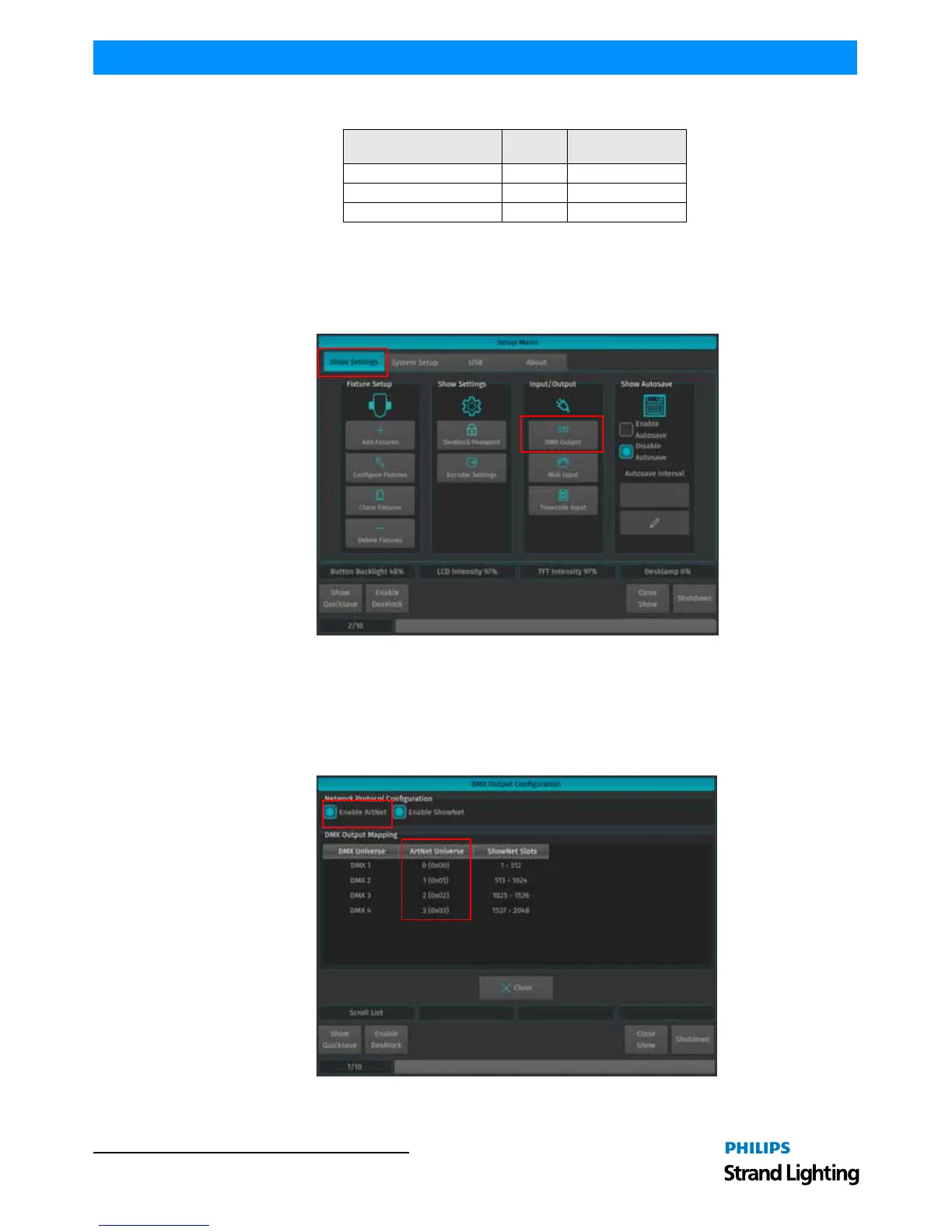
Enable DMX Output over Ethernet
To set up DMX Output over Ethernet, open the Setup Menu by pressing the [SETUP] key, head over to the Show
Settings Tab and select DMX Output from the Input / Output Groupbox.
All DMX Output settings are stored inside the Showfile.
Figure 244: Setup Menu - Show Settings / DMX Output
ArtNet Setup
To enable ArtNet Output (refer to "ArtNet Setup" on page 134 for more information), tick the Enable ArtNet
checkbox as shown in Figure 245. To configure each Universe, select it from the List and press the [SET] key. A new
screen allowing to enable or disable the ArtNet Output, as well as to configure the ArtNet Universe for this Universe
will be shown.
Figure 245: DMX Output Configuration Window - Enable ArtNet
Patch Range



 To Next Page